
Progressive Form Fields: Reveal Fields Based on User Answers
Visitors land on your form and see it: a wall of 15 fields demanding everything at once. Most leave immediately. Forms with 5 or fewer fields achieve 120% higher conversion rates than longer forms, yet the average checkout still displays 11.3 visible fields when only 8 are required. The problem isn't data collection—it's psychological overload. Progressive form fields solve this by revealing questions gradually based on previous answers, transforming static interrogation into a natural conversation that reduces friction while improving lead quality.
Key Takeaways
- Forms with 5 or fewer fields convert 120% higher than long-form designs (2026, Landbase)
- Progressive disclosure reduces cognitive load by showing only relevant questions, increasing completion rates across mobile and desktop
- Conditional logic based on previous answers keeps users engaged and improves data accuracy through contextual relevance
- Schema-aware implementation in JavaScript ensures validation, required indicators, and submit blocking stay synchronized with visibility rules
- Psychological Foundation: Small commitments create momentum—answering the first question makes abandoning the form psychologically costly by the third.
- Field-Reveal Architecture: Build conditional rules into your form schema so visibility, required state, and validation logic respond to user input automatically.
- Mobile-First Conditional Logic: Progressive fields reduce visible clutter on mobile where completion rates lag desktop by 42%, improving touch experience.
- Implementation Patterns: Use a centralized change handler and update the source schema—not just DOM—to keep validation aligned with UI visibility.
- Conversion Mechanics: Each revealed field represents a micro-commitment, compounding engagement and reducing the psychological cost of form abandonment.
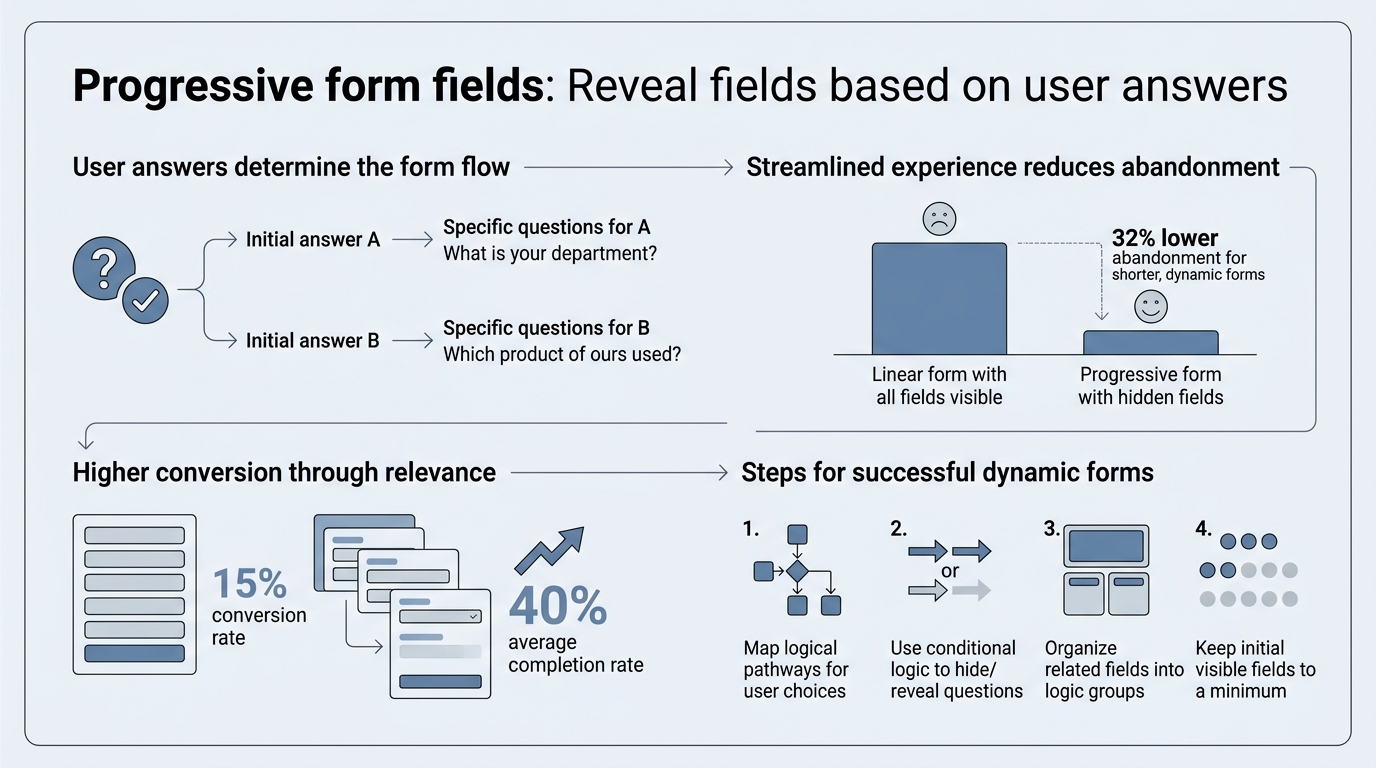
How Do Progressive Form Fields Work?
Progressive form fields reveal new questions in response to previous answers, creating a multi-step experience that users perceive as a conversation rather than an interrogation. Mobile form completion sits around 52–54% across industries, with desktop finishing 9–11 percentage points higher—a gap that progressive fields help close by reducing visible clutter on small screens. The mechanism is straightforward: each user response triggers a conditional check, and fields matching the condition appear, while irrelevant ones remain hidden.
The Foot-in-the-Door Principle
Behavioral psychology explains why progressive fields work so effectively. The foot-in-the-door technique, extensively documented in research, shows that small initial commitments dramatically increase compliance with larger requests later. When a visitor answers your first simple question—perhaps just their email address—they make a micro-commitment. That psychological investment creates momentum. Walking away after one field feels wasteful; by the time they've answered three questions, abandoning the form costs more psychological effort than continuing.
"When a visitor answers your first simple question, they make a micro-commitment. That psychological investment creates momentum. By the time they've answered three questions, abandoning the form costs more psychological effort than continuing."
This commitment escalation compounds through the form journey. After answering five questions, the sunk-cost effect makes users reluctant to lose their progress. The form no longer feels like a demand; it feels like progress toward a goal the user has already started to pursue. Each progressive reveal reinforces this sense of forward motion, making completion feel inevitable rather than effortful.
Reducing Cognitive Load
Our working memory can process only a limited amount of information at once. When visitors see a 15-field form, their brain must evaluate all requirements simultaneously: What info do I need? Do I have it? How long will this take? Is it worth my time? This cognitive burden triggers immediate rejection.
Progressive forms eliminate this problem. When you present only two or three fields, the mental calculation becomes trivial. Your brain doesn't need to assess the entire commitment upfront. By the time users have completed several sections, they've answered what might have seemed daunting if presented all at once—but they never experienced that initial overwhelm. The experience feels effortless because each step is genuinely small.
Contextual Relevance and Trust
Progressive fields also create contextual relevance that builds trust. When a form asks about budget only after confirming serious intent, it feels appropriate rather than invasive. Users don't feel interrogated; they feel understood. The sequence mirrors real conversations: you don't ask about budget before the other person has explained what they need. This natural flow increases data accuracy because users provide thoughtful, relevant answers instead of guessing or lying to skip fields.
Why Do Progressive Fields Improve Conversion Rates?
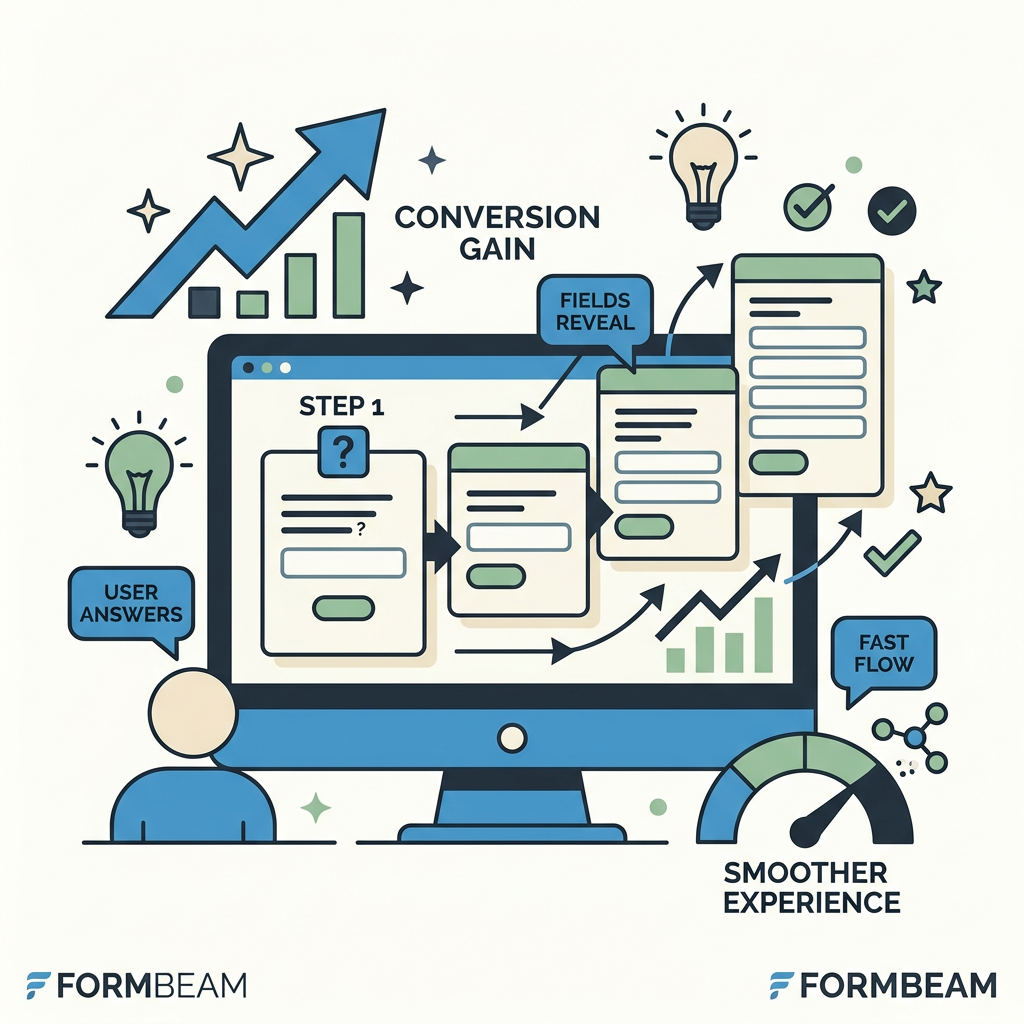
The mechanics of progressive forms directly address the two largest friction points in form design: perceived effort and cognitive burden. The median website conversion rate across industries is 2.35%, while top performers reach 11.45%—much of that gap comes from form friction. Progressive fields narrow this gap by making the form feel shorter and more relevant with each interaction.
Reducing Perceived Form Length
Perceived length matters more than actual length. A 12-field form that reveals 3 fields at a time feels substantially shorter than a 12-field form displayed all at once, even though both ask the same questions. Users evaluating whether to start a form make a snap judgment: How long will this take? A progressive form answers that question with evidence—each completed section confirms the form is manageable, encouraging continuation.
"A 12-field form that reveals 3 fields at a time feels substantially shorter than a 12-field form displayed all at once, even though both ask the same questions. Perceived length matters more than actual length."
This principle explains why short forms convert dramatically better. When a form shows only essential fields first, the barrier to entry drops. Users commit to the first step knowing it will take 30 seconds. By the time you reveal the second set of fields, they're invested and willing to continue. The form grows progressively, but so does the user's commitment to finishing it.
Mobile Conversion Advantage
Mobile traffic dominates modern web traffic—65% of all website traffic comes from mobile devices, yet mobile conversion lags desktop by 42% due to screen real estate constraints. Progressive fields address this directly. A mobile user seeing five visible fields feels the form is manageable; the same user facing 15 fields bounces immediately. When you reveal fields progressively, mobile users never experience the overwhelm that triggers abandonment.
"On mobile, progressive forms solve the problem of scrolling fatigue. Users don't need to scroll through a seemingly endless form; each section is compact and distinct. The experience becomes a series of quick micro-interactions rather than a frustrating scroll marathon."
On mobile, progressive forms also solve the secondary problem of scrolling fatigue. Users don't need to scroll through a seemingly endless form; each section is compact and distinct. The experience becomes a series of quick micro-interactions rather than a frustrating scroll marathon. Mobile completion rates improve measurably when forms use this approach.
Data Quality and Lead Qualification
Progressive fields don't just improve completion—they improve data quality. When users answer contextually relevant questions in a natural sequence, their answers are more thoughtful and accurate. A visitor who's confirmed their use case before seeing budget questions will provide realistic budget information because they understand the context. The same visitor facing budget questions first might guess, exaggerate, or abandon the form.
This benefit extends to qualification. By asking qualification questions early, you can branch the form based on responses—if someone isn't qualified, stop asking questions. If they are, continue gathering detail. You capture only the information you actually need while improving the experience for both qualified and unqualified leads.
Core Implementation Patterns for Conditional Form Logic
Building progressive forms requires conditional logic that responds to user input. The most effective implementations use a centralized rules model where field visibility and validation state are controlled by a single change handler, not scattered across multiple event listeners. Modern form patterns emphasize schema-aware validation—updating not just the DOM but the source data model to keep validation, required indicators, and submit checks synchronized.
Schema-First Approach
The strongest implementation strategy treats your form schema as the source of truth, not the DOM. When a user's answer changes a field's required status, you update the schema first, then re-render. This ensures that built-in validation recognizes the change, asterisk indicators update correctly, and submit-time validation blocks forms with missing required fields. Many teams make the mistake of hiding/showing fields in the DOM without updating the schema, leaving validation out of sync with visibility.
This approach works across all frameworks. In React, you mutate your form state object and let React re-render. In Vue, you update the reactive data model. In plain JavaScript, you modify your form schema object and then manually update the DOM to match. The principle remains: let the schema drive the UI, not the reverse.
Centralized Change Handler Pattern
Rather than attaching listeners to each field, attach a single form-level change handler. When any field changes, this handler:
- Evaluates all conditional rules against the current form data
- Updates visibility and required state for dependent fields
- Re-validates the form
- Updates the DOM or triggers re-render
This pattern scales cleanly. Adding a new conditional field doesn't require new listeners—you just add a rule to your rules model. If a field depends on multiple other fields, you define that in the rules, not through cascading event handlers.
Multiple Conditions and Complex Logic
Real forms often require complex logic: show this field if (A is true AND B is empty) OR C equals "other". Most form libraries support structured condition arrays for this. Drupal's Form API, for example, uses the `#states` property to define conditions as arrays of values, each compared with operators like equals, not empty, greater than, and less than.
For tools lacking native nested boolean logic, use an intermediate field as a calculated proxy. If you need to show a field when (A OR B) AND C, create a hidden calculated field that returns true/false, then base visibility on that single field. This avoids embedding ad-hoc imperative code scattered across your form logic.
Building Progressive Forms for Static Sites and Headless Stacks
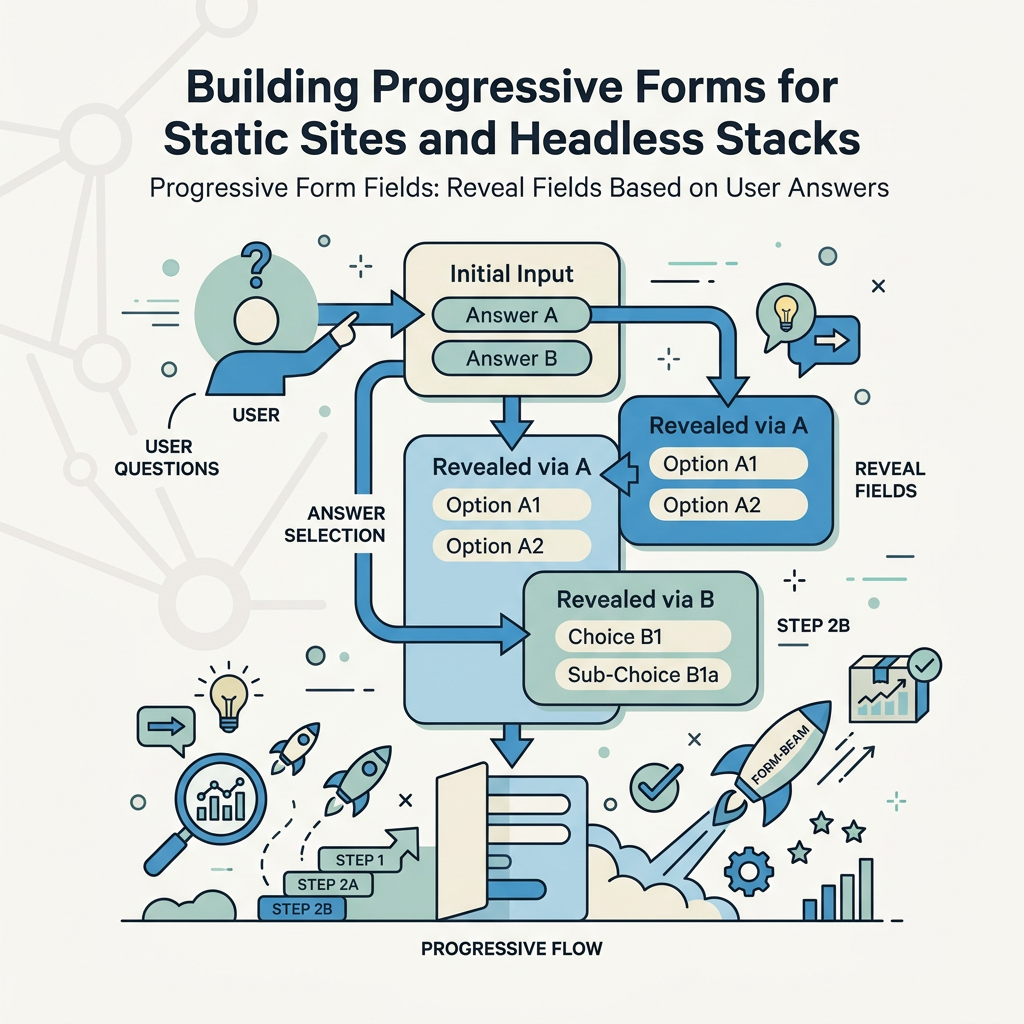
Indie developers and small teams building static sites with HTML, React, Vue, Next.js, or Svelte often avoid traditional form builders because they don't want to manage backend infrastructure or vendor lock-in. Progressive forms fit naturally into this workflow—you define conditional rules as data, embed the form in your static markup, and handle submissions without spinning up servers.
Native HTML with Progressive Enhancement
Start with semantic HTML: build your form with all fields present in the DOM, then use CSS and JavaScript to manage visibility. Each field gets a `data-condition` attribute that encodes its visibility rule as JSON. A central JavaScript module reads these rules, listens for change events, and applies/removes a `hidden` class based on conditions. This approach works without any framework and degrades gracefully.
This technique is particularly powerful for static sites because the form is crawlable, accessible without JavaScript, and requires minimal bundle size. You can even use FormBeam's embedded form backend to handle submissions and provide email notifications, giving you production-ready forms without any backend code to maintain.
React/Vue Component Approach
For component-based frameworks, store your form schema and rules in state. Each input binds to the schema; changes trigger a re-evaluation of conditions. Dependent fields render conditionally based on computed rules. This approach gives you type safety, clear data flow, and easy testing. The component patterns remain consistent whether you're building a simple contact form or a complex multi-step wizard.
React example pattern: maintain a `formData` object in state, attach an `onChange` handler to each input, and conditionally render field groups based on rules evaluated against current `formData`. Vue works identically with reactive data and conditional rendering.
Validation Across Progressive Steps
Progressive forms require careful validation. A field that's currently hidden shouldn't block form submission, but a field that becomes required based on a user's answer must block submission if left empty. The rule: a field's validation rules must match its visibility rules. If a field is hidden, don't validate it. If a field becomes visible, immediately validate it. If you're using FormBeam, this synchronization happens automatically—hidden fields are skipped during submission processing.
| Implementation Method | Best For | Validation Complexity | Mobile-Friendly | Framework Requirement |
|---|---|---|---|---|
| HTML + vanilla JavaScript | Static sites, simple rules | Custom, manual management | Yes, with CSS optimization | None |
| React with state management | Complex multi-step forms, SPA applications | Built-in via controlled inputs | Yes, native responsive support | React |
| Vue with reactivity | Progressive enhancement, flexible routing | Built-in via watchers and computed | Yes, native mobile-first design | Vue |
| FormBeam embedded backend | Static sites needing submissions + notifications | Server-side validation + client-side rules | Yes, fully responsive forms | None (backend-agnostic) |
| Schema-driven form library | Standardized forms, CMS integration | Library-managed validation rules | Varies by library | Library-dependent |
Best Practices for Progressive Field Design
The mechanics of progressive forms are simple, but execution determines whether they improve or harm conversion. Design choices matter as much as code choices.
Start with the Minimum Viable Question Set
Don't reveal extra fields just because you can. Begin with the absolute minimum required to understand the user's intent. For most contact forms, that's email and the primary question. For lead qualification, it might be company size and use case. Force yourself to justify each initial field—if you can't explain why it's essential to start with, move it to a later step.
This discipline aligns with conversion research: top-performing websites have learned to ask fewer questions upfront, then gather additional data through progressive profiling after trust is established. Asking for phone, budget, and implementation timeline on the first screen kills submissions. Ask for email and the primary question, then reveal deeper qualifying questions based on answers.
Clear Visual Progression
Users must understand that they're progressing through a multi-step form, not being ambushed with new questions. Use visual markers: step indicators, progress bars, or section headers that clearly delineate each stage. When a new field group appears, it should feel like progress, not surprise. Mobile users especially benefit from clear step indicators because they can't see the full form at once.
Logical Question Sequencing
Order matters. Ask qualification questions before detail questions. Ask easy questions before hard ones. Ask about problems before proposing solutions. The sequence should feel like a natural conversation where each answer makes the next question sensible.
Handling No-Match Scenarios
Sometimes a user's answer means they don't qualify. In these cases, you have two options: branch the form to a different path (e.g., "thanks for interest, you don't fit our current offering") or stop asking questions early. Both approaches win compared to continuing to ask irrelevant questions. A visitor who doesn't qualify will appreciate being told upfront rather than finishing a 10-field form only to be rejected.
Avoiding Common Pitfalls
Progressive forms look simple but hide complexity. Teams often make mistakes that undermine the benefits.
Mixing Hide/Show with Required State
The most common mistake: hiding a field without removing its required attribute, or showing a field without making it required when it should be. Users get confused when a field is hidden but still somehow required, or when an optional field appears. Update both visibility and validation state together, always. If you're updating the DOM without updating the schema, you've already lost validation consistency.
Too Many Conditions, Too Few Questions
Some teams overcomplicate progressive logic, branching the form into a dozen different paths based on multi-field conditions. This defeats the purpose. The goal is to reduce perceived effort, not create a complex decision tree. Keep condition logic simple: if possible, base visibility on a single previous field. If you need multi-field conditions, use an intermediate calculated field to simplify.
Ignoring Mobile Optimization
Progressive fields only win on mobile if you also optimize spacing, touch targets, and field width. A mobile form with tiny inputs and cramped spacing won't improve completion just because you hide some fields. Ensure each step fits comfortably on a phone screen without scrolling when possible, and make inputs large enough for touch without zooming.
Not Testing Validation Across Steps
Test what happens when a user skips a required step or submits with empty required fields. Progressive forms can hide validation errors if you're not careful. A user should never be confused about why a field is required or why the form isn't submitting. Validation errors should appear inline and clearly, guiding the user to fix the issue.
How to Track and Optimize Progressive Form Performance
Once your progressive form is live, measure its impact. Track completion rates for each step, identify where users drop off, and iterate based on data.
Field-Level Abandonment Analytics
Most form analytics tools track completion at the form level only. That's insufficient for progressive forms. You need field-level data: what percentage of users reach each step, and where do they abandon? If 90% of users complete step one but only 40% complete step two, that second step needs redesign. Maybe the question is confusing, the condition is showing at the wrong time, or the revealed fields are overwhelming.
Step Duration and Friction Signals
Track how long users spend on each step. If step two is taking 3 minutes while step one takes 20 seconds, that step is creating friction. It might be unclear, too many fields, or misaligned conditions. Mobile users typically spend longer per field due to typing on small keyboards, so separate mobile and desktop analytics to identify real friction.
Conversion Lift Testing
Run A/B tests comparing your progressive form against a single-page version. Measure completion rate, data quality, and mobile-specific conversion. Most progressive forms show 15–25% higher completion rates, but the lift varies by industry and form complexity. Your testing will reveal whether progressive fields are worth the added complexity for your specific form.
Conclusion
Progressive form fields transform lead capture from an interrogation into a conversation. By revealing questions gradually based on previous answers, you reduce cognitive load, build commitment through small steps, and improve data quality through contextual relevance. Forms with 5 or fewer visible fields convert 120% higher than longer forms, and progressive disclosure delivers this benefit without losing the deeper information you need—you simply ask for it at the right time, when users are most willing to provide it.
The implementation is straightforward: use a centralized rules model, update your schema (not just the DOM) when visibility changes, and test your validation across all steps. For indie developers and small teams building static sites, progressive forms integrate seamlessly with HTML, React, Vue, and Next.js stacks. Services like FormBeam handle the backend complexity—submission storage, email notifications, and spam filtering—so you can focus on the UX and conditional logic that matters.
Ready to build smarter forms? Try FormBeam free for 100 submissions per month, and embed progressive forms without backend infrastructure.
FAQs
What is the difference between progressive forms and conditional forms?
Progressive forms and conditional forms are closely related but technically distinct. Progressive forms reveal fields gradually as users progress through the form, focusing on reducing the number of visible questions at any moment. Conditional forms show or hide fields based on logic tied to previous answers—for example, if a user selects "Other" from a dropdown, reveal a text input explaining what "other" means. Most modern progressive forms use conditional logic under the hood; the term "progressive" emphasizes the user experience (gradual disclosure) while "conditional" emphasizes the mechanism (rules-based visibility). In practice, the best forms combine both: they progress through steps while using conditional logic to reveal only relevant fields within each step.
How do I implement progressive form fields in React?
In React, progressive forms work by maintaining a form state object and conditionally rendering field groups based on that state. Store your form data in a state variable, attach an onChange handler to each input that updates state, and define a rules object that maps conditions to field visibility. Use conditional rendering (ternary operators or component show/hide) to display fields based on rules evaluated against current state. For example, if a user selects "Company" from an entity type dropdown, conditionally render additional fields for company size and industry. The key is updating state first, then letting React re-render based on that state—this keeps validation in sync with visibility. For complex multi-step forms, many teams use a form library like React Hook Form or Formik, which provide built-in support for conditional fields and validation.
What conversion rate improvements should I expect from progressive forms?
The conversion improvement from progressive forms depends on your baseline form complexity and your audience. If your current form has 10+ fields, progressive disclosure typically improves completion rates by 15–30%, with mobile seeing larger gains due to screen constraints. The research is clear: forms with 5 or fewer fields convert 120% higher than long forms, and progressive forms deliver this benefit by showing only relevant questions at each step. However, the lift also depends on implementation quality—poor conditional logic or unclear question sequencing can eliminate the benefit. Run an A/B test comparing your progressive version against your original form to measure your specific improvement. Industry, audience sophistication, and form purpose all influence the actual lift you'll see.