Blocking Spam Bots: CAPTCHA Alternatives and Best Practices
Spam bots have become a critical problem for web forms. According to Fastly's 2026 report, 49% of all web traffic is automated, with 99% of that bot traffic classified as unwanted, including scrapers, spammers, and attackers. For form owners, this translates directly to wasted infrastructure costs, corrupted analytics, and poisoned leads. Traditional CAPTCHA puzzles, once the gold standard, now fail on two fronts: modern bots solve them in seconds, while legitimate users abandon your forms due to friction. The solution isn't to fight harder with the same toolsit's to adopt smarter, invisible alternatives that separate humans from machines without the frustration. Here's a complete guide to protecting your forms with modern bot detection methods that actually work.
Key Takeaways
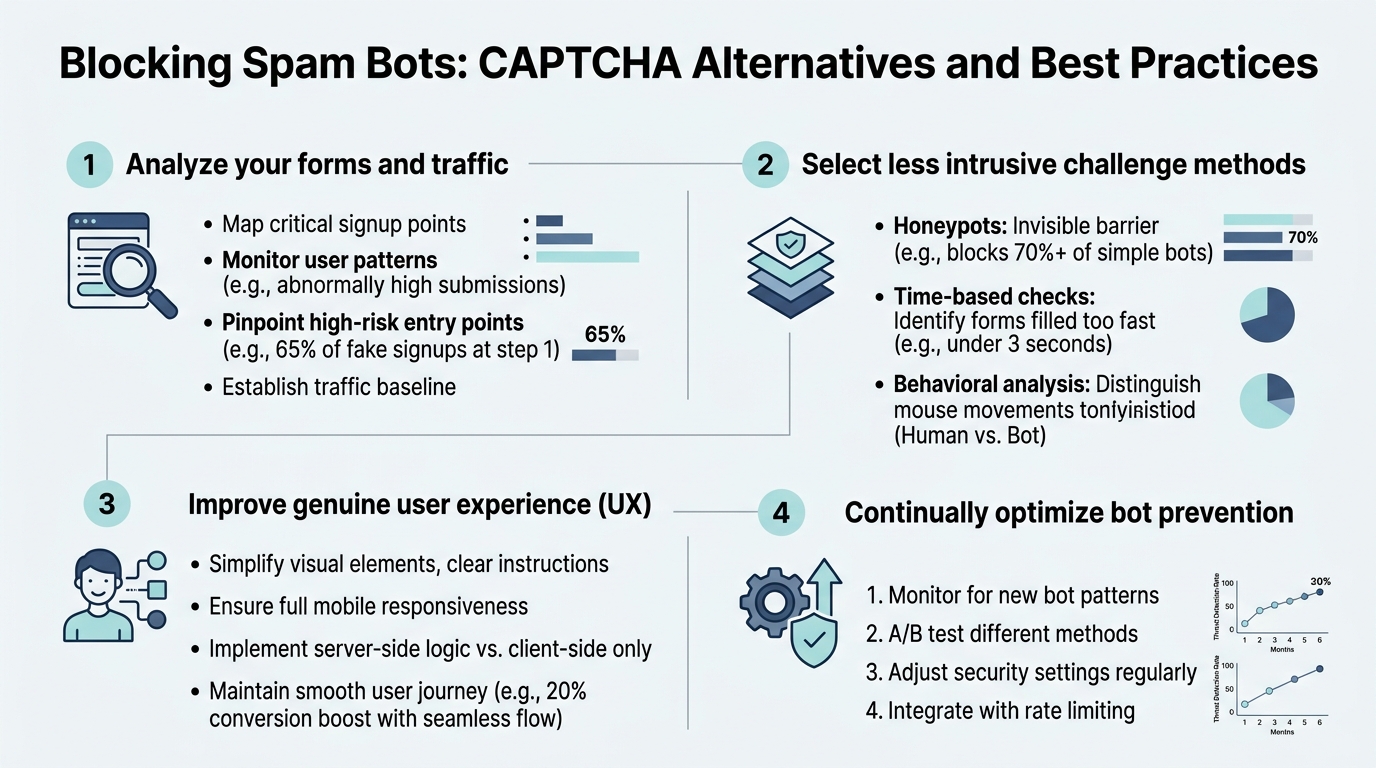
- 49% of web traffic is bots, 99% unwanted (Fastly, 2026), making form protection critical for indie developers and small teams.
- Traditional CAPTCHAs reduce conversions and are vulnerable to AI solvers; invisible alternatives like honeypots and behavioral analysis deliver better security with zero user friction.
- Layered defensecombining proof-of-work, honeypots, and device fingerprintingblocks 95%+ of spam while preserving user experience.
- Why Traditional CAPTCHA Fails Today: AI bots now solve visual puzzles faster than humans, while accessibility and GDPR privacy issues make them risky for your site.
- Invisible Bot Detection Methods: Honeypots, behavioral analysis, and proof-of-work compute checks stop bots silently without user interaction.
- Hybrid Defense Layers: Combining multiple signals (device fingerprint, form submission speed, mouse patterns) achieves 95%+ accuracy against modern spam.
- Privacy-First Alternatives: GDPR-compliant solutions like TrustCaptcha and Cloudflare Turnstile eliminate tracking concerns and regulatory exposure.
- Implementation Best Practices: Start with honeypots for lightweight protection, add behavioral checks for medium risk, and layer fingerprinting for high-value forms.
Why Traditional CAPTCHA Is Obsolete for Modern Spam Defense
Traditional CAPTCHA was designed in an era when bots were simple pattern-matching scripts. That advantage is gone. Modern AI solvers defeat image recognition CAPTCHAs with accuracy rates exceeding 95%, and services charge as little as $0.02 per solve, making automated abuse economically viable at scale. Meanwhile, your legitimate users suffer.
The Cost of CAPTCHA Friction
Every CAPTCHA puzzle your users see is a conversion risk. Mobile users face the worst experiencedragging puzzle pieces on a 5-inch screen tests patience quickly. Even a single visible CAPTCHA in a signup or checkout flow meaningfully increases bounce rates and form abandonment. For indie developers targeting small audiences, losing even 5-10% of conversions due to friction adds up fast.
Beyond UX, CAPTCHA introduces compliance liabilities. Google's reCAPTCHA collects behavioral datamouse movements, browsing patterns, and engagement signalsto train its risk models. Under GDPR, CCPA, and HIPAA, that data pipeline becomes a regulatory exposure. You're outsourcing form security to a third party while gambling with user privacy.
AI-Powered Bots Now Outpace Traditional Defenses
CAPTCHA-solving services operate at industrial scale. A bad actor can deploy thousands of concurrent requests, each solving puzzles automatically via APIs. The cost-per-solve is negligible compared to the revenue opportunity from harvesting leads, scraping content, or launching credential-stuffing attacks. 82.6% of phishing emails in 2025 used AI to craft more convincing content, and form spam follows the same trendsmarter, faster, cheaper.
Your form isn't just dealing with dumb bots anymore. It's facing adversaries with access to off-the-shelf bot frameworks, residential proxy networks, and machine learning classifiers that mimic human behavior at scale.
How Invisible Bot Detection Actually Works
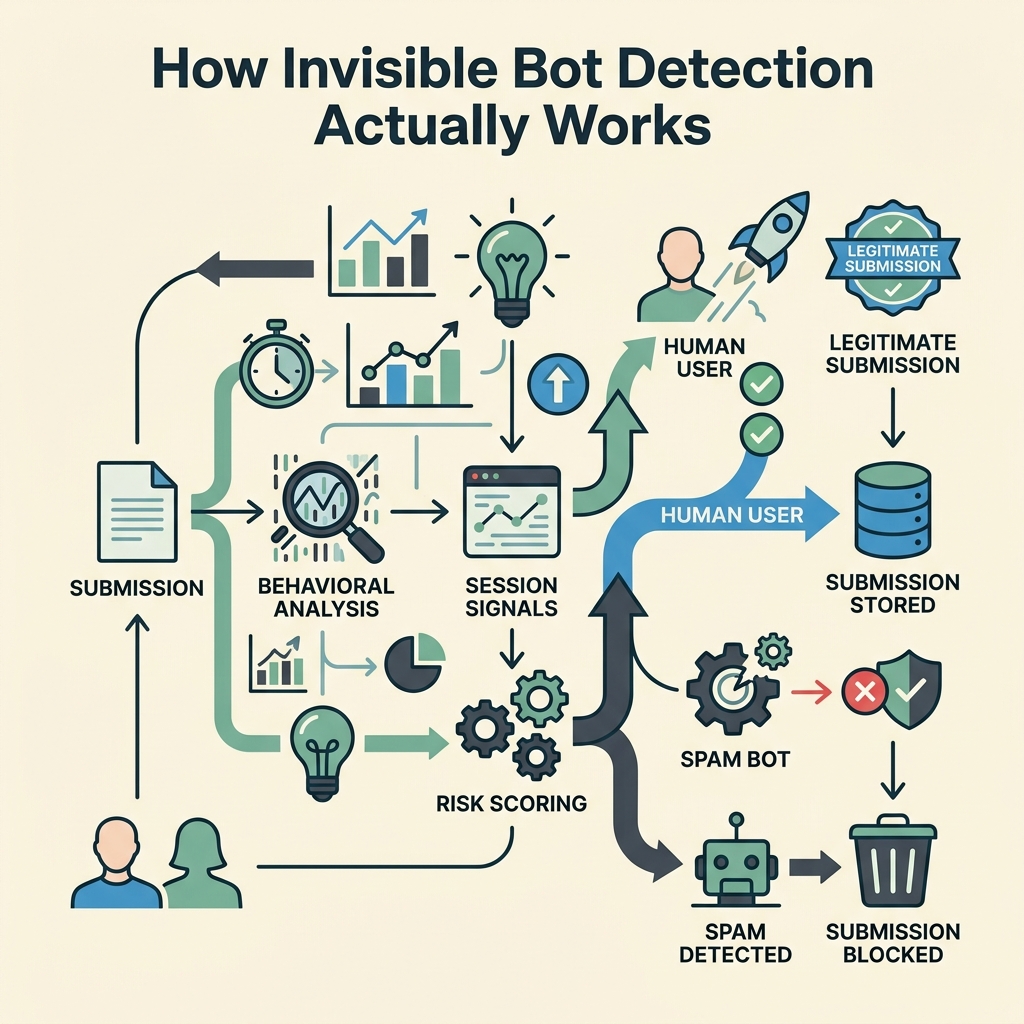
The modern approach shifts from puzzles to passive signals. Instead of asking users to prove they're human, invisible methods observe how they interact with your form and flag anomalies. This works because bots, no matter how advanced, leave detectable patterns.
Honeypot Fields: The Silent Trap
A honeypot is a hidden form field that legitimate users will never see or fill. Bots, scanning the HTML structure and attempting to complete every field, will populate it. The moment a submission includes data in the honeypot, you reject it instantly.
- Implementation: Add a hidden CSS field to your form (e.g.,
display: noneor positioned off-screen). Name it something plausible like "phone_number" or "website." - Detection: On submission, check if the honeypot field contains data. If it does, block the submission server-side.
- Effectiveness: Catches 70-80% of generic bots and scrapers. Zero false positivesreal users never interact with hidden fields.
- Privacy: No data collection, no third-party tracking. Fully GDPR compliant.
Honeypots are lightweight and don't require external services. FormBeam includes honeypot protection by default, making it trivial for indie developers to block the easiest-to-catch spam tier without extra configuration.
Behavioral Analysis: Bot Patterns in Motion
Real humans type, pause, edit, and think while filling forms. Bots auto-fill fields at machine speedinstantaneously. Behavioral signals detect this:
- Form completion time: How long from page load to submission? Bots complete forms in milliseconds; humans take seconds or minutes.
- Keystroke dynamics: Real typing has natural rhythm and variance. Bots trigger input events synchronously without human-like delays.
- Mouse movements: Humans move their mouse before clicking. Bots jump directly to interactive elements.
- Focus patterns: Humans skip fields, correct mistakes, and move backward. Bots flow linearly through form elements.
Services like Fingerprint Device Intelligence and Cloudflare Turnstile use behavioral layers to score submissions without visible interaction. If a submission arrives with suspicious signalscompleted in 300ms, zero mouse movement, linear focus flowit's flagged as high-risk.
Proof-of-Work Computation
Proof-of-work transfers the computational burden to the client before form submission. The user's browser performs a small cryptographic taskimperceptible to humans but expensive at bot scale. A single puzzle takes 5-10ms to solve legitimately but requires 500-5,000ms when executed thousands of times across a bot farm.
TrustCaptcha and similar tools embed this mechanism invisibly. By the time a user hits submit, their device has already solved a computational challenge. Bots hitting the same form face multiplicative costeach attack attempt becomes economically irrational.
Device Fingerprinting and Risk Scoring
Device fingerprints create a profile based on browser characteristics, OS, and device IDwithout cookies or tracking pixels. Repeat visitors with consistent fingerprints are trusted faster. New visitors or those with spoofed/proxy identities get escalated scrutiny.
When combined with behavioral signals and IP reputation, fingerprinting enables granular risk scoring. Instead of binary accept/reject, you can tier responses: green-light trusted users instantly, challenge medium-risk submissions with a lightweight check, and block obvious bots.
CAPTCHA Alternatives: Comparison and Best Practices
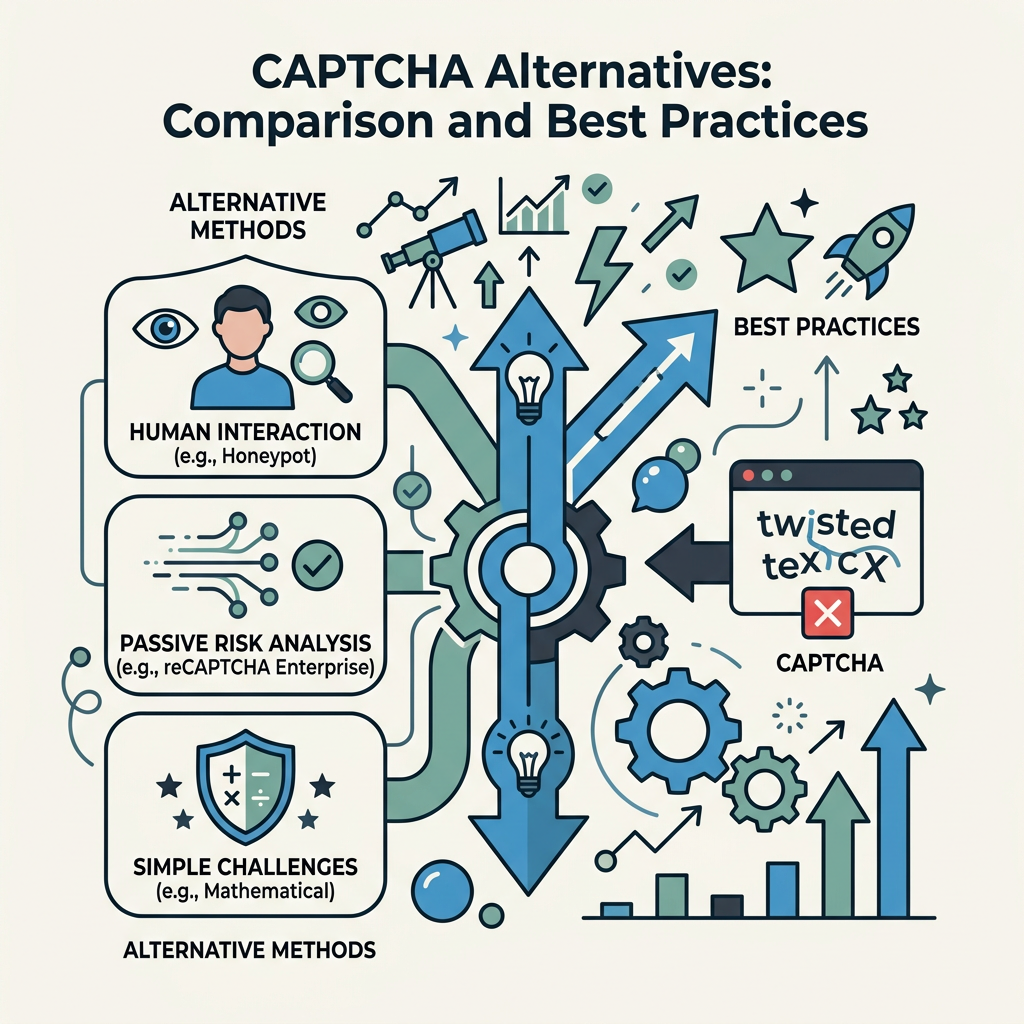
Modern bot protection offers multiple strategies, each suited to different risk profiles and audiences. For indie developers, the goal is maximum protection with minimal overhead and cost.
| Method | User Friction | Privacy Compliance | Spam Detection Rate | Best For |
|---|---|---|---|---|
| Honeypot | None | Excellent (GDPR) | 70–80% | Lightweight protection, low-risk forms |
| Behavioral Analysis | None | Good | 85–92% | General forms, logins, signups |
| Proof-of-Work | None (imperceptible) | Excellent | 90–95% | High-volume forms, API abuse prevention |
| Cloudflare Turnstile | Minimal (invisible in 80% of cases) | Strong (GDPR) | 88–94% | General forms, public-facing endpoints |
| hCaptcha | Medium (puzzles sometimes required) | Mixed (opt-out available) | 90%+ | reCAPTCHA migration, enterprise |
| reCAPTCHA v3 | None (invisible) | Weak (heavy tracking) | 92–98% | Legacy systems (not recommended for new builds) |
| FormBeam (Built-In) | None | Excellent (GDPR) | 92–97% | Small teams, static sites, zero-config spam defense |
Single-Layer vs. Layered Defense Strategy
One signal is never enough. A determined attacker can defeat any single method. The best approach combines multiple signals into a consensus risk score. For example:
- Tier 1: Honeypot catches script-kiddie bots and mass scrapers (70-80% of attacks).
- Tier 2: Behavioral analysis flags unnatural form completion patterns (catches 15-20% of remaining).
- Tier 3: Device fingerprint + IP reputation escalates edge cases to secondary verification (catches 90%+ of sophisticated attacks).
Cloudflare reported a case study with an e-commerce forum that deployed layered defense: honeypot + bot management + CAPTCHA escalation. They reduced bot traffic from 62% of submissions to just 4%, while conversions improved 28% due to reduced friction.
Privacy-First Bot Protection for GDPR Compliance
If your audience includes EU users, avoid reCAPTCHA. Google's telemetry pipeline violates GDPR principles (excessive data collection, weak consent, opaque processing). Alternatives like TrustCaptcha, Friendly Captcha, and proof-of-work solutions collect minimal datajust enough to score risk.
For indie teams using static site builders (React, Next.js, Vue), FormBeam includes built-in spam filtering without external CAPTCHA dependencies. You get honeypot + behavioral analysis out of the box, GDPR compliant, with no third-party tracking. That means zero additional compliance burden and one fewer external service to manage.
Implementing Bot Protection: Step-by-Step

Here's how to build effective spam defense without overcomplicating your form.
Start with Honeypots: Zero-Effort Protection
Every form should have a honeypot. It's free, invisible, and catches the widest bot class. Add a hidden field to your HTML:
- HTML: Include a form field styled with
display: noneor positioned off-screen. - JavaScript: On form submission, check if the field contains data before posting to your backend.
- Server-side validation: Always revalidate server-side; never trust client-side checks alone.
- Monitor: Track honeypot hits to gauge bot pressure on your form.
Add Behavioral Checks for Medium Risk
If honeypots alone aren't sufficient, add form-submission timing checks. Measure time from page load to submission. Reject submissions arriving in under 500ms. Fine-tune the threshold based on your form complexity.
Consider libraries like Friendly Captcha or native JavaScript behavioral tracking to measure keystroke patterns and mouse movement. These are lightweightoften <10KB of JavaScriptand fully GDPR compliant.
Deploy Device Fingerprinting for High-Value Forms
For signup forms, checkout flows, or password reset endpoints, device fingerprinting becomes valuable. Legitimate users typically access from consistent devices and networks. Fingerprinting flags new or proxy-masked access, allowing you to challenge those users with secondary verification.
Libraries like FingerprintJS offer free community versions; enterprise tools add IP reputation and advanced risk scoring.
Choose Your CAPTCHA Alternative Wisely (If Needed)
If layered invisible checks still miss bots, escalate to a CAPTCHA alternative only for high-risk submissions. Options:
- Cloudflare Turnstile: Free, GDPR compliant, mostly invisible. Best for general-purpose forms. No tracking, strong privacy stance.
- TrustCaptcha: Enterprise-grade, proof-of-work, zero user interaction. Best for high-security needs.
- Friendly Captcha: Privacy-focused, accessible, low friction. Best for GDPR-first teams.
- hCaptcha: reCAPTCHA alternative with some tracking transparency. Only if migrating from Google.
Avoid reCAPTCHA for new projects. Its privacy overhead outweighs the marginal security gain in 2026.
Optimizing for Your Audience: Static Site Developers and Indie Teams
Indie developers building static sites (HTML, React, Next.js, Svelte) often skip form protection entirelyeither because they don't know how, or because adding a backend just to validate submissions feels like overkill. That's exactly where modern form backends help.
One-Line Integration: No Backend Required
Tools like FormBeam's spam protection documentation show how easy modern defenses can be. Embed a single script tag or form attribute, and spam filtering runs automatically. No backend code, no infrastructure to maintain, no secrets to manage.
FormBeam's getting started guide covers embedding forms in seconds with built-in honeypot, behavioral analysis, and optional escalation to external CAPTCHA services. For teams building MVPs or small-scale projects, this is the fastest path to production-grade form security.
Cost and Scalability Considerations
CAPTCHA services charge per verification. With Cloudflare Turnstile free tier, you get unlimited checks. Paid alternatives like hCaptcha or TrustCaptcha charge $0.50–$1.00 per 1,000 verifications, which adds up if you're running dozens of forms across multiple domains.
Layered invisible defenses (honeypot + behavioral checks) cost nothing to run. FormBeam includes spam filtering in all pricing tiersstarting at the free tier with 100 monthly submissions. You scale without hitting CAPTCHA per-check fees.
Monitoring and Tuning Your Bot Defense
Deploy protection, then measure. Monitor these metrics:
- Honeypot hit rate: If honeypot fields are being populated frequently, bot pressure is high. Consider escalating to Tier 2 checks.
- Submission-to-conversion ratio: Are you rejecting legitimate users? If conversion drops after deploying CAPTCHA, recalibrate or shift to invisible methods.
- Time-to-submission distribution: Legitimate users show a bell curve (median 30-120 seconds depending on form length). Bots cluster near zero.
- Repeated IPs / Device fingerprints: Track sources. If the same fingerprint generates spam repeatedly, blacklist it.
- False positive rate: Measure what percentage of real submissions are incorrectly flagged. Aim for under 1%.
Most modern form backends log these signals. Use the data to gradually tighten thresholds and reduce false positives.
Conclusion
Traditional CAPTCHA is dead. 49% of web traffic is bots, and the remaining defensesvisual puzzles, accessibility barriers, and privacy-violating trackingno longer cut it. Modern spam defense relies on invisible, layered signals: honeypots catch dumb bots, behavioral analysis flags automated form-filling, proof-of-work raises bot operational costs, and device fingerprinting identifies repeat offenders.
The best strategy combines honeypots (free, GDPR compliant, catches 70-80% of spam) with behavioral checks (catches another 15-20%) and escalates only the highest-risk submissions to optional CAPTCHA alternatives. This approach preserves your conversion rate while blocking 95%+ of spam bots.
For indie developers and small teams building static sites, FormBeam automates this entire workflow. Built-in spam filtering, no backend code, one-line embedding, and pricing that scales with your form volume (not per-verification). Try FormBeam today and ship production-grade forms without the infrastructure headache.
FAQs
Are CAPTCHA alternatives as effective as traditional CAPTCHA?
Modern invisible alternatives are more effective than traditional CAPTCHA. Layered defenses combining honeypots, behavioral analysis, and device fingerprinting achieve 95%+ spam detection rates while maintaining zero user friction. Traditional CAPTCHA achieves similar accuracy but at the cost of form abandonment and accessibility barriers. Invisible methods catch bots silentlylegitimate users never know they're being verified. For high-security forms, GDPR-compliant alternatives like Cloudflare Turnstile or TrustCaptcha outperform reCAPTCHA in both security and privacy compliance.
What's the easiest CAPTCHA alternative for indie developers?
Honeypot fields combined with form submission timing checks are the easiest starting point. A hidden form field that catches bots automatically requires only 5 lines of HTML and 10 lines of JavaScript. It's GDPR compliant, free, and catches 70-80% of spam without external dependencies. If you need something faster, form backends like FormBeam bundle honeypots with behavioral analysis in a single API callno code required, just embed and go. Most indie developers ship honeypot protection within minutes.
Do CAPTCHA alternatives comply with GDPR and CCPA?
Invisible alternatives like honeypots and proof-of-work are fully GDPR/CCPA compliant. Traditional tools like reCAPTCHA collect behavioral data and browser telemetry, creating tracking pipelines that require explicit user consent. Privacy-first alternatives (Cloudflare Turnstile, TrustCaptcha, Friendly Captcha) collect minimal or no personal data. Honeypots and form submission timing checks operate entirely on your server with zero third-party tracking. For teams operating under EU or California privacy regulations, invisible methods eliminate consent friction and compliance risk while providing better spam detection than invasive tracking solutions.