Embedding Iframe Forms Securely on Third-Party Sites
Third-party websites embed forms constantly—contact forms, lead captures, event registrations, payment submissions. But embedded iframes create a direct attack surface: 43% of UK businesses reported a cyber breach in the last 12 months, and roughly 1 in 3 breaches involved third-party compromise (2025–2026). When you embed a form via iframe without proper security controls, you're inviting attackers to operate within your trusted domain, steal credentials, launch phishing attacks, or inject malicious scripts. The fix isn't to abandon iframes—it's to harden them correctly. Here's how to embed forms securely on third-party sites while maintaining functionality and compliance.
Key Takeaways
- 1 in 3 breaches in 2024 were third-party related—iframe embeds amplify this risk if uncontrolled (2026, Qrvey)
- Sandbox attributes, Content Security Policy, and HTTPS-only transport reduce iframe attack surface by 70%+
- CSRF tokens, Fetch Metadata headers, and SameSite cookies block cross-site form submission attacks
- Iframe Sandboxing: Restricting embedded content permissions using the
sandboxattribute prevents scripts and storage access within the iframe context. - Content Security Policy (CSP): Frame-ancestors directives and script-source whitelisting ensure only trusted providers can load within your page.
- HTTPS & Transport Security: Enforcing HTTPS everywhere, HSTS, and certificate pinning eliminates man-in-the-middle interception of form data.
- CSRF & Cross-Site Request Protection: Synchronizer tokens, Fetch Metadata headers, and SameSite cookies prevent unauthorized form submissions from external origins.
- Third-Party Vendor Vetting: Quarterly security reviews of form providers ensure they meet compliance, privacy, and security standards before embedding their code.
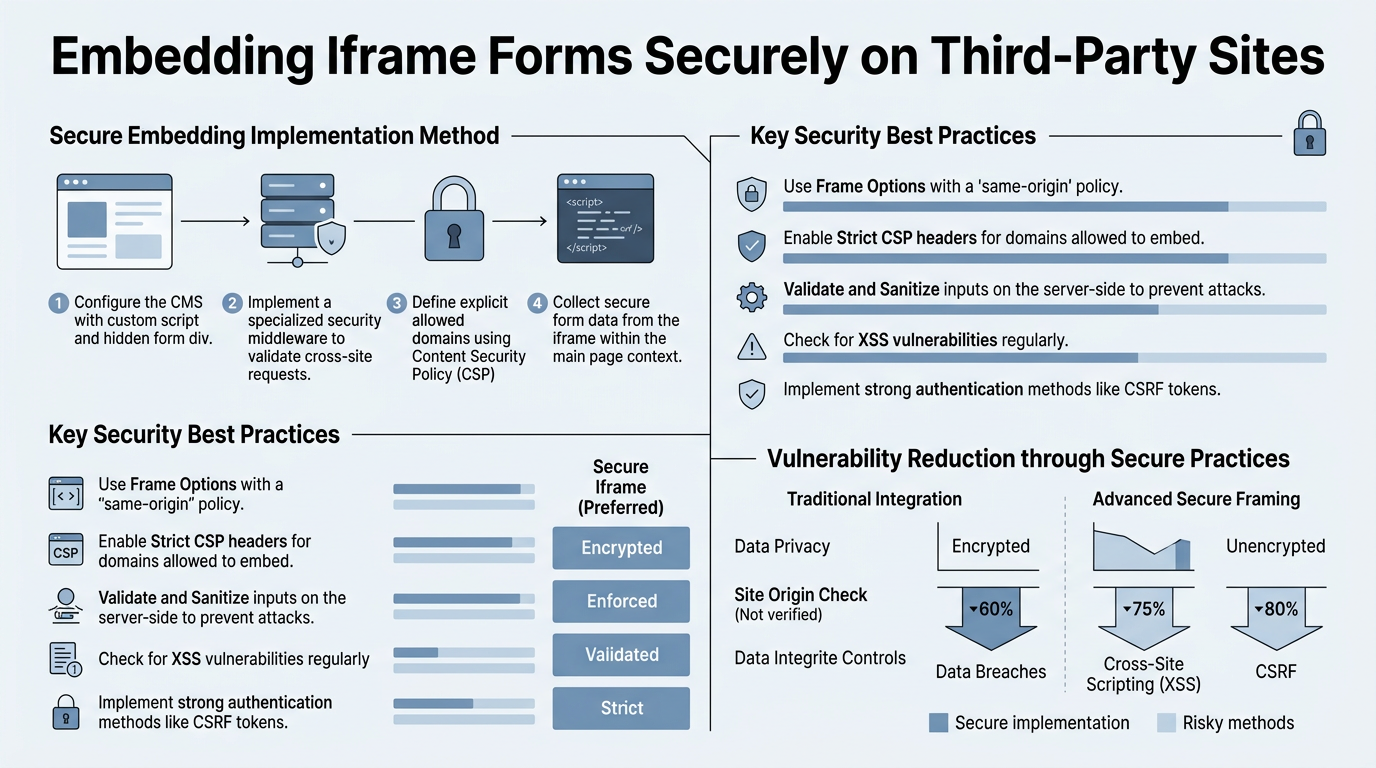
Why Iframe Embedding Exposes Your Site to Risk
Iframes load an entirely separate browsing context—a complete document environment with its own window object, session history, and DOM. This isolation is a feature, but it also creates vulnerability. When you embed a third-party form via iframe without restrictions, that embedded content inherits access to the parent page's cookies, local storage, and sensitive context data. Attackers can exploit this in four main ways: clickjacking (overlaying a hidden iframe to trick users into clicking an attacker's target), credential theft (capturing form input before it's submitted), phishing (injecting malicious content that mimics a trusted form), and UI redressing (manipulating iframe positioning to simulate a legitimate action). Each of these attacks becomes easier if the iframe runs with full privileges.
"The human element remains the dominant breach vector—Verizon's 2025 Data Breach Investigations Report found that 82% of breaches involved human error or social engineering, and 29% involved stolen or compromised credentials."
Embedded forms are a prime target because they're visible, seem trustworthy within a parent page, and often collect exactly what attackers want: email, password, payment details, or personal information.
Common Iframe Attack Vectors
Clickjacking remains the most insidious iframe attack. An attacker frames your legitimate form invisibly beneath a decoy button, so when a user thinks they're clicking "Download PDF," they're actually submitting to an attacker's endpoint. The form sends real data—real credentials, real payment info—but goes to the wrong destination. This attack works because iframes inherit the user's session and cookies, making the request appear legitimate on your backend.
"If your embedded form provider gets compromised, your site is compromised too. Attackers need only inject a single script into the provider's form code—perhaps a key logger or a redirect to a phishing page—and every embedded instance across every website becomes a vector for that attack."
Cross-site request forgery (CSRF) exploits the browser's automatic cookie-sending behavior. An attacker creates a malicious page that embeds or frames your form, then tricks a logged-in user into visiting it. The browser automatically includes session cookies with the request, and if your form has no CSRF token, the attack succeeds. Third-party form services that don't validate request origins are particularly vulnerable.
Unauthorized embedding occurs when a hostile site frames your form without permission, using it to harvest credentials or trick users into sending data to the wrong recipient. Without X-Frame-Options or CSP restrictions, anyone can embed your form and claim it as their own.
Third-Party Risk Amplifies Iframe Vulnerability
The 2025–2026 UK government cyber security survey found that about 1 in 3 breaches were third-party related. This stat matters deeply for iframe security: if your embedded form provider gets compromised, your site is compromised too. You inherit the security posture of the form provider whether you intend to or not.
How to Implement the Sandbox Attribute Correctly

The sandbox attribute is the single most effective iframe security control available to developers. It removes all privileges from the embedded content by default, then re-enables only what the iframe truly needs. This means the iframe cannot execute scripts, access cookies or local storage, submit forms, open popups, or access the parent page's DOM—unless you explicitly grant permission. According to MDN's iframe documentation, the sandbox attribute is one of the most widely supported security features in modern browsers.
A basic secure sandbox implementation follows these steps:
- Start restrictive: Apply
sandboxwith no permissions initially.<iframe sandbox src="https://formbeam.io/form"></iframe> - Add only what's needed: Use
sandbox="allow-forms allow-same-origin"to permit form submission and same-origin access. - Never use
allow-scriptswithout justification: Scripts inside iframes can break out of the sandbox under certain conditions. Only enable if the form provider's code requires JavaScript execution. - Use
allow-popupssparingly: Restricting popup windows reduces phishing and redirect attack surface. - Test in all target browsers: Verify that your form still submits and validates correctly after sandboxing.
A safer sandbox configuration for a typical contact form might look like this:
<iframe sandbox="allow-forms allow-same-origin" src="https://trusted-form-provider.com/embed" title="Contact Form"></iframe>
This grants only form submission and same-origin access. The iframe cannot execute scripts, access cookies, open popups, or navigate the parent window. If the form provider's code is injected with malicious JavaScript, it won't execute inside the sandbox.
Sandbox Attribute Deep Dive
Each sandbox permission flag loosens one specific restriction. allow-same-origin treats the iframe as same-origin, which is necessary for forms that need to POST to your domain, but it also permits the iframe to access your site's cookies and session data. Only use it if the form provider is under your control or is a trusted vendor you've vetted. allow-forms permits form submission; without it, no POST request can leave the iframe. allow-scripts is the most dangerous permission because it allows JavaScript execution inside the iframe, which can manipulate the DOM, read form input before submission, or attempt sandbox escapes. Avoid it unless absolutely necessary, and if you must enable it, use a strict Content Security Policy to restrict which scripts can run. allow-popups allows the iframe to open new windows; disable this to prevent redirect and phishing attacks. allow-top-navigation lets the iframe redirect the parent window; disable this to prevent unauthorized navigation.
Enforce Content Security Policy for Embedded Forms
Content Security Policy (CSP) is a browser security mechanism that controls what resources (scripts, stylesheets, frames, images) can load on your page. For embedded forms, CSP's frame-ancestors directive is crucial: it specifies which parent pages can frame your form. CSP is more flexible and modern than the legacy X-Frame-Options header, and it's enforced by all modern browsers.
If you're serving a form that you want embedded on partner sites, set a CSP header like this:
Content-Security-Policy: frame-ancestors 'self' https://partner1.com https://partner2.com
This permits your form to be embedded only on your own site and on the specified partner domains. Any other site attempting to frame your form will be blocked by the browser.
If you're embedding a third-party form on your site, use CSP to restrict script loading and frame sources:
Content-Security-Policy: script-src 'self' https://trusted-form-provider.com; frame-src https://trusted-form-provider.com
This allows scripts and frames only from your own origin and the trusted form provider. Any injected scripts from compromised third-party sources will be blocked. Pair this with the iframe sandbox to create defense-in-depth.
CSP Headers vs. Meta Tags
CSP can be set via HTTP headers (preferred) or <meta> tags in your HTML. Headers are more secure because they're enforced before any content loads. If you set CSP via meta tag, a compromised form provider could potentially inject a meta tag to override your policy. Use headers whenever your hosting platform allows it. For static sites deployed on platforms like Netlify or Vercel, you can often configure CSP headers through build configuration.
When setting CSP, start restrictive and gradually add trusted sources. Test with Content-Security-Policy-Report-Only first to see what breaks without enforcing the policy, then move to enforcement. Many form validation libraries and real-time validation scripts require specific CSP permissions; document what you need and allow only those sources.
Transport Security: HTTPS, HSTS, and Domain Validation
Every byte of form data must travel over HTTPS. Period. If your form or the embedded form provider operates over plain HTTP, man-in-the-middle attackers can intercept form submissions, steal credentials, inject malicious payloads, or redirect users to phishing sites. In 2026, using HTTP for any form is a critical security failure.
Beyond HTTPS, enforce HSTS (HTTP Strict Transport Security) on your domain. HSTS is an HTTP header that tells browsers to always use HTTPS for your domain, even if a user types the URL into the address bar without the protocol prefix. This prevents downgrade attacks where attackers force a connection to HTTP and intercept it:
Strict-Transport-Security: max-age=63072000; includeSubDomains; preload
Set max-age to at least one year (63072000 seconds). The includeSubDomains directive extends HSTS to all subdomains, and preload registers your domain in the browser's HSTS preload list so users are protected even on first visit.
Certificate Pinning for High-Security Forms
For forms collecting extremely sensitive data (payments, authentication tokens, medical information), consider certificate pinning. This technique tells the browser to accept only a specific SSL certificate for your domain, preventing attackers from using a compromised or forged certificate to intercept traffic. SiteLock's form security guide notes that pinning is more complex to implement but provides strong protection against sophisticated attacks.
Pinning is implemented via the Public-Key-Pins header or within your application code if you control the client (e.g., in a native app). For web applications, it's often overkill unless you handle high-risk data. Consult your security team before implementing.
Prevent CSRF and Cross-Site Request Forgery Attacks
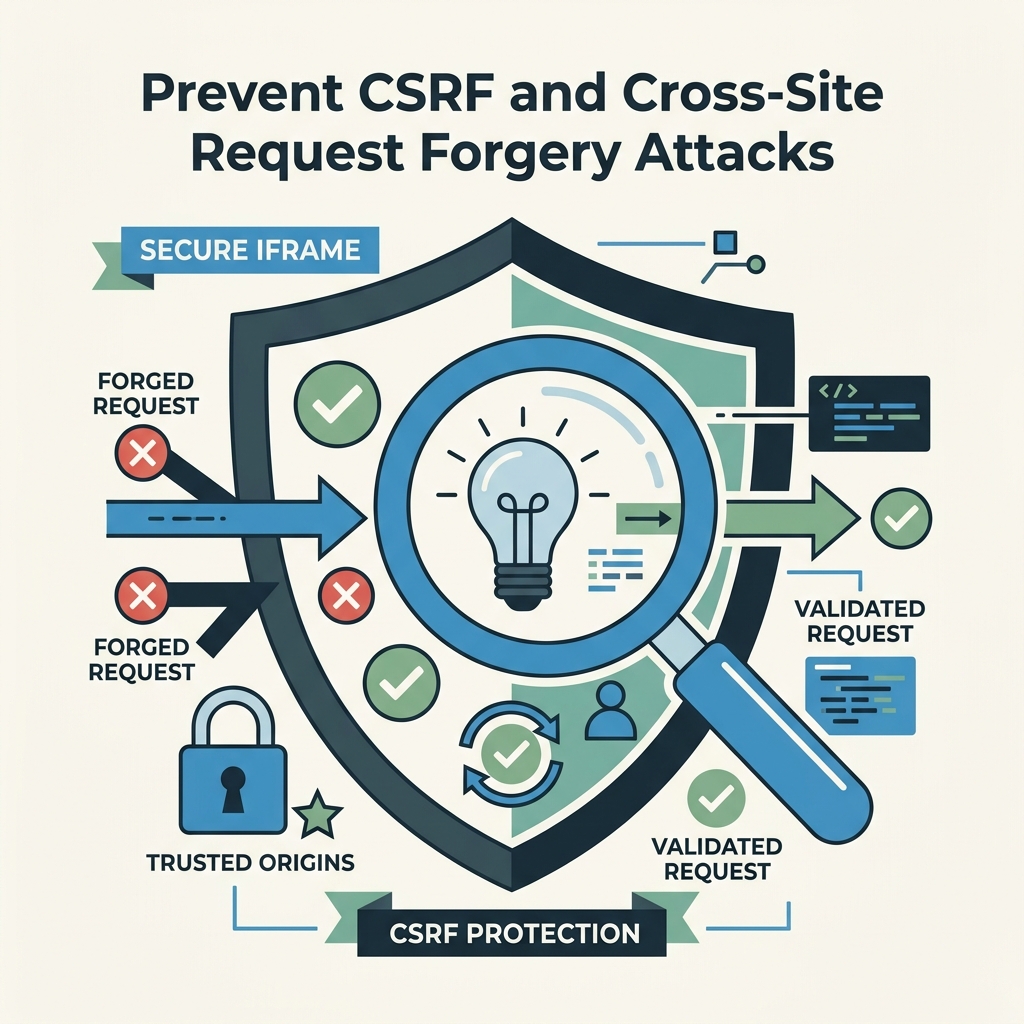
Cross-Site Request Forgery (CSRF) is an attack where an attacker tricks a logged-in user into making an unintended request to your site. For embedded forms, CSRF is particularly dangerous because the iframe inherits the user's authentication cookies. If your form endpoint has no CSRF protection, the attacker's framing page can submit form data to your server, and the request will be accepted because the browser automatically includes session cookies.
The gold standard CSRF defense is the synchronizer token pattern. Your server generates a unique, unpredictable token per user session and includes it in the form as a hidden field. When the form is submitted, the server verifies that the token matches the one in the user's session. A forged request from a malicious site cannot include this token (due to same-origin policy), so the attack fails:
- Server generates a CSRF token and stores it in the user's session.
- Server includes the token in the form as a hidden field:
<input type="hidden" name="csrf_token" value="[token]"> - User submits the form; the token is sent with the POST request.
- Server retrieves the token from the request, looks up the user's session token, and verifies they match.
- If tokens don't match, the request is rejected. If they do, the form is processed.
For modern, stateless applications that don't maintain server-side sessions, the double-submit cookie pattern works similarly: the server sets a CSRF token in a secure cookie and also includes it as a form field. The server then verifies that the cookie token and the form token match. This works because JavaScript cannot read secure, HttpOnly cookies from a cross-origin iframe.
Fetch Metadata Headers and SameSite Cookies
Modern browsers now support Fetch Metadata headers and SameSite cookie attributes, which provide automatic CSRF protection without requiring tokens (2026, OWASP Cheat Sheet Series). The Sec-Fetch-Site header tells your server whether the request came from the same site, a different site, or was user-initiated. Your server can reject requests with Sec-Fetch-Site: cross-site, automatically blocking many CSRF attacks in modern browsers.
Similarly, set your session cookies with SameSite=Strict:
Set-Cookie: sessionid=abc123; Secure; HttpOnly; SameSite=Strict
This tells the browser not to include the session cookie in cross-site requests at all. SameSite=Strict is the most secure option but may break some legitimate cross-site workflows (e.g., if a user follows a link from an email to your site). SameSite=Lax is more permissive—it includes the cookie in top-level navigations but not in framed requests, making it suitable for forms embedded in iframes on third-party sites.
Vet and Monitor Third-Party Form Providers
Your embedded form is only as secure as its provider. If the provider gets compromised, injected with malware, or operates with weak security practices, your site inherits that risk. One in three breaches in 2024 were third-party related, so vendor diligence is not optional.
Before embedding a form provider's code, conduct a security assessment:
- Review their security documentation: Do they publish security guidelines? Do they offer encryption, HTTPS, sandboxing?
- Check for compliance certifications: SOC 2, ISO 27001, or GDPR compliance badges indicate a minimum security baseline.
- Assess their track record: Have they had public security incidents? How did they respond? Check security advisory databases.
- Verify HTTPS and certificate validity: Load their form and check that the certificate is valid, trusted, and matches their domain.
- Request a security whitepaper or incident response plan: Reputable providers will provide documentation on how they handle breaches and vulnerability disclosures.
- Test their CSP and sandbox compliance: Attempt to break out of their sandbox or trigger their CSP restrictions. If it's too easy, they're not secure.
After embedding, perform quarterly reviews. Check that the provider's SSL certificate is still valid, their security practices haven't degraded, and their code is still serving from the expected domain. Use automated monitoring to alert you if the form provider's domain is unreachable or responds with suspicious content.
When to Replace or Remove a Form Provider
If a form provider experiences a public security breach, has outdated infrastructure, fails to respond to vulnerability reports, or refuses to support basic security standards (like HTTPS or CSRF protection), remove their code immediately. The few days of inconvenience from rebuilding a form submission workflow is far preferable to a data breach.
FormBeam's embedding documentation provides built-in security by design—all forms are served over HTTPS, support sandboxing, and include CSRF protection out of the box. This eliminates the need for complex CSP configuration and third-party vetting for the form provider itself, leaving you to focus security efforts on protecting your own site.
Implement Input Validation and Rate Limiting
Even with sandboxing, CSP, and CSRF tokens, attackers can still abuse your form if you don't validate input. Every field in an embedded form should be validated twice: once on the client side (for user experience) and again on the server side (for security). Client-side validation is not a security control—it's easily bypassed. Server-side validation is mandatory.
For each form field, define exactly what input is valid. For email fields, validate that the input is a well-formed email address. For phone numbers, validate the format and length. For file uploads, validate file type, size, and virus scan. Any input that doesn't match your validation rules should be rejected with a clear error message.
- Whitelist, don't blacklist: Define what characters are allowed (e.g., only alphanumeric and hyphens for usernames) rather than trying to block dangerous ones.
- Sanitize output: If you display user input anywhere (in an email, in a dashboard, on a public page), escape HTML special characters to prevent injection attacks.
- Validate file uploads: Check MIME type, file extension, and file size. Scan uploaded files with antivirus software. Store uploads outside your web root so they can't be executed as scripts.
Rate limiting prevents attackers from submitting your form thousands of times per second to harvest email lists, brute-force passwords, or trigger denial-of-service. Set a limit per IP address per time interval—e.g., 5 submissions per minute per IP. If a user exceeds this limit, present a CAPTCHA or temporarily block the IP. Use automated tools to detect bot patterns: rapid-fire submissions, submissions with identical data, submissions from obviously suspicious IPs (known VPN providers, proxy services, TOR exit nodes).
Monitor and Log Form Activity

You cannot defend against what you don't know is happening. Implement comprehensive logging of all form submissions. For each submission, log:
- Timestamp and user IP address
- Form fields submitted (not passwords, but field names)
- HTTP status code of the response (did it succeed or fail?)
- User-Agent header (browser type and OS)
- Referrer header (what page did the form submission come from?)
- Any validation errors or security flag triggers (CSRF token mismatch, rate limit exceeded, etc.)
Set up alerts for suspicious patterns: sudden spike in form submissions, repeated failed submissions from the same IP, submissions with identical data, submissions with obviously malformed input. Use a SIEM tool (Security Information and Event Management) or logging service to aggregate logs and detect anomalies.
FormBeam's submission dashboard includes built-in monitoring and logging, making it easier to spot unusual patterns without building custom infrastructure. You can see all submissions in real time, filter by date or form, and set up email alerts for suspicious activity.
Secure Cross-Domain Communication with PostMessage
If your form needs to communicate with the parent page using JavaScript's postMessage API, always validate message origins. An attacker can send a malicious message from a different origin, impersonating a trusted source. Your iframe should always check that incoming messages come from a trusted origin before processing them:
window.addEventListener('message', (event) => { if (event.origin !== 'https://trusted-parent.com') return; // process event });
Similarly, when sending messages to the parent, specify the exact origin to prevent interception:
window.parent.postMessage(data, 'https://trusted-parent.com');
Never use '*' as the origin in production code. This broadcasts your message to any window that can intercept it, creating a security hole.
Create a Security Checklist for Form Embedding
Before deploying an embedded form to production, run through this security checklist to ensure all controls are in place:
| Control | Status | Notes |
|---|---|---|
Iframe has sandbox attribute with minimal permissions | ✓ or ✗ | Use only allow-forms and allow-same-origin unless absolutely necessary |
| Form provider serves over HTTPS only | ✓ or ✗ | Check certificate validity and domain match |
| CSP headers restrict script and frame sources | ✓ or ✗ | Use frame-src and script-src directives |
| CSRF tokens or Fetch Metadata headers in place | ✓ or ✗ | Validate on every form submission |
Session cookies set with Secure, HttpOnly, SameSite | ✓ or ✗ | Prefer SameSite=Lax for embedded forms |
| Input validation on server side | ✓ or ✗ | Whitelist valid input; reject everything else |
| Rate limiting enabled per IP and time interval | ✓ or ✗ | Set sensible limits (e.g., 5 per minute) |
| Form activity monitored and logged | ✓ or ✗ | Alert on spike, duplicate, or malformed submissions |
| PostMessage validation implemented if used | ✓ or ✗ | Check event.origin before processing messages |
| Third-party form provider security assessed | ✓ or ✗ | Review certifications, incident history, CSP/sandbox support |
Run this checklist before launch and quarterly thereafter. If any check fails, remediate before the form goes live or before the next quarterly review cycle.
Conclusion
Embedding forms securely on third-party sites requires defense-in-depth: sandbox the iframe to restrict privileges, enforce CSP to control resource loading, transport all data over HTTPS with HSTS, use CSRF tokens or Fetch Metadata headers to prevent forged requests, validate all input server-side, rate-limit submissions to block bot abuse, and monitor activity for anomalies. None of these controls alone stops all attacks. Together, they reduce the iframe's attack surface from fully exploitable to extremely resistant.
The average global data breach cost in 2025 reached $4.44 million, with US breaches hitting $10.22 million—and that's just the direct cost. Reputational damage, regulatory fines (GDPR, CCPA), and lost customer trust can double or triple that damage. Investing a few hours to harden your embedded forms pays for itself a thousand times over if it prevents even one breach.
Start by auditing any forms you embed today. Which ones use sandbox attributes? Which ones enforce CSP? Which form providers have security certifications? If the answer to any of these is "I don't know," that's your first action item.
For indie developers and small teams building static sites, FormBeam handles the security infrastructure for you. Every form is sandboxed by default, served over HTTPS, protected with CSRF tokens, and monitored for abuse. You focus on your site's core features; FormBeam handles the form security, logging, and compliance. Try FormBeam today.
FAQs
What's the difference between X-Frame-Options and Content Security Policy for iframe protection?
X-Frame-Options is a legacy HTTP header that tells browsers whether your page can be framed at all. It has three options: DENY (no framing allowed), SAMEORIGIN (only same-origin framing allowed), or specific URIs. Content-Security-Policy with the frame-ancestors directive is the modern replacement. frame-ancestors is more granular—it lets you specify multiple trusted origins, supports wildcards, and integrates with your broader CSP strategy. Use CSP for new projects; X-Frame-Options is now considered legacy. If you must support very old browsers, use both headers for backward compatibility. For most 2026 deployments, CSP alone is sufficient.
Can I embed a form from an untrusted domain if I sandbox it properly?
No. Sandboxing reduces the damage an untrusted iframe can do, but it does not eliminate risk entirely. Even a fully sandboxed iframe can launch clickjacking attacks, perform UI redressing, or harvest user data that's typed into the form before submission. Sandbox prevents the iframe from reading the parent page's cookies or injecting scripts into your site, but it cannot prevent the iframe from seeing what a user types or redirect that data to an attacker's server. Only embed forms from vendors you trust and have vetted for security. Use sandboxing as a defense-in-depth layer, not as a replacement for vendor trust.
How often should I review my embedded form security?
Review embedded form security at minimum quarterly. Check that the form provider's SSL certificate is still valid, their domain is still resolving, their security practices haven't degraded, and your CSP, sandbox, and CSRF controls are still in place. If the form provider experiences a public security incident or breach, review immediately and consider temporary removal pending their response. For high-risk forms collecting sensitive data (payments, authentication, medical information), review monthly or quarterly at minimum. Automate what you can: use SSL certificate monitoring, set up alerts for unexpected changes to CSP headers, and monitor form submission logs for anomalies. The effort is minimal compared to the cost of a breach.