Zero-Cost Contact Forms: Open Source Tools and Self-Hosted Options
Building static websites, portfolios, and indie web projects doesn't require expensive form infrastructure. Yet developers often face a false choice: overpriced SaaS platforms like Formspree or Typeform (starting at $25-45/month per user), or complex custom backends. The reality? Open-source and self-hosted contact form solutions deliver production-ready functionality at zero marginal cost, and the tooling landscape matured significantly in 2025-2026. Whether you're running a Next.js marketing site, a React portfolio, or a static HTML landing page, you have legitimate alternatives that avoid vendor lock-in, deliver full data ownership, and integrate cleanly with modern development workflows.
Key Takeaways
- Self-hosted contact form platforms cost $10-100/month in infrastructure versus $29-999+/month for per-seat SaaS pricing (2026, Quackback analysis)
- Open-source tools like Formbricks, OpnForm, and Quackback support Docker deployment in 5-30 minutes with conditional logic and data export
- For indie developers building static sites, service-layer solutions eliminate backend code while preserving control and affordability
- Open Source Form Builders: Self-hosted platforms like Formbricks and OpnForm eliminate SaaS fees while maintaining full customization and data control.
- Docker Standardization: Modern tools standardize on Docker Compose, reducing deployment friction from weeks to 5-30 minutes.
- Cost vs. Features Trade-off: Infrastructure hosting ($10-100/month) undercuts per-seat SaaS by 10-100x, but requires managing updates and backups yourself.
- Privacy Compliance: Self-hosted solutions offer GDPR/CCPA compliance by design since data never leaves your infrastructure.
- Service-Layer Hybrid Approach: Backend-as-a-service form engines combine zero-cost hosting with managed infrastructure, ideal for developers who skip DevOps overhead.
What Are Open Source and Self-Hosted Contact Forms?
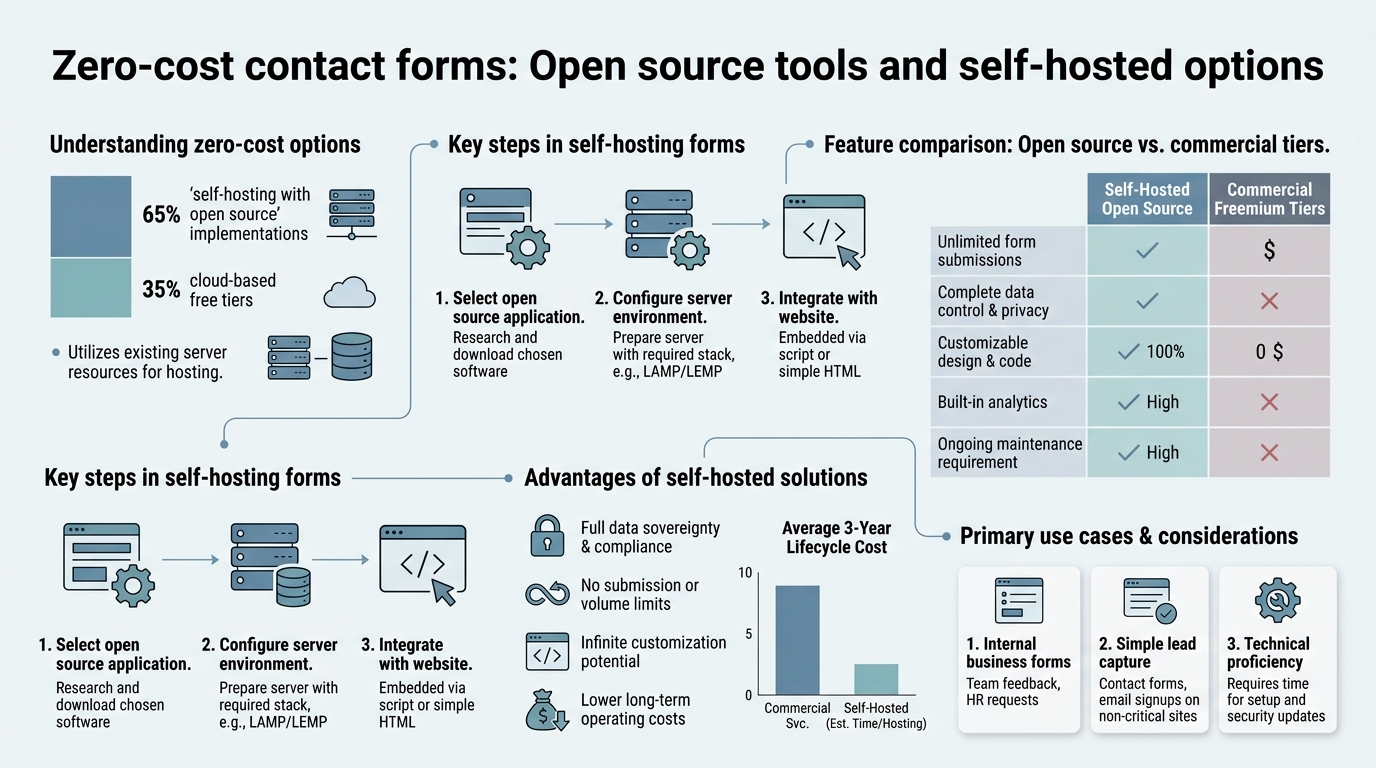
Self-hosted contact form solutions are form-building tools that run on your own infrastructureeither a VPS, Docker container, or lightweight application serverrather than relying on a third-party SaaS vendor. Open-source platforms grant you full source code access, eliminating license fees and proprietary lock-in. Combined, these approaches deliver three core benefits: zero licensing costs, complete data sovereignty, and unlimited customization.
The distinction matters. A traditional SaaS form service (Formspree, Typeform, Basin) charges per submission or per user. You have no server to manage, but you surrender data control and face recurring vendor fees. Open-source self-hosted tools flip the equation: you manage infrastructure and updates, but code is free, data stays private, and scaling doesn't trigger tier increases.
For indie developers and small teams building static sites, a third approach has emerged: backend-as-a-service form engines like FormBeam straddle the gap. You embed a single line of code; the service handles submission storage, email routing, and spam filtering without requiring you to manage servers. FormBeam's free tier supports 100 submissions per month, sufficient for most early-stage portfolios and indie projects, while paid tiers unlock higher volumes at transparent, predictable costs.
Top Open Source Form Solutions for 2026
Formbricks leads the 2026 open-source form landscape, identified as the "Fastest Growing Survey Platform" with rapid feature development. Yet several mature alternatives each serve different deployment preferences and customization depths. Here's what defines the category:
Formbricks: Docker-Native and Survey-Focused
Formbricks dominates the open-source form builder space with single-click Docker deployment and extensive in-app survey capabilities. Written in React and Node.js, it emphasizes ease of setup: you can launch a working instance in 10-20 minutes via Docker Compose. The platform excels at collecting micro-surveys, customer feedback, and multi-step forms with conditional logiccritical for understanding user intent without friction.
Its template library is extensive, targeting specific customer segments at any point in the user journey. The tool includes built-in data export (CSV, JSON), integrations with Slack and webhooks, and customizable styling. Since the entire platform is open source, you modify layouts, add custom question types, and integrate directly with your application database. The trade-off: Formbricks is in active development with occasional stability issues; it's worth monitoring for emerging features but assumes you'll manage upgrades. Deployment cost runs $10-50/month depending on traffic volume.
Quackback: The Most Complete Self-Hosted Feedback Platform
Quackback is described as the "most complete" self-hosted feedback platform for teams wanting all features in one deployment. It combines feedback collection, feature voting boards, public roadmaps, and built-in AI summarization into a unified Docker stack. Infrastructure cost ranges $10-100/month depending on traffic; that single bill replaces $300-1000/month of per-seat SaaS pricing.
Quackback's architecture uses PostgreSQL and Dragonfly (Redis-compatible), giving you a production-grade database layer out of the box. Unlike lighter tools, Quackback assumes you want an integrated feedback management system, not just form collection. It's ideal for SaaS founders tracking customer requests or product teams managing public feedback channels.
OpnForm: Lightweight, Flexible, and Approachable
OpnForm targets developers who want a straightforward form builder without survey complexity. Still in beta, it supports multiple question types, conditional logic (show/hide fields based on responses), and data export in various formats. Setup is simpler than Formbricks for pure form workflows, and the interface prioritizes simplicity over feature depth. It's best suited for contact forms, email capture, and light surveys where you don't need advanced analytics or in-app distribution.
SurveyJS: The Developer's JavaScript Library
If you prefer composing forms in code rather than a UI builder, SurveyJS offers a MIT-licensed JavaScript library for building custom form systems. It's less a standalone platform and more a toolkit for developers who want to build their own form interface. Pricing starts free; you host it yourself and integrate it into your application. It demands more development time but grants maximum flexibility.
How Self-Hosted Forms Compare to SaaS and Service-Layer Solutions
Choosing between self-hosted, SaaS, and service-layer forms requires understanding trade-offs across cost, maintenance, and control. Here's the real breakdown:
| Factor | Self-Hosted (Open Source) | SaaS (Formspree, Typeform) | Service-Layer (FormBeam) |
|---|---|---|---|
| Monthly Cost | $10-100 (infrastructure only) | $29-999+ per seat / per user | $0-29 based on submissions |
| Data Location | Your servers, your control | Vendor's US cloud, vendor's terms | Vendor infrastructure, but transparent |
| Customization Depth | Unlimited (source code access) | Limited to UI settings | Limited to form settings, no code access |
| Setup Time | 5-30 minutes (Docker) | Instant sign-up (< 2 minutes) | One line of code embed (< 5 minutes) |
| Maintenance Burden | You manage updates, backups, monitoring | Vendor handles everything | Vendor handles infrastructure, you configure |
| Best For | Teams with DevOps resources; high customization needs | Non-technical users; hands-off experience | Indie developers; quick setup, zero backend code |
Infrastructure and Compliance Advantages of Self-Hosting
Self-hosted deployments eliminate a common SaaS friction point: vendor lock-in tied to data location. With self-hosted tools, your form submissions live on your servers, in your region, under your compliance framework. GDPR and CCPA-regulated organizations no longer depend on vendor certifications or cross-border data transfer agreements. You control encryption at rest, audit logs, and access patterns.
This matters for handling sensitive data. If you're collecting payment information, medical details, or legal documentation, self-hosting shifts liability and control entirely to you. Conversely, it means you're responsible for securing the infrastructure, backing up data, and responding to incidents. For indie projects, this trade-off is often worth it; for enterprises, the operational overhead justifies SaaS.
Setup and Scaling Trade-offs
Self-hosted open-source tools standardize on Docker Compose, reducing deployment friction dramatically. Most platforms launch in 5-30 minutes: pull the Docker image, configure a Postgres database, set environment variables, and run `docker-compose up`. No infrastructure background required if you use managed Docker hosting (Heroku, Railway, Render).
Scaling self-hosted forms is straightforward until volume spikes. A single-server Formbricks deployment handles thousands of monthly submissions. But if you're processing millions of forms, you'll need load balancing, database replication, and CDN for file uploadsadding complexity and cost that SaaS vendors abstract away. For most indie developers, that scaling point is years away.
Zero-Code and Service-Layer Alternatives for Developers Avoiding Self-Hosting
Not all developers want to manage infrastructure, even with Docker. If DevOps overhead feels wrong for your project, service-layer form engines offer a pragmatic middle ground: managed backends that require zero server code.
FormBeam: Backend-as-a-Service Form Engine
FormBeam exemplifies the service-layer approach. Embed a single HTML form with FormBeam's endpoint, and the platform handles submission storage, email notifications, and spam filtering. No backend server. No database setup. The free tier supports 100 submissions per monthplenty for portfolios, indie projects, and early-stage landing pages. Starter tier ($9/month) unlocks 1000 submissions; Pro tiers scale to 5000+ monthly submissions at transparent, predictable costs.
FormBeam's killer feature for indie developers: it's built for static site builders. Whether you're using HTML, React, Vue, Next.js, or Svelte, you embed a form endpoint directly into your code with no backend infrastructure required. Submissions stream to a searchable dashboard; email notifications are configurable; GDPR compliance is built in since you define data retention. Spam filtering protects your inbox automatically, and file upload support handles document collection without complexity. For developers who want form functionality without DevOps, it's the obvious choice.
Netlify Forms and Vercel Edge Functions: Hosting-Native Alternatives
If you're deploying to Netlify or Vercel, consider their native form handling. Netlify Forms offers 100 free form submissions per month, integrating directly into your Git workflowno extra configuration needed. Vercel's approach via Edge Functions provides serverless form handling, scaling to millions of requests without you managing infrastructure. Both integrate seamlessly with static site generators (Next.js, Gatsby, Astro) and eliminate external vendor fees. The catch: you're locked into their ecosystem, and pricing scales with submission volume.
Licensing, Maintenance, and Long-Term Viability
Choosing an open-source form tool is not just a deployment decisionit's a licensing and sustainability bet. Here's how to evaluate viability:
License Types and Their Implications
Most production-ready open-source form tools use one of three licenses:
- MIT License: Permissive; you can modify, fork, and distribute freely. Examples: SurveyJS. No restrictions; ideal if you want ownership certainty.
- Apache 2.0: Similar to MIT but includes explicit patent grant language, protecting you if the original author is sued over patents.
- AGPL-3.0: Reciprocal; if you modify and distribute the software, you must share source code changes. Example: Quackback. More restrictive but favors the open-source community.
For indie projects, MIT and Apache 2.0 are safer: you can fork and maintain independently if the original project dies. AGPL requires you to open-source any modifications you distribute, which may conflict with proprietary products.
Community Activity and Update Cadence
Formbricks shows active development (2026 releases) but carries occasional instability risks. Check the project's GitHub releases, issue response time, and contributor count. Tools with 20+ active contributors and monthly updates are safer long-term bets than single-person projects.
A stalled project isn't necessarily deadmature tools like Matomo (operating since 2007) run for years with infrequent updates because the feature set is stable. But if you need bug fixes or security patches, active maintenance matters. Before committing, scan the project's recent commits and contributor graphs.
Deployment Strategies and Hosting Options
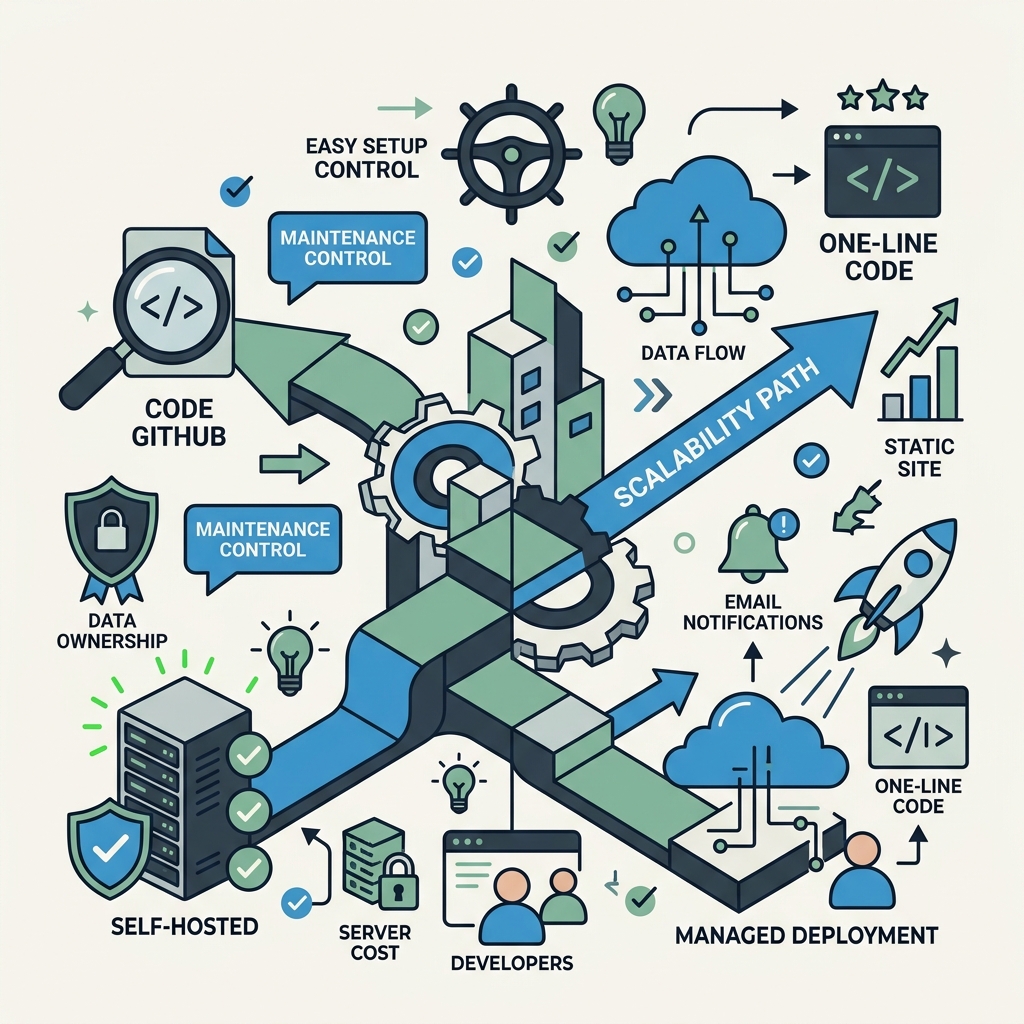
Open-source forms work only if you can host them reliably. Here are the most practical deployment patterns for indie developers:
Managed Docker Hosting: The Easiest Path
Services like Heroku (with credit), Railway, Render, and Fly.io let you deploy Docker containers without managing servers. Typical workflow: push your Docker image, set environment variables, and run. Cost: $5-30/month for a hobby-tier instance. Benefits: automated backups, SSL certificates, and uptime monitoring are included. Perfect for Formbricks, Quackback, and OpnForm.
Virtual Private Servers (VPS): Full Control, More Responsibility
DigitalOcean, Linode, and Vultr offer cheap VPS starting at $4-6/month. You get raw server access and root privilegesfull control but you're responsible for Linux administration, security hardening, and backups. Suited for developers comfortable with SSH, firewall rules, and package management. Popular choice for long-term cost optimization.
Kubernetes and Advanced Orchestration: Overkill for Indies
Enterprise deployments use Kubernetes for scaling and high availability. For indie projects, it adds unnecessary complexity. Stick with managed Docker hosting or a single VPS until you're running millions of forms monthly.
Security, Data Privacy, and Compliance Considerations
Form data is sensitive. Whether you self-host or use a service, security must be deliberate.
SSL/TLS Encryption and Data at Rest
All form submissions must travel over HTTPS. Managed hosting (Render, Railway) provides free SSL certificates via Let's Encrypt. Self-hosted VPS requires you to set up certificatesuse Certbot, a free automation tool. For data at rest, encrypt your database backups and restrict SSH access. If handling payment information, follow PCI DSS standards; if collecting EU resident data, implement GDPR technical safeguards (encryption, access logs, deletion workflows).
Spam Filtering and Bot Protection
Form spam is relentless. Self-hosted tools like Formbricks include basic bot detection; sophisticated deployments add reCAPTCHA or hCaptcha. Service-layer solutions like FormBeam include spam filtering by default. Don't assume any tool is spam-prooflayer defenses: CAPTCHA + email verification + honeypot fields (hidden form inputs that legitimate users never fill).
Conclusion
Zero-cost contact forms are no longer a niche or risky choice for indie developers and small teams. Self-hosted open-source platforms eliminate per-seat SaaS fees (costing $10-100/month instead of $29-999+/month), deliver full data sovereignty, and scale to millions of submissions. Formbricks, Quackback, and OpnForm mature yearly; Docker standardization reduced setup from weeks to minutes. If you want code access and infrastructure control, self-hosting wins. If you want simplicity without DevOps overhead, service-layer engines like FormBeam offer zero-backend-code form handling with transparent, submission-based pricing.
The strategy is clear: assess your tolerance for infrastructure management. Heavy customization and full control? Self-host Formbricks or OpnForm on a $5/month VPS. Rapid development and zero DevOps? Use a hosted endpoint instead. 100 free submissions / month. Compare hosted free-plan limits on the Basin alternative if you are weighing another service. Either way, you're no longer hostage to Formspree's tiered pricing or Typeform's per-seat fees. The open-source ecosystem gives you power; use it.
FAQs
What's the cheapest way to collect form submissions from a static website?
For zero infrastructure cost, use FormBeam's free tier (100 submissions/month) or Netlify Forms (also 100/month free). Both require one line of code embedding; neither demands backend setup. If you exceed free tiers, FormBeam's Starter plan ($9/month) unlocks 1000 submissionsstill cheaper than Formspree's minimum $25/month. For higher volumes, self-host Formbricks on a $5/month VPS and pay only for infrastructure, cutting effective per-submission costs by 90% versus SaaS.
Do open source form tools require programming knowledge to set up?
It depends on the tool and hosting. Formbricks and Quackback on managed hosting (Railway, Render) require basic comfort with environment variables and Docker, but not deep codingyou paste a configuration file and click deploy. No backend programming required. If using a raw VPS, you'll need Linux and SSH comfort. For developers who want zero technical setup, stick with FormBeam or Netlify Forms: paste a snippet, done. Tools trade setup friction for customization depth; pick based on your skills and tolerance.
Is it legal to self-host form tools if I'm collecting data from EU users?
Yes, self-hosting is often more GDPR-compliant than SaaS because data never crosses borders to the US cloud. You control encryption, access logs, and deletion workflows. You still must publish a privacy policy, honor data access requests, and document your processing. Open-source tools like Formbricks give you source code access to audit compliance personally. Managed hosting providers (Railway, Render) publish data residency guarantees; choose EU-based servers if required. The key: self-hosting gives you control; use it to document and defend your compliance, not to ignore regulations.