Email Form Builders vs Backend Solutions: Which to Choose
Choosing between email form builders and custom backend solutions is one of the most consequential decisions indie developers and small teams face. 70% of new enterprise applications will utilize form automation or backend services by 2026, yet the wrong choice can cost you weeks of development time or leave you locked into an inflexible platform. The stakes are clear: build fast without wrestling infrastructure, or maintain complete control at the cost of ongoing overhead. Here's what you need to know to make the right decision.
Key Takeaways
- Form builders reduce setup time by 50-90% compared to custom backends, making them ideal for solo founders and small teams (2026, Codewave).
- Custom backends offer full control but require managing spam filtering, email delivery, storage, and monitoring—expenses that compound over time.
- Headless form backends like FormBeam eliminate the false choice by combining builder simplicity with backend flexibility: one line of code, production-ready.
- Form Builders (SaaS): Zero infrastructure, instant setup, but limited customization and recurring costs start at $20–30/month.
- Custom Backend (DIY): Full control, no third-party fees, but weeks of development and ongoing maintenance responsibility.
- Headless Form Backends: Balance of both—builder ease with backend ownership, embedded directly into your site with minimal integration effort.
- Cost Reality: DIY backends hidden costs (time, spam, monitoring) often exceed $187K annually for mid-size teams.
- Scaling Pain: Form builders hit a ceiling when you need custom logic or high-volume submissions; custom backends scale but require expertise.
Understanding Form Builders and Their Limitations
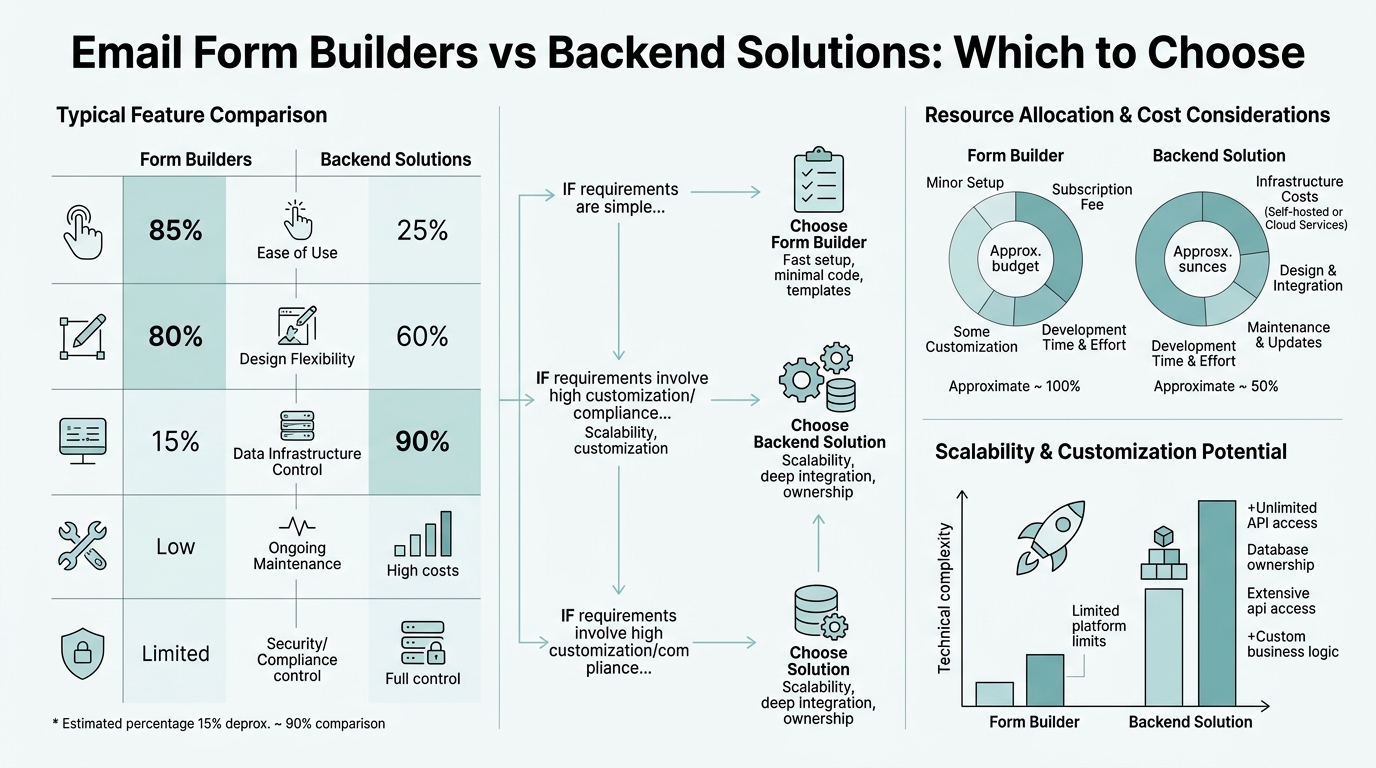
Form builders like Typeform, Google Forms, and Jotform democratized data collection by removing the need for technical skills. Form builders now power 38% of Fortune 500 companies' workflows, mostly for internal tools and customer surveys. They're genuinely powerful for specific use cases. But they come with hard constraints.
Speed-to-Deploy vs. Flexibility Tradeoff
Form builders win decisively on speed. You can deploy a functional contact form in minutes, no code required. Typeform's drag-and-drop interface and HubSpot's native CRM integration are genuinely impressive. The problem emerges the moment you need something outside the builder's intended scope: a custom validation rule, conditional logic tied to your database, API calls to a third-party service, or the ability to modify email templates on the fly. Most builders offer integrations (Zapier, webhooks), but they're afterthoughts—not primary workflows.
"Most form builders offer integrations, but they're afterthoughts—not primary workflows. The moment you need custom logic, you hit a wall." — Developer perspective on form builder constraints
For indie developers building static sites in React, Vue, or Next.js, embedding a heavyweight form builder means importing its full SDK, which bloats your JavaScript bundle and adds a third-party dependency you don't control. Headless backends avoid this entirely by handling submissions server-side, keeping your frontend lean.
Recurring Costs and Vendor Lock-In
Most form builders price by submission volume, with free tiers capping you at 10–50 submissions/month. Scale to 1,000+ monthly submissions, and you're paying $50–100/month minimum. Over a year, that's $600–1,200 just for form management. For solopreneurs or small teams, these costs compound across multiple projects. Worse, you're locked in: exporting submissions, migrating to a different platform, or reclaiming control of your data is deliberately friction-filled. Switching form builders isn't a single afternoon project.
"Once you commit to a form builder's ecosystem, switching isn't a single afternoon—it's weeks of data migration, re-integration, and downtime." — Indie developer experience with vendor lock-in
Pricing transparency matters here. Form software for small businesses ranges from free (Google Forms) to $29/month (Typeform), but none truly solve the problem of owning your infrastructure and data long-term.
When Form Builders Actually Win
That said, form builders excel in specific scenarios:
- Internal tools: Team surveys, feedback collection, event registrations where setup speed matters more than integration depth.
- Marketing campaigns: Landing page forms where you're optimizing conversion and A/B testing, not building core product infrastructure.
- Non-technical teams: If no one in your organization codes, form builders remove the bottleneck entirely.
- Temporary projects: One-off forms that won't live beyond a campaign or season.
The Case for Custom Backend Solutions

Custom backends—using Express, AWS Lambda, Vercel serverless functions, or similar—give you everything form builders restrict. You own the logic, the data, the email workflow. No monthly fees (beyond hosting). Total control. This appeals to developers because it solves the real problem: collecting form data without relying on external vendors. But the tradeoff is substantial and often underestimated.
Hidden Costs: Time, Complexity, and Maintenance
Writing a simple POST endpoint that saves form data takes an hour. Writing a production-grade form backend takes weeks. You must implement:
- Spam filtering and rate limiting: Honeypots, CAPTCHA integration, IP blocking, request throttling.
- Email delivery: Templates, SMTP or SendGrid integration, bounce handling, sender reputation.
- File uploads: Multipart parsing, size limits, storage (S3 or similar), security scanning.
- Data validation: Type checking, format validation, sanitization to prevent injection attacks.
- Monitoring and alerting: Logs, error tracking, uptime monitoring, incident response.
- Dashboard or admin UI: Viewing submissions, searching, exporting, responding to leads.
Each component is a small project. Together they're a product. A developer who thinks "I'll just build a quick backend" discovers three weeks later they've built a scaled system they're now responsible for maintaining.
The Maintenance and Scaling Burden
Once deployed, your form backend becomes a critical path service. If it goes down, you're not collecting leads, signups, or feedback. You own reliability: scaling during traffic spikes, fixing email delivery issues after framework upgrades, handling spam waves, debugging database queries. Organizations investing in custom backends report annual maintenance costs exceeding $187K for teams of 5+. For indie developers, that's not financial—it's time: the hours you could have spent building your product, learning new skills, or growing your business.
"Building a 'quick backend' turned into a three-week project managing spam, email delivery, database scaling, and monitoring—effort that could have shipped actual product features." — Backend developer reflection
Serverless platforms (AWS Lambda, Vercel Functions) reduce operational burden by auto-scaling, but they introduce complexity around cold starts, CORS configuration, binary file handling, and monitoring Lambda-specific metrics. You've traded server management for function management—still overhead.
When Custom Backends Make Sense
Custom backends are justified when:
- High-volume, latency-sensitive workflows: Real-time data processing, complex business logic tied to form submission, integrations with existing internal systems.
- Complex validation or automation: Custom logic that no form builder or service can express; for example, conditional form fields based on database queries.
- Compliance and data residency: You need submissions stored in-region, auditable processing, or compliance certifications form builders don't guarantee.
- Team is large enough to specialize: You have DevOps, backend engineers, and the organizational capacity to own the system long-term.
The Third Option: Headless Form Backends
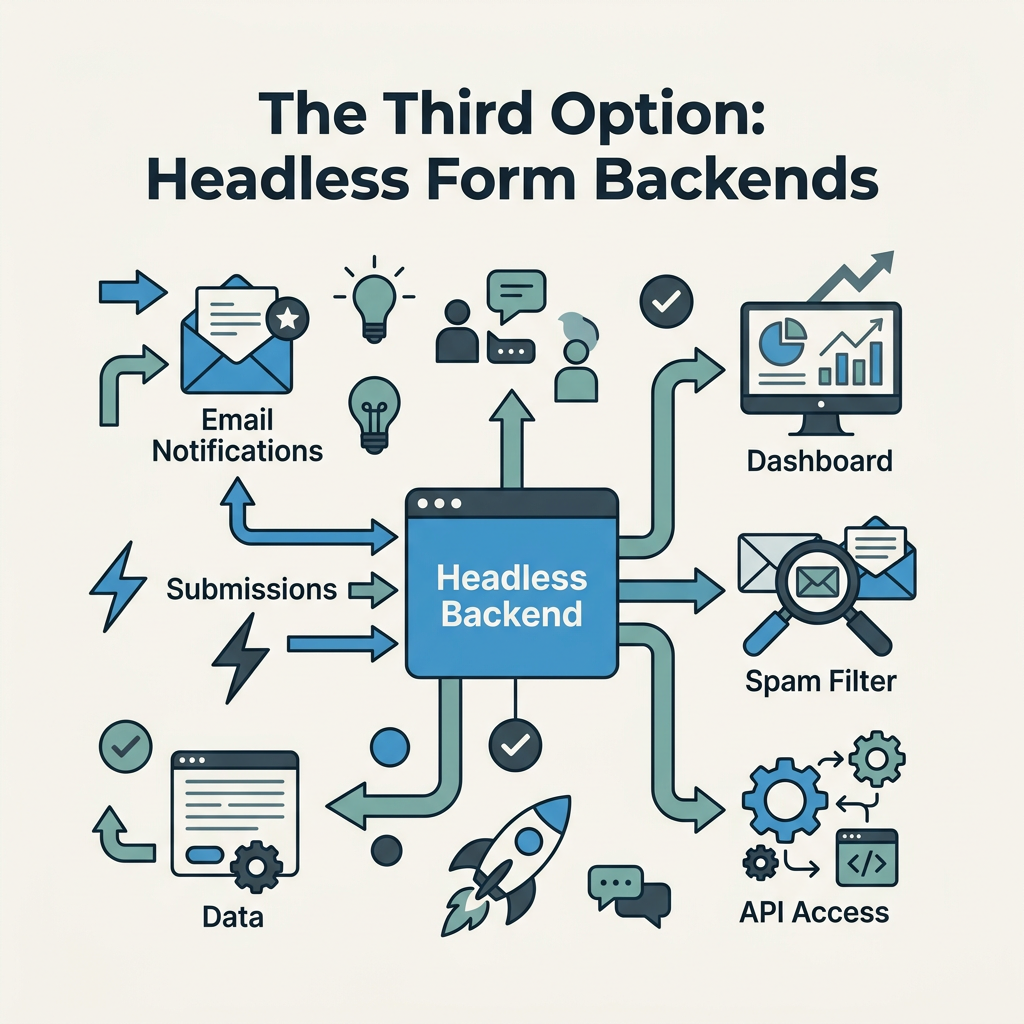
The false choice between form builders and custom backends has spawned a new category: headless form backends. Services like FormBeam provide the backend infrastructure—submission storage, email delivery, spam filtering, dashboard—without the vendor lock-in or monthly fees form builders impose. You embed a single line of code into your HTML or JavaScript framework. Submissions route to the service, which handles everything else. Your frontend stays lean, your data stays accessible, and you own the relationship with the service without being locked into its UI.
How Headless Form Backends Work
Instead of using a form builder's hosted form and embedding its iframe or SDK, you write your own form HTML or use your framework's form components. You add a single attribute or endpoint configuration pointing to the backend service. When a user submits, the JavaScript captures the data and POST it to the service endpoint. The service validates, filters spam, stores the submission, sends email notifications, and optionally triggers webhooks or integrations. You view and manage submissions in a dashboard—no rebuilding, no redeploying your site.
This approach is ideal for static site generators (Hugo, Jekyll, 11ty) and modern JavaScript frameworks (React, Vue, Next.js, Svelte). You keep full control of your form design and user experience while offloading the infrastructure that would otherwise consume weeks to build and maintain.
Key Advantages Over Both Alternatives
Headless backends combine the best properties of both worlds:
- Fast deployment: No weeks of backend engineering; embed the code, configure email, live in minutes.
- Design control: Your form looks and feels exactly how you intend, not constrained by a builder's templates.
- Data ownership: Submissions stored in a structured database you can export, migrate, or integrate with other tools.
- No vendor lock-in: Switching services is straightforward because your frontend isn't coupled to the provider's SDK.
- Scalability: The service handles spam filtering, email delivery, file uploads, monitoring. You don't maintain servers.
- Cost-effective: Typically $10–20/month for serious volume, far cheaper than custom backends and more transparent than form builders' submission-based pricing.
Real-World Example: Static Site Development
A freelancer building a portfolio site in Next.js needs a contact form. With a form builder, they'd import a heavy SDK, lose design control, and pay recurring fees. With a custom backend, they'd spend 2–3 weeks writing endpoints, handling spam, managing email delivery. With a headless backend, they write 10 lines of HTML/JavaScript, configure email notifications, and handle submissions forever with zero maintenance. This is why indie developers and small SaaS teams are rapidly adopting this model.
Comparison: Form Builders vs. Backend Solutions vs. Headless
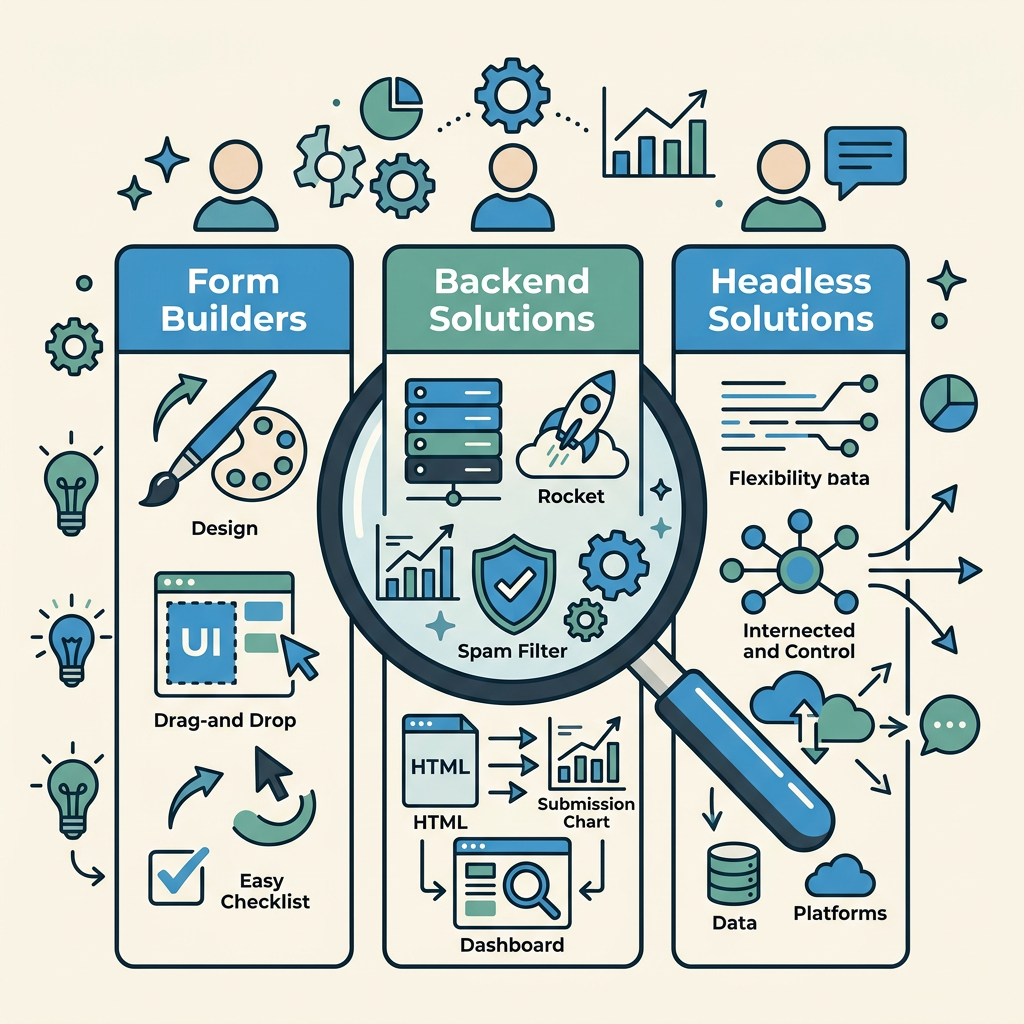
| Criteria | Form Builders (Typeform, Google Forms) | Custom Backend (Express, Lambda) | Headless Backend (FormBeam) |
|---|---|---|---|
| Setup Time | Minutes | 2–3 weeks | 10–30 minutes |
| Design Control | Limited (template-based) | Complete | Complete |
| Monthly Cost | $20–100+ (volume-based) | $0–50 (hosting) | $10–20 (flat-rate) |
| Maintenance Burden | None (vendor handles) | High (you own everything) | Minimal (spam, email, storage handled) |
| Data Ownership | Vendor lock-in; export friction | Complete ownership | Complete ownership; easy export |
| Scalability | Submission volume limits | Scales but requires engineering | Scales automatically |
| Best For | Non-technical teams; one-off campaigns | Complex custom logic; high compliance needs | Indie devs; static sites; small SaaS; lean teams |
Decision Framework: How to Choose
Here's a practical decision tree. Start with your constraints:
Are You Technical?
If your team includes developers who enjoy backend work and have capacity for ongoing maintenance, custom backends are viable. If you're a solo founder, freelancer, or small team where engineering time is precious, rule out custom backends immediately.
Do You Need Custom Logic?
Does your form need to trigger business logic beyond submission storage and email notification? For example: approving submissions against a database, integrating with a CRM, conditional workflows. Form builders can't do this without hacks. Custom backends can. Headless backends can via webhooks or API calls. If custom logic is essential, you're choosing between custom and headless—and headless is faster.
How Important Is Design Control?
Form builders force you into their design system. Headless and custom solutions are fully customizable. If your form is a critical part of your brand experience, rule out form builders.
What's Your Volume and SLA?
If you're collecting fewer than 100 submissions/month, form builders are acceptable and possibly ideal for simplicity. At 1,000+ submissions/month, their costs escalate rapidly, and headless backends become obviously cheaper. If you need 99.99% uptime SLA, you need infrastructure (custom or headless backend with enterprise guarantees), not a form builder.
Budget for Time vs. Money
Form builders cost money upfront. Custom backends cost time upfront and money ongoing (ops, monitoring). Headless backends cost money upfront (modest) and minimal time (setup only). For indie developers, time is the scarcest resource, making headless the rational choice.
Conclusion
Email form builders won free trial adoption through simplicity but constrain you with vendor lock-in and escalating costs. Custom backends offer freedom but demand weeks of engineering and ongoing maintenance that diverts energy from your actual product. Headless form backends solve both problems: one-line integration, production-ready infrastructure, full design control, and sustainable pricing. For indie developers, solopreneurs, and small teams building static sites or SaaS products, they're the obvious fit. Teams using headless backends report deployment speed increases of 50-90% compared to custom solutions, with none of the form builder penalties. The choice becomes clear once you see it this way: you're not choosing between form builders and backends—you're choosing who maintains the backend. FormBeam and similar services maintain it for you, leaving your team free to ship product.
Use a hosted endpoint instead. 100 free submissions / month. If you are comparing hosted backends, see the Basin free plan and pricing.
FAQs
What's the difference between a form builder and a form backend?
A form builder is a hosted service where you create forms visually in their UI—you don't write code. It handles the form, submission storage, and notifications all in one platform. A form backend is infrastructure that accepts form submissions from your own form HTML; you own the form design and experience while the backend handles submission storage, email delivery, and spam filtering. Form builders are easier to set up but limit customization; form backends offer full control but traditionally required coding. Headless form backends like FormBeam split the difference: your form, their infrastructure, minimal setup.
Can I use a form builder for production applications?
Form builders work well for production if your needs are simple and standard. They handle submission storage, email notifications, and basic integrations reliably. However, they struggle with custom validation logic, complex workflows, design constraints, or high submission volume where costs escalate. Most scaling applications eventually outgrow form builders and move to custom backends or headless solutions because the recurring costs and maintenance overhead of builders become prohibitive at scale.
How do I know if I need a custom backend instead of a form service?
You need a custom backend if your form submission triggers business logic beyond storage and email: database updates, CRM integration, real-time processing, conditional automation, or compliance requirements that form services can't guarantee. You also need one if you have extreme scale or latency requirements. For most teams—especially solo founders and small SaaS companies—a headless form backend handles everything a custom backend would, with zero maintenance overhead and dramatically faster deployment.