How to Organize and Tag Form Submissions for Your Team
Form submissions are the lifeblood of lead generation, but they're only valuable if your team can find, prioritize, and act on them quickly. Studies show that businesses with organized submission workflows achieve 51.7% higher completion rates, yet most teams still let submissions disappear into email inboxes or disorganized spreadsheets. The gap between "collecting" submissions and "managing" them effectively is where growth stalls. This guide walks you through a complete system for organizing, tagging, and routing form submissions so every lead gets the attention it deserves.
Key Takeaways
- 51.7% completion rate is the baseline for organized teams tracking submissions systematically (pdfFiller, 2026)
- Tag submissions by source, priority, and status to reduce manual sorting by 40+ hours per week
- Centralize all submissions in one dashboarddistributed systems cause 70%+ of missed leads in small teams
- Define Your Submission Categories: Map priority levels, submission types, and team ownership before building your tagging system.
- Set Up Automated Tagging Rules: Use source, form type, and content keywords to automatically sort submissions at capture time.
- Create a Single Submission Hub: Centralize all form data in one accessible dashboard to eliminate scattered inboxes and missed leads.
- Route Submissions to the Right Owner: Assign leads based on tags, geography, or content to ensure accountability.
- Monitor and Iterate Your System: Track which tags work, measure response times, and refine your workflow monthly.
Define Your Submission Categories and Tagging Strategy
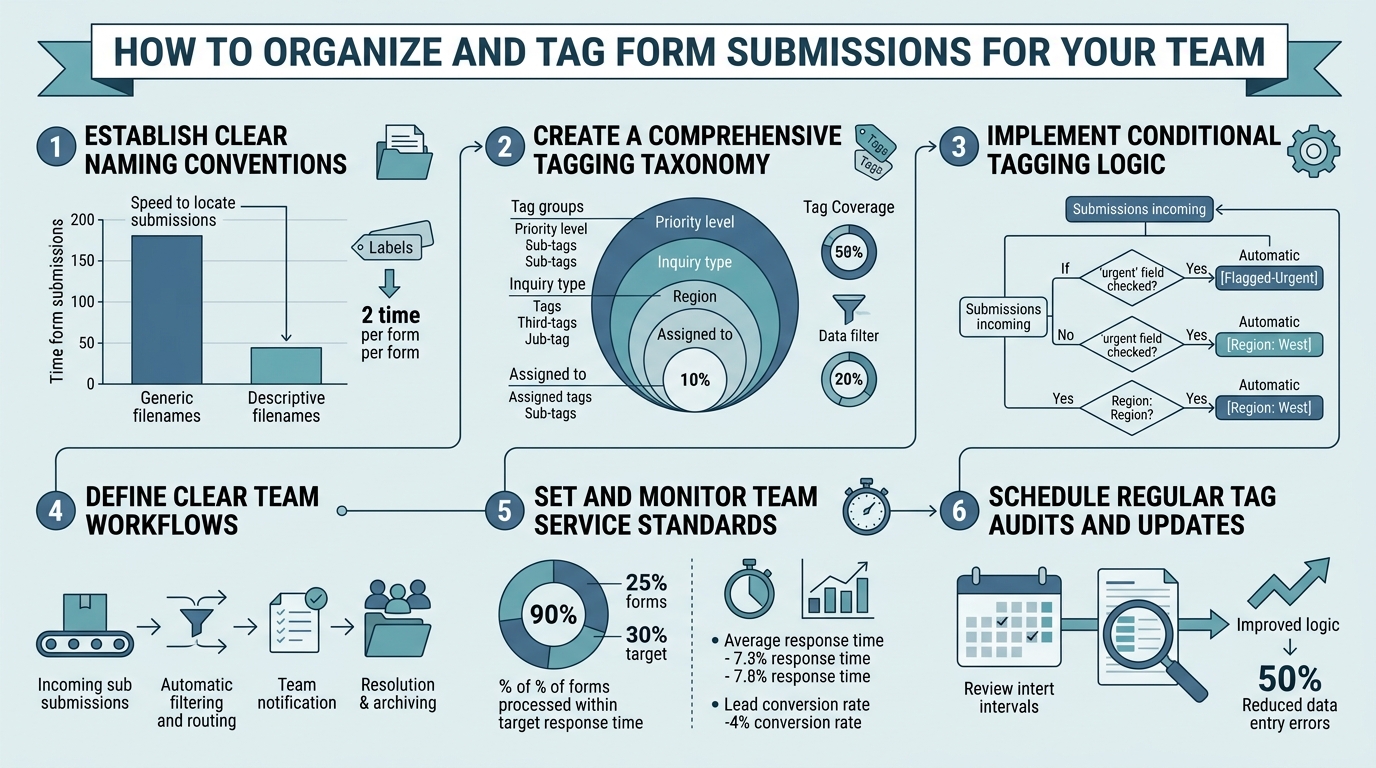
Before you can organize submissions, you need to decide what matters. Your tagging system should reflect how your team actually works, not how you think it should work. Small teams that align submission metadata with business outcomes see 40+ hours per week saved in manual data entry, according to FormAssembly case studies on form-based workflows. Start by identifying three core dimensions: priority, submission type, and team ownership.
Determine Your Priority Levels
Not all submissions are equal. A qualified prospect inquiry requires faster action than a newsletter signup or support request. Define 2-4 priority tiers based on conversion likelihood and urgency. A practical model for small teams includes urgent (hot leads needing same-day response), high (qualified but standard timeline), standard (general inquiries), and low (signups, newsletters, subscriptions). Urgent submissions need a response within 2 hours. Assign urgency based on clear rules: if a form is a sales inquiry AND fills all required fields AND the domain is a recognized enterprise, mark it urgent. This removes guesswork and ensures your best salespeople focus on the right deals first.
Most teams make the mistake of marking everything high priority because they don't want to miss anything. That defeats the purpose. Standardize your urgency criteria in a simple document your team can reference: "Sales inquiry + completed profile = high; newsletter signup = low." When priorities become automatic, response times drop dramatically.
Map Submission Types to Your Forms
Your website likely has multiple forms: contact, demo request, support ticket, newsletter signup, job application. Tag each submission with its source form. This serves two purposes. First, it routes submissions to the right teamsupport requests go to support, demo requests to sales. Second, it lets you analyze which forms drive the most valuable leads. For indie developers and small SaaS teams, you might have forms for customer inquiries, feature requests, and billing issues. Tag these distinctly so you're not mixing a sales lead with a refund request in the same bucket.
Use consistent naming: prefix tags with the form type, e.g., form:demo-request, form:support, form:contact. This makes filtering in any tool (email, CRM, dashboard) instant and prevents labeling chaos.
Assign Ownership Tags
In small teams, person A owns sales inquiries, person B owns support, and person C owns general traffic. Document who owns what and tag submissions accordingly. Tools like FormBeam's submission management features let you set rules so submissions automatically assign to the right owner based on form type or content. This prevents orphaned leads. If no one is explicitly responsible, no one acts. When someone owns a lead from the moment it lands, response times improve by hours, not days.
Set Up Automated Tagging at Submission Capture Time
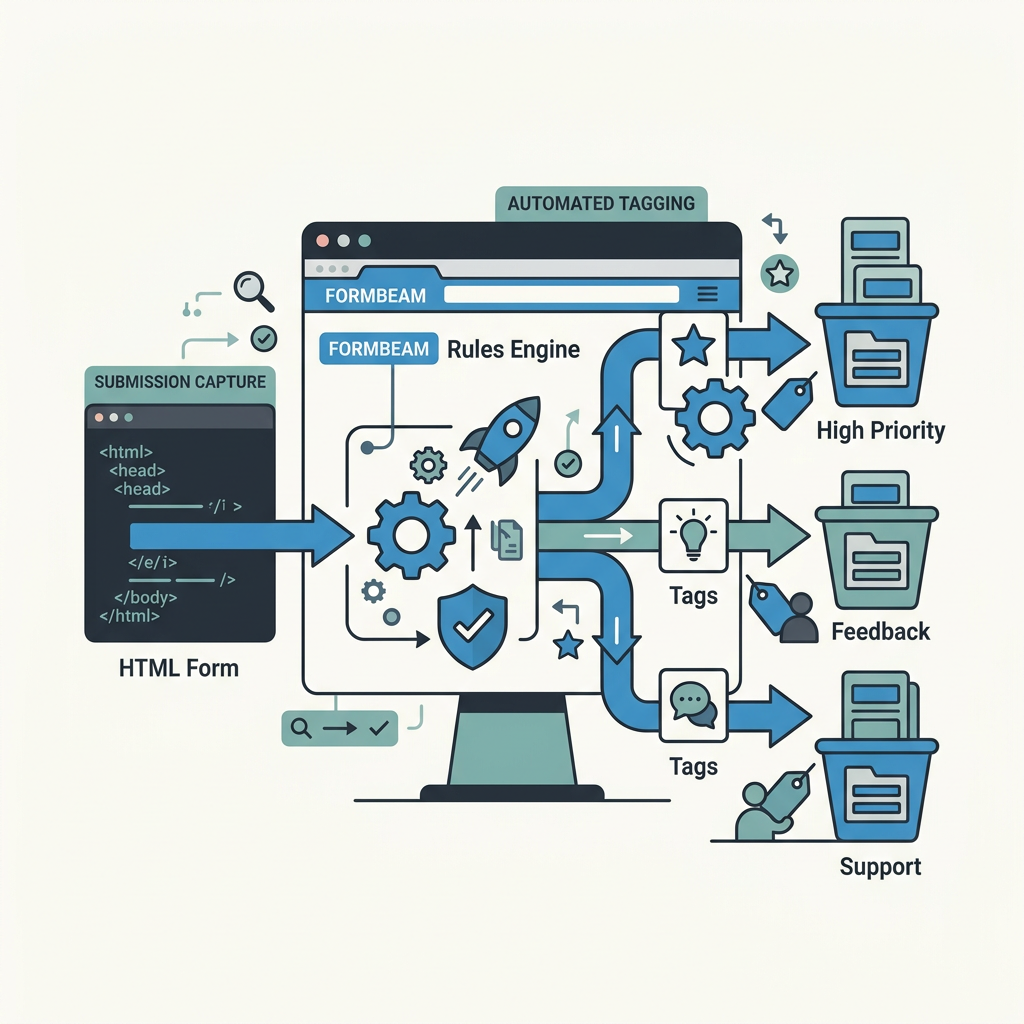
Manual tagging is a bottleneck that kills speed. Automated tagging reduces processing time by 60-70% compared to manual categorization, and it's where the real efficiency gains happen. The best time to tag a submission is the moment it arrives, not days later when your team is drowning in email. If you're using FormBeam or a similar backend form service, you can configure tagging rules based on form field values, submission source, or custom keywords. According to pdfFiller's research on form completion rates, field optimization and smart routing can substantially improve submission handling efficiency.
Tag Submissions by Form Source
Your website might have contact forms on the homepage, a dedicated /contact page, and embedded forms in blog posts. Each source tells you something about the prospect's intent. Someone who fills out a form on a blog post about your pricing is likely further along in the decision journey than someone hitting the homepage contact form. Tag by source automatically: source:blog-pricing, source:homepage, source:product-page. This metadata becomes invaluable when you're running analytics or trying to understand which marketing channels drive the highest-quality leads. Most form backends support custom source tracking in headers or query parameters, so this can be automated at the platform level without extra work from your team.
Use Content Keywords for Smart Routing
Some submissions include keywords that reveal intent. If a message contains "urgent" or "critical," bump it to high priority. If it mentions a specific feature ("I need multi-step forms"), tag it with the feature request category. Tools like FormBeam's spam and content filtering let you set keyword-based rules that automatically tag and route based on message content. This is especially powerful for support tickets: a message containing "error" or "not working" gets tagged urgent:technical-issue and routes to your engineering team instantly. No manual review needed.
Tag by Submission Completeness
A submission with all required fields filled is more valuable than a half-completed one. Tag submissions as complete or incomplete. Your system should flag incomplete submissions and send them to a nurture sequence or a follow-up workflownot your main sales queue. This prevents your team from wasting time on leads that didn't commit enough effort to fill out the form properly. Complete submissions are hot; incomplete ones might convert eventually with the right nurture, but they're lower priority.
Create a Centralized Submission Hub
The biggest mistake small teams make is relying on email notifications for form submissions. Emails get buried, spam-filtered, or lost in a crowded inbox. Teams using centralized dashboards report 70%+ fewer missed leads compared to those managing submissions via email alone. You need a single, searchable hub where every submission lands, tagged and ready for action.
Choose a Backend That Supports Organization
Not all form platforms give you tools to organize submissions effectively. Some lock you into their interface; others dump submissions into a generic database. Look for platforms that offer: tag-based filtering, saved searches, bulk actions, and integrations with your existing tools (CRM, email, Slack). FormBeam provides a searchable dashboard designed for small teams, where submissions are organized by tags and status, and you can build filtered views for each team member. This eliminates the "check your email for submissions" workflow entirely.
The ideal setup: submissions land in a centralized dashboard where they're immediately visible, tagged, and ready to action. Your team checks the dashboard each morning instead of fishing through emails. Response times improve because leads aren't hiding in spam or competing with other mail.
Build Team-Specific Views
Create filtered views for each team member or role. Your sales team sees form:demo-request + priority:high + status:new. Your support team sees form:support + status:open. This way, each person opens their dashboard and immediately sees only what's relevant to them. No scrolling, no filtering, no confusion. Setup takes 10 minutes and saves hours every week.
Set Status Flags for Workflow Tracking
Beyond tags, use status flags to track where each submission is in your workflow: new, in-progress, waiting-for-info, closed, nurture. This prevents duplicate follow-ups and makes it obvious which leads need attention today. A submission sitting in "waiting-for-info" for 5 days should trigger a reminder. Most modern form platforms and CRMs support status workflows, making it easy to see at a glance what needs action.
Route Submissions to the Right Owner
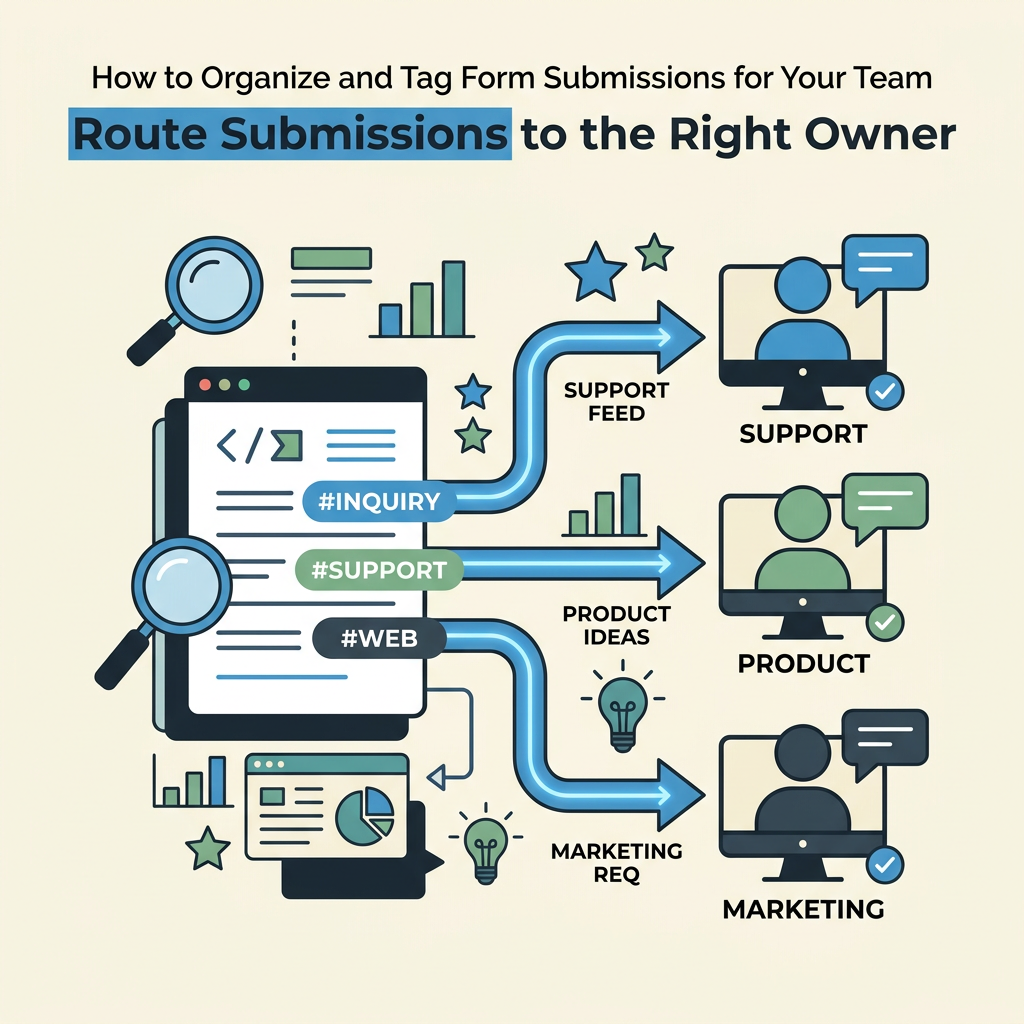
Organization is useless if submissions don't reach the right person. Routing rules automate ownership assignment, ensuring accountability and speed. Rules-based routing is one of the highest-leverage improvements you can make for team efficiency.
Create Assignment Rules Based on Form Type
Define if-then rules: if form = demo-request, assign to sales; if form = support, assign to support team lead; if form = feature request, assign to product. Most form backends and workflow platforms support this natively. This happens at submission time, not afterno manual intervention needed. Your sales rep gets an instant notification (in-app, email, Slack, or SMS) that a hot lead arrived and is waiting. The faster the notification, the higher the likelihood of quick response.
Route by Geography or Product Category
If your team is distributed or handles multiple products, add routing sophistication. If a submission mentions "Australia," route to your Australian rep. If it mentions a specific product (e.g., "React forms"), route to the React specialist on your team. This requires slightly more complex rules (often a combination of form values + content keywords), but the ROI is massive: the right expert responds immediately instead of a general inbox owner having to delegate.
Escalate High-Priority Submissions Instantly
Urgent submissions shouldn't follow the standard routing flow. Define escalation rules: if priority = urgent, notify both the assigned owner AND a backup owner (e.g., team lead). Send urgent submissions to Slack or SMS, not just email. This ensures that if your primary owner is in a meeting, someone else sees it and responds. Urgency only works if your team actually sees urgent alerts as separate from routine notifications.
Monitor and Iterate Your Organization System
Your tagging and routing system isn't static. As your business grows, forms evolve, and team priorities shift, your system needs to adapt. Monthly reviews ensure your organization system stays aligned with how your team actually works.
Track Response Time and Submission Conversion
Measure the time between submission and first response, broken down by tag. Are urgent submissions getting 2-hour responses? Are complete submissions converting faster than incomplete ones? Track conversion rate by sourcedo blog form submissions have lower priority but higher close rate? These metrics tell you which tags matter most and where your system is working. Tools with analytics dashboards make this visible automatically; others require manual tracking in a spreadsheet.
If you notice a category of submission (e.g., feature requests) is never getting followed up, it means your routing rule for that category is broken or that category isn't truly a priority. Either fix the rule or deprioritize it explicitly. The goal is alignment between your stated process and what's actually happening.
Refine Tags When Your Business Changes
Every quarter, review your tags. New form types? Add new tags. Obsolete tags? Retire them. Team restructuring? Update ownership assignments. If you're adding a new product line or entering a new market, your submission categories might need expansion. This prevents tag sprawlhaving 50 unused tags creates confusion, not clarity. Keep your tag system lean and intentional.
Gather Team Feedback on Friction Points
Ask your team: which submissions are hardest to track? Which tags do you use most? Where do leads still fall through the cracks? A 15-minute team sync every month prevents small problems from becoming system failures. Maybe your sales team is constantly re-tagging submissions because the auto-tagging rules are off, or support is overwhelmed by feature requests showing up in their queue. Small feedback loops lead to big improvements in efficiency.
Implement Common Organization Patterns
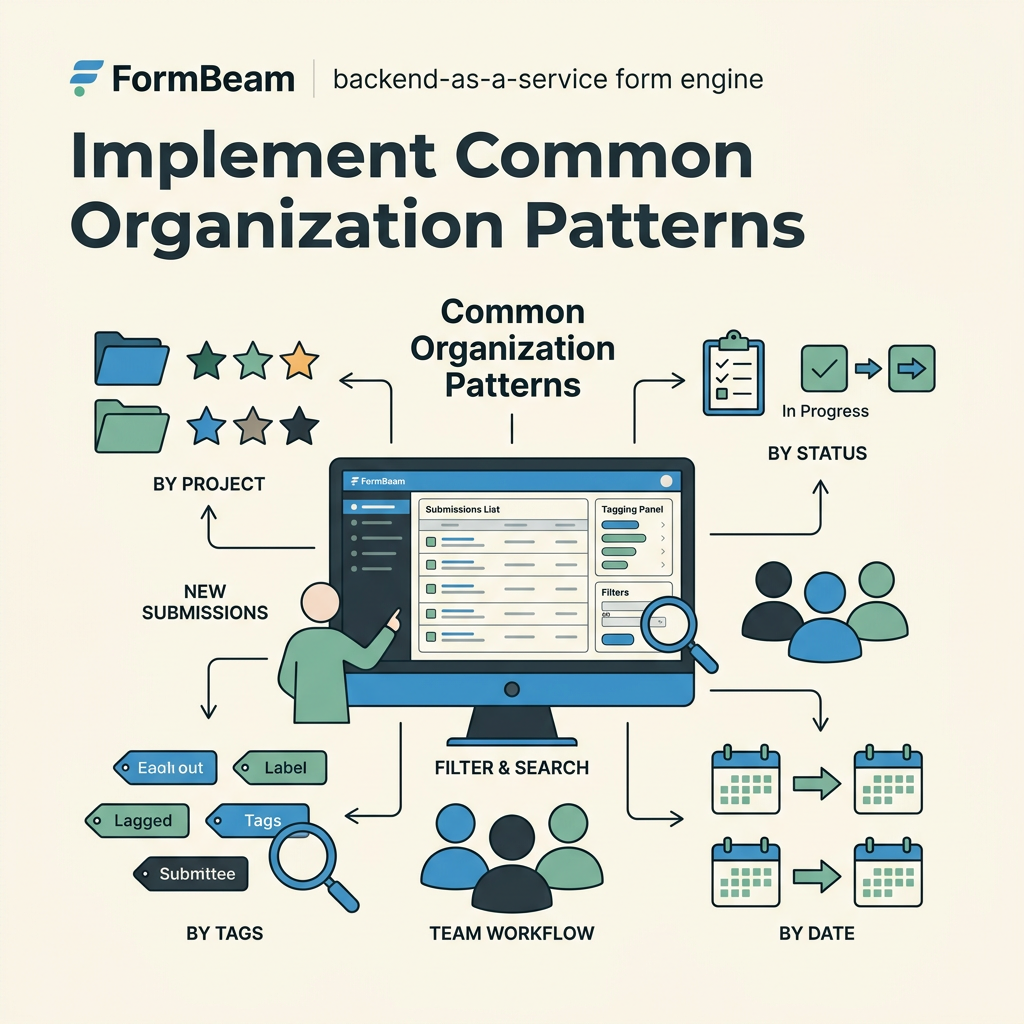
Here are three proven organization patterns for small teams. Pick one and start there; you can evolve later.
- The Priority-Source Model: Tag every submission with one priority (urgent, high, standard, low) and one source (form type). This is the simplest system and works for most small teams. Example tags: urgent:sales, standard:support.
- The Product-Based Model: If your company sells multiple products, tag by product first. product:forms, product:payments. Then add priority and owner. This works well for SaaS companies with distinct product lines.
- The Workflow-Based Model: Tag by status stage instead of just labeling. workflow:prospect (new, unqualified), workflow:qualified (meets criteria), workflow:nurture (not ready). This maps your submission organization to your actual sales process and makes it easy to see bottlenecks.
Leverage Platform Features for Automation
The best organizations let their tools do the heavy lifting. If you're using a form backend, look for native features that automate organization. Email notifications with custom headers, auto-tagging rules, CRM integrations, and Slack routing all reduce the manual work your team needs to do.
| Organization Feature | Manual Setup Time | Weekly Time Saved | Best For |
|---|---|---|---|
| Email notifications only | 0 (no setup) | 0 (manual filtering each week) | Tiny teams; high friction; not scalable |
| Tagging rules by form source | 15 minutes | 3-4 hours (no manual sorting) | All small teams; baseline efficiency |
| Content-based auto-tagging + routing | 45 minutes | 5-7 hours (automatic owner assignment) | Teams with multiple forms and owners |
| Full dashboard + team views + escalation rules | 1-2 hours (usually one-time) | 7-10 hours (comprehensive visibility + instant escalation) | Professional teams; high volume; cross-functional |
Most indie developers and small engineering teams find the "content-based auto-tagging" tier to be the sweet spotenough automation to cut out drudgery, but not so complex that setup becomes a bottleneck. FormBeam's embedded forms and dashboard allow you to set up these rules in minutes, without touching code.
"Every task must have a single owner, even in cross-functional teams. Roles, deadlines, and dependencies should be clearly defined. Automated reminders prevent tasks from being overlooked.", Wispa, workflow experts for small businesses
Integrate Submissions with Your Existing Tools
Your forms exist in a larger ecosystem. Submissions should flow into your CRM, email system, or project trackernot live in isolation. Loose integrations create duplicate work and missed context.
Connect to Your CRM for Lead Tracking
Every form submission should create or update a lead record in your CRM (HubSpot, Salesforce, Pipedrive, etc.). The submission becomes a contact with enriched metadata from your tags. Your sales team works in the CRM where they already live, not bouncing between the form dashboard and their sales tool. Most modern form platforms support CRM integrations nativelya simple API key or Zapier connection is enough.
Send Notifications to Team Channels
Email is slow and gets lost. Send urgent submissions to Slack, Teams, or Discord. Your team sees the notification in real-time, in a channel they monitor constantly. Include the submission summary and a one-click link to the dashboard. This keeps form submissions top-of-mind instead of buried in email.
Automate Confirmations and Workflows
Don't reply to submissions manually if you can automate it. Send auto-confirmations to let prospects know you received their submission. Trigger workflows: if high-priority, schedule a sales call; if support issue, create a ticket; if feature request, add to the roadmap review list. Workflows run while your team focuses on actual customer conversations, not data entry.
Common Mistakes to Avoid
Here's what breaks organization systems in small teams:
- Too many tags, not enough discipline: Tag sprawl happens when you create tags ad-hoc instead of designing a system upfront. Keep tags under 15-20 total; retire unused ones quarterly.
- Auto-tagging rules that are too specific: If your rule is "only tag as urgent if the company has >100 employees AND the message mentions 'critical' AND the form is from the product page," you'll never auto-tag anything. Make rules simple: if it's a demo request, it's potential revenuetag as high priority, period.
- No ownership accountability: If a submission isn't explicitly assigned to someone, it falls into the void. Every submission gets an owner at capture timeno exceptions.
- Treating email as the source of truth: Email is for notifications, not organization. Your dashboard is the source of truth. If a submission only exists in someone's email, your system has failed.
- Not monitoring the system: If you set up tagging rules and never check whether they're working, they'll drift out of sync with reality. Monthly reviews are essential.
Conclusion
An organized submission system is the difference between a team that converts leads and one that lets opportunities slip away. When you centralize submissions, tag them intelligently, route them automatically, and monitor the results, every lead gets attention proportional to its value. Small teams implementing these practices report 40+ hours per week saved in manual data handling and 70% fewer missed leads. The investment15 minutes to define categories, 45 minutes to set up rulespays for itself in the first week.
Start simple: define your priority levels and form types, set up one routing rule, and build a dashboard view. Once your team sees how much faster they can work, add sophistication. Try FormBeam and see how a purpose-built form backend with built-in organization features streamlines the entire processno developer time, no additional infrastructure required.
FAQs
How do I prevent form submissions from getting lost in email?
Stop relying on email for submission management. Set up a centralized dashboard where all submissions land automatically, tagged and searchable. Email should be a notification channel only (for urgent submissions), not the primary system. When team members check a single dashboard every morning instead of fishing through email, submissions are never lost. Use workflow rules to assign ownership at submission time, so the right person always knows a lead arrived. Most modern form platforms include dashboards built for thisit's the single biggest factor in preventing missed leads.
Should I use tags or folders to organize submissions?
Tags are far superior to folders for submissions. A submission can only exist in one folder but can have multiple tags (priority, source, owner, status). This flexibility means you can filter submissions by any combination of tagsshow me high-priority sales leads from the homepage, or all open support tickets assigned to Alice. Folders create rigid categories that force you to choose between organizing by priority, source, or owner, but not all three. Start with tags and build custom views for each team role. Most platforms support both, so use tags for the underlying organization and views/folders as visual conveniences for your team.
How often should I review and update my submission organization system?
Review your organization system monthly. Spend 15 minutes as a team identifying friction points: which submissions are hardest to track, which tags go unused, where do leads still fall through cracks. Every quarter, audit your tags to retire unused ones and add new categories if your business has evolved. This prevents tag sprawl and keeps your system aligned with how your team actually works. Small, frequent reviews prevent small problems from becoming system failures and ensure organization stays frictionless as your team grows.