Lead Capture Form Optimization: Reduce Fields, Increase Conversions
Most websites leave money on the table. Two out of three people who start a form never finish it, according to recent 2026 data from FormStory. The culprit? Asking for too much information too soon. In fact, each additional form field reduces conversion rate by 4.1% on average, and reducing a form from 4 fields to 3 can increase conversions by nearly 50%. The fix is simpler than most think: ruthlessly minimize what you ask for at the point of capture, use strategic multi-step forms when you need more data, and let subsequent touchpoints gather the rest.
Key Takeaways
- Each additional form field reduces conversion by 4.1% on average, with B2B forms over 5 fields showing 30% lower conversion rates (HubSpot/MarketingSherpa, 2024–2025)
- Three-field forms convert at approximately 25%, while seven-field forms drop to 12%, costing roughly $10.75 per lost lead in B2B SaaS (Foundry CRO, 2026)
- Progressive multi-step forms can increase conversions by 84% compared to single-page forms, while preserving data quality (OpenSend, 2025)
- Field Reduction Strategy: Identifying and eliminating unnecessary fields is the highest-ROI optimization lever for lead capture forms.
- Multi-Step Progressive Forms: Breaking longer forms into steps dramatically improves completion without sacrificing lead quality.
- Context and Alignment: Asking only for information directly relevant to the offer justifies the exchange and reduces friction.
- Mobile-First Simplification: Touch-friendly forms with minimal input requirements see significantly higher completion on mobile.
- Field-Level Analytics: Tracking where users abandon within a form reveals exact friction points for targeted testing.
How Does Field Count Directly Impact Form Conversion?
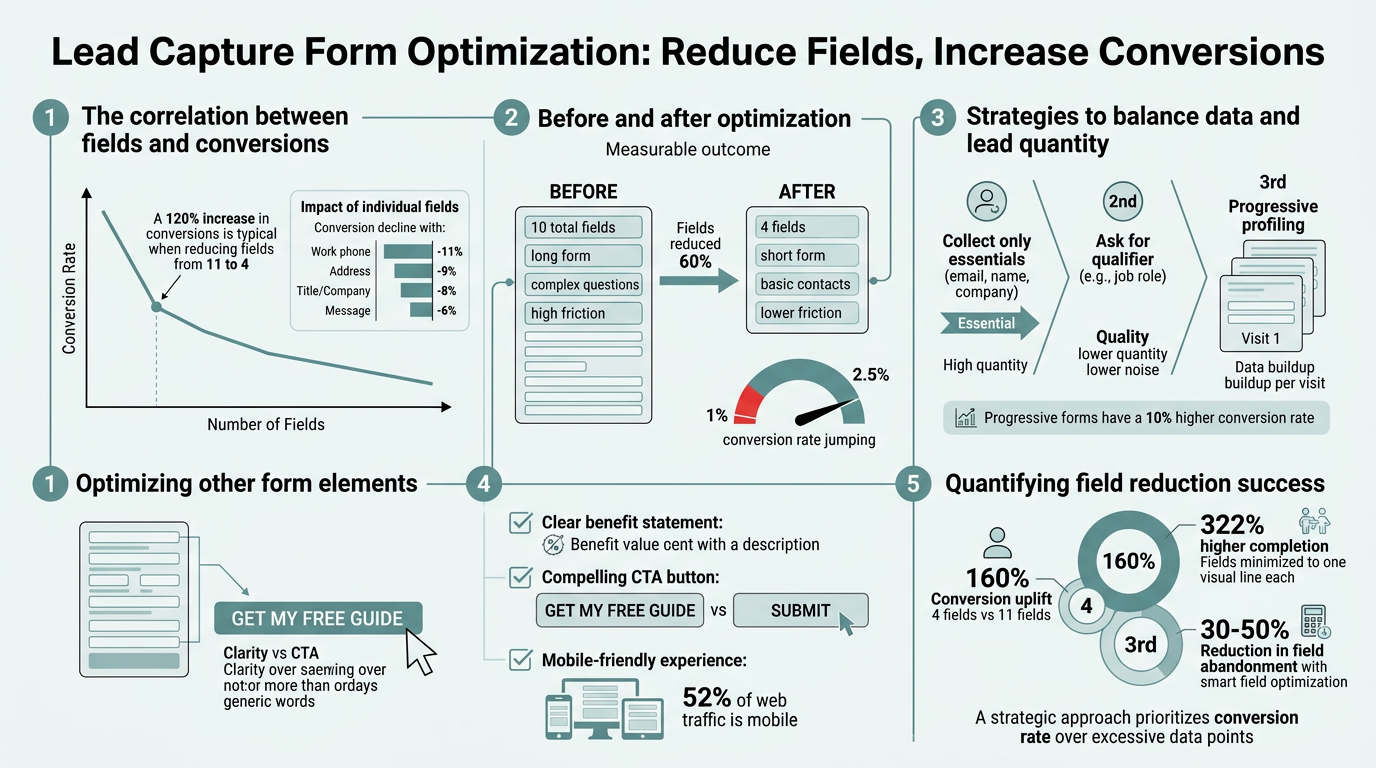
The math is brutal. Research from Brixongroup analyzing HubSpot data found that each additional field lowers conversion rate by 4.1%. A five-field form loses roughly 20% of potential conversions compared to a single field. At scale, this compounds quickly. A team with a seven-field form generating 1,000 monthly visitors will convert approximately 120 leads. The same team reducing to a three-field form could realistically expect 250 conversions—more than double.
"Each field is a micro-decision point where users ask themselves, 'Is this worth my time?' Remove the field, remove the question."
In B2B specifically, the penalty is steeper. Forms requesting more than five fields show an average 30% conversion decline versus shorter alternatives. Why? Friction accumulates. Each field is a micro-decision point where users ask themselves, "Is this worth my time?" Remove the field, remove the question.
The Cost of Over-Collection in B2B SaaS
Foundry CRO's 2026 analysis quantifies the business impact in dollars. A three-field form converting at 25% costs roughly $4.30 per lead at a $10 cost-per-click. The same traffic running through a seven-field form at 12% conversion costs $14.75 per lead. The delta: $10.75 per conversion. For a team capturing 100 leads monthly, field bloat costs roughly $1,075 per month in acquisition efficiency. Over a year, that's $12,900 in wasted spend on the exact same traffic.
"Shorter forms are not sacrificing lead quality—they're capturing the same people who actually intend to engage. You're not losing leads; you're losing tire-kickers who were never going to buy anyway."
The lesson: shorter forms are not sacrificing lead quality—they're capturing the same people who actually intend to engage. You're not losing leads; you're losing tire-kickers who were never going to buy anyway.
Benchmarking Your Form Against Industry Standards
Where does your form stand? Cross-industry form completion averages around 17% to 21%, depending on form type. Lead generation forms specifically cluster between 18% and 25% when optimized. If your form is below 15%, field count is likely a culprit. Tools like FormBeam allow teams to embed forms and track submissions instantly, surfacing field-level analytics that reveal exactly where users drop off. Once you identify the weak point—say, a phone number field that kills 40% of submissions—you can remove it and retest within days.
The benchmark is clear: every field you remove is potential revenue recovered.
What Information Should You Actually Ask For?
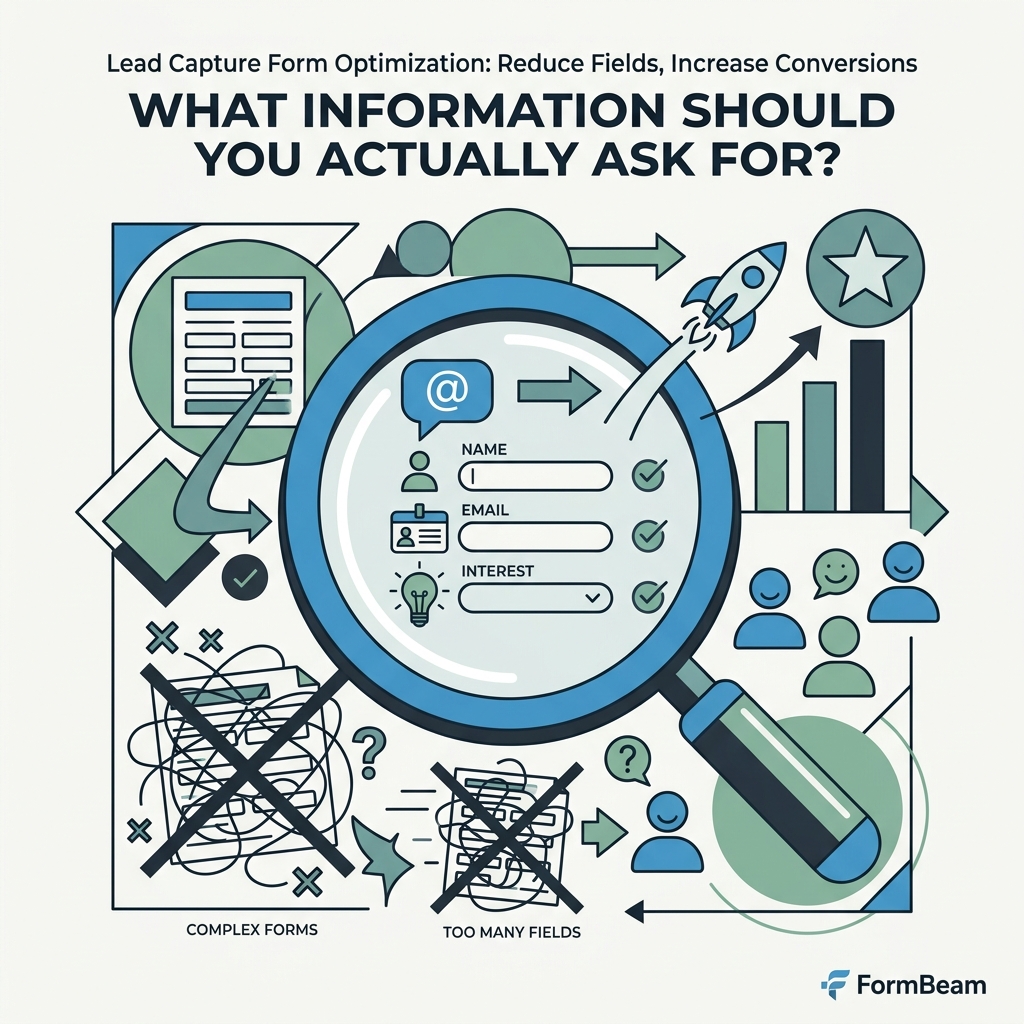
Minimizing fields starts with brutal honesty: what do you actually need to follow up? Most teams overestimate. Here's what research says you should capture in a first-pass lead form.
Essential Core Fields Only
For 95% of lead capture use cases, three fields suffice:
- Email address: Non-negotiable for all follow-up. Single point of contact.
- Name (first, or first + last): Personalization in outreach. First name alone is enough if length is critical.
- One contextual field tied to your offer: Company, industry, budget range, or intent. Ask something that qualifies or segments the lead toward the next step.
Phone number? Hold it. Company size? Defer it. How did you hear about us? Skip it in the initial capture—collect that later in a post-submission survey or in your CRM follow-up. First form: qualify the lead. Subsequent touchpoints: enrich the profile.
Conditional and Progressive Field Logic
If you need additional data, don't pile it all into step one. Progressive disclosure—revealing fields based on previous answers—can reduce perceived friction by 40% to 60%. A form that asks "Are you a developer or non-technical?" then branches to developer-specific or non-technical questions feels shorter and more relevant.
Similarly, multi-step forms outperform single-page forms by 84% in OpenSend's 2025 study. The key: each step should feel like progress, not a chore. A two-step form (Step 1: email + name; Step 2: company + role) will convert higher than a single page asking for all four—even though users are entering the same data. Perceived brevity matters as much as actual brevity.
The Offer-to-Ask Alignment Principle
Context matters. A form offering a free API documentation download can ask for email only. A demo request form naturally warrants email, name, and company. A consultation booking can justify role, budget, and timeline because the offer (expert time) is high-value.
The rule: field count should match offer value. Asking for 10 fields for a whitepaper? Users say no. Asking for the same 10 fields for a fully funded pilot program? Conversion soars. Align your fields to what you're actually offering.
How Should You Structure Multi-Step Forms for Maximum Completion?
Not all forms can—or should—be single-field. If you need genuine qualification data (company size, industry, budget), multi-step forms are your ally. Structured correctly, they recover most of the conversion loss from longer forms while improving data quality.
The Two-Step Gateway Pattern
The highest-conversion pattern is two steps: Step 1 captures the minimum (email, name, or one compelling question). Step 2 follows immediately, asking for 2–3 additional details. This approach works because users have already committed by submitting Step 1—psychological momentum drives completion of Step 2. OpenSend's research shows two-step forms routinely outconvert single-page equivalents by 30% to 50%.
"Once a user submits Step 1, psychological momentum drives completion of Step 2. The form no longer feels like a gauntlet—it feels like a natural conversation with progressive reveals."
The implementation: Make Step 1 feel like entry, not commitment. A single question—"What's your email?"—followed by "What's your first name?"—feels lightweight. Once submitted, Step 2 appears with slightly heavier asks: "Company name" and "How many team members?" Psychologically, users are already engaged.
Conditional Branching for Segmentation
If your form needs to route leads differently based on answers, conditional logic is essential. A SaaS capturing demo requests might ask: "Which product are you interested in?" If enterprise, follow with "Budget range?" and "Timeline?" If startup, follow with "Team size?" and "Current tools?"
This approach reduces cognitive load—users only see questions relevant to them—while increasing data quality. You're not asking an enterprise early-stage questions or vice versa. The form feels personalized, not generic.
Mobile Optimization in Multi-Step Forms
Mobile abandonment is 27% to 34% higher than desktop, so multi-step forms on mobile are doubly critical. Each step should require minimal typing. Use dropdowns or radio buttons instead of text inputs where possible. Autofill and autocomplete are non-negotiable on mobile. And critically: one input per screen on mobile. Asking for email, name, and company all on one step on a phone? Users bounce.
FormBeam's embedded forms adapt to mobile automatically, scaling touch targets and stacking inputs vertically. This removes the most common mobile friction point: forms that look cramped and require pinching to read.
What Optimization Tactics Actually Move the Needle?
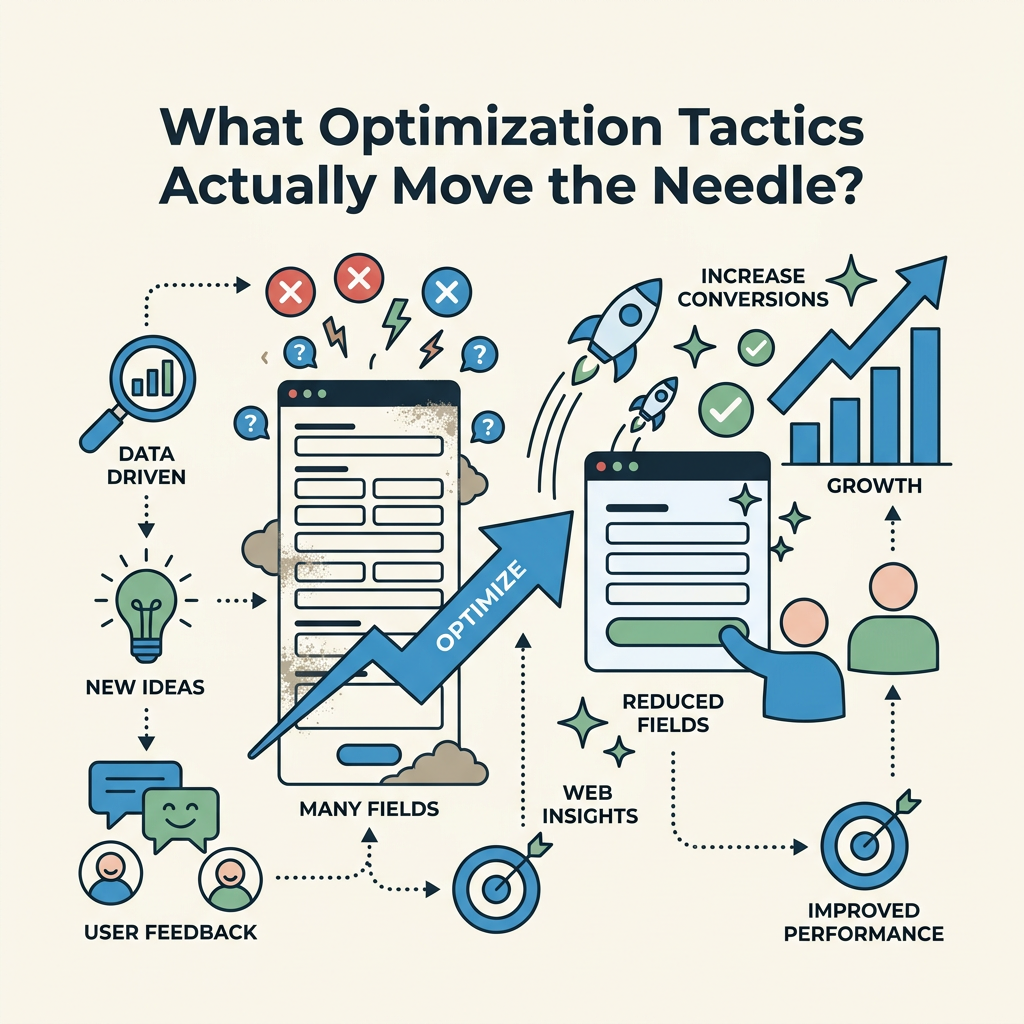
Field reduction is foundational. But conversion grows when you layer in secondary optimizations. Here's what the data says works.
Call-to-Action Copy Optimization
A generic "Submit" button converts lower than specific, value-oriented copy. Brixongroup's research found that changing "Submit" to "Get My Report" or "Schedule My Demo" increases conversions by 25% to 35%. The button is a promise. Make it specific.
- Weak: "Submit"
- Strong: "Get Instant Access," "Book My Call," "Send Me the Guide," "Claim My Spot"
Pair this with supporting copy that reinforces the exchange. "Enter your email to claim instant access to our State of SaaS 2026 report." The form user sees the complete transaction before committing.
Inline Validation and Error Clarity
Nothing kills conversion like ambiguous error states. Inline validation—instant feedback as users type—prevents users from submitting invalid data. A red "X" and a helpful message: "That email address doesn't look right" beats a form-wide error message that makes users re-read the entire form to find their mistake.
Inline validation also reduces friction by showing users they're on the right track. Completing an email field and immediately seeing a green checkmark triggers completion psychology—subconscious momentum toward the finish.
Trust Signals at the Point of Capture
Security concerns and privacy anxiety cause approximately 29% of form abandonment, according to 2026 data. Combat this with visible trust signals:
- Privacy badges (TrustGuard, McAfee certification)
- Clear privacy promise: "We'll never spam you. Unsubscribe anytime."
- GDPR or CCPA compliance notice: "Your data is encrypted and compliant."
- Social proof: "Join 10,000+ companies using this form" (if true)
Even small trust signals reduce perceived risk. The copy doesn't need to be long—a single line reassures users that their email won't be sold or spammed.
Field-Level Analytics and Abandonment Tracking
You can't improve what you don't measure. Most analytics platforms show final conversion only. Advanced platforms like FormBeam surface field-level metrics: which fields cause the most drop-off, how long users spend on each field, which fields are skipped or left blank.
Example: You notice 40% of users drop off at the "Company size" field. Response? Remove it, or make it optional. Data-driven decisions replace guesswork. FormBeam's submission dashboard lets teams tag and organize leads in real-time, surfacing completion metrics across all fields in seconds.
How Do You Test and Iterate on Form Performance?
Optimization is iterative, not one-time. The highest-converting teams run continuous A/B tests on form structure, copy, and fields.
The Field Reduction Test
Start with your baseline: measure current conversion on your live form. Then, remove one field and rerun traffic for a week or two. Compare. If removing "Company" increases conversion from 12% to 14%, keep it gone. If conversion stays flat, it likely wasn't a friction point; put it back or move it to a later step.
Do this one field at a time. Removing five fields simultaneously makes it impossible to know which one actually drove the improvement. The goal is surgical precision: identify the exact friction point and eliminate it.
CTA and Headline Testing
A/B test your button copy first because it's the fastest lever to pull. "Submit" vs. "Get Instant Access" takes five minutes to set up and can yield 25% lifts. Test headlines next: "Download Our Guide" vs. "Claim Your Free SaaS Benchmarks Report." Specific, benefit-driven copy consistently outperforms generic language.
Measuring Beyond Final Conversion
Track these metrics alongside final submission rate:
- Form view rate: What % of page visitors actually see the form?
- Form start rate: What % click into the form or begin typing?
- Field completion rate: At which fields do users abandon most?
- Error rate: How many users submit invalid data (bad emails, incomplete fields)?
- Time to completion: How long does the average user take to finish?
If your form view rate is high but start rate is low, your form placement or visibility is the issue. If start rate is high but completion is 20%, you have a friction problem—likely too many fields. Isolate the bottleneck and test the fix.
What Form Infrastructure Makes Optimization Easier?
Not all form platforms support the optimization strategies above equally. Teams building on static sites (HTML, React, Next.js, Vue, Svelte) have historically faced a choice: use a heavyweight form builder with fixed templates, or hand-code custom forms with no submission backend.
FormBeam splits the difference. It's a headless form backend designed for developers: embed a form in your static site with a single line of HTML, and FormBeam handles submissions, storage, email notifications, and analytics. No backend code required. No fixed templates to fight with. You control the form design and structure completely; FormBeam provides the infrastructure.
| Feature | FormBeam | Form Builders (Typeform, Jotform) | Custom Backend |
|---|---|---|---|
| Design Control | Full—code your own HTML/CSS | Template-based—limited customization | Full—but requires engineering |
| Setup Friction | One line of code, minutes | Visual builder, minutes | Weeks of backend work |
| Cost | $9–29/month (1K–5K submissions) | $35–99/month entry tier | $500+/month (hosting + maintenance) |
| Field-Level Analytics | Yes—view abandonment per field | Basic—final conversion only | Optional—build it yourself |
| Submission Management | Searchable dashboard, instant email alerts | Built-in—limited sorting/tagging | Manual database queries |
| GDPR/Compliance | Yes—encrypted, GDPR-ready | Yes—but shared infrastructure | Your responsibility |
| Best For | Indie developers, static sites, design control | Non-technical teams, quick setup | Enterprise, highly customized workflows |
For developers optimizing lead forms on static sites, FormBeam removes the infrastructure burden. You focus entirely on form structure, copy, and field strategy. You get the analytics to know what's working. You own the design. And you pay a fraction of what heavy builders or custom backends cost.
What's the Complete Optimization Checklist for Your Team?
Here's a practical starting point for any team ready to optimize their lead capture:
- Audit current form: Count fields. Check current conversion rate (or estimate). Note where users abandon.
- Identify essential fields only: Email, name, one contextual qualifier. Everything else is secondary.
- Remove or defer non-essential fields: Test by removing one and measuring conversion lift over 1–2 weeks.
- Add trust signals: Privacy statement, security badge, clear CTA copy.
- Test CTA copy: Run 3–5 variations of button text. Measure lift. Keep the winner.
- Optimize for mobile: Ensure large touch targets, single-input-per-screen (on mobile), autofill support.
- Implement field-level analytics: Track which fields cause abandonment. Use data to guide next tests.
- A/B test progressive forms: If more data is needed, move to 2–3 step form. Compare against baseline.
This sequence usually yields compounded improvements of 50% to 100% conversion lift over 2–3 months. Start with field reduction (highest impact, fastest ROI), layer in copy and trust signals, then test advanced patterns like progressive forms.
Conclusion
Lead capture form optimization is not a mystery. Every field you add costs roughly 4.1% conversion. Reducing a 4-field form to 3 fields can double your conversions. The math is simple; execution requires discipline. Strip your form to essentials. Test mercilessly. Let analytics guide you, not assumptions.
For teams building on static infrastructure, the barrier to optimization used to be technical: no way to track submissions, no analytics, no easy way to test variations. That's changed. A platform like FormBeam lets developers embed a fully functional, analytics-rich form in seconds, then optimize based on real data. You control the design, own the strategy, and recover the revenue lost to form friction.
Start today: audit your form, identify the field that kills the most conversions, remove it, and measure. One optimization cycle at a time, your conversion rate will climb. Try FormBeam to get field-level analytics and instant submission tracking.
FAQs
How many form fields is optimal for lead capture?
The research is clear: three fields is the practical optimum. Email address, first name, and one contextual field (company, role, or intent) are sufficient for initial qualification. Beyond three fields, conversion drops sharply—a seven-field form converts at roughly half the rate of a three-field form. If you need additional data, use a second step or progressive form that reveals fields conditionally based on previous answers. This preserves the perceived brevity that drives initial submission, while allowing you to collect deeper details after users commit to the first step.
Does reducing form fields hurt lead quality?
No—actually the opposite. Shorter forms capture higher-intent leads because they filter out users who aren't seriously interested. A user willing to type their email and name for your offer is genuinely interested. Someone who abandons because the form also asks for phone, company, and job title was likely just browsing. You're trading volume for quality, which is a net win for sales teams. The leads you capture are more qualified, and your total conversion is higher because fewer tire-kickers fall through. Follow up with captured leads to enrich their profiles; you'll gather the missing details through conversation, not friction.
How can I test whether my form has too many fields?
Remove one field and measure conversion over 1–2 weeks of traffic. If conversion increases, the field was friction—leave it out or make it optional. If conversion stays the same or drops slightly, the field wasn't a major barrier; consider keeping it if the data is valuable. Repeat this process one field at a time so you can isolate exactly which fields drive abandonment. Use analytics tools to track field-level abandonment rates—which fields cause users to exit most frequently? Start by removing the field with the highest abandonment rate, then test the next. This data-driven approach beats guesswork every time.