
Sending Form Data to Slack, Discord, and Team Chat Platforms
Teams collect information every day: customer feedback, support requests, event signups, sales inquiries. Most of this data lands in inboxes or sits in a database that nobody checks. The real bottleneck isn't collectionit's notification and action. When form submissions appear instantly in your team's chat, response times drop and nothing falls through cracks.
42 million daily active users rely on Slack for work communication, and Discord's user base is projected to reach 771 million by end of 2026. But neither platform natively handles forms well. The solution? Route form data directly into these chat tools so your team sees submissions in real time, threaded with context, ready to act on immediately.
This guide covers how to send form submissions to Slack, Discord, and team chat platformsthe technical approaches, platform-specific best practices, and which tools make it simple for indie developers and small teams building static sites.
Key Takeaways
- Slack handles 1.5 billion messages weekly with structured threading and enterprise integrations; Discord processes 1.1 billion messages daily optimized for real-time community chat (Business of Apps, 2026)
- Form-to-chat routing keeps team communication centralized, eliminating context-switching between email, dashboards, and chat platforms
- Webhooks, no-code automation platforms, and backend form services offer three distinct integration pathschoose based on your infrastructure and team size
- Platform Comparison: Slack excels for structured work workflows (support, approvals, ops), while Discord is better for community-facing forms (signups, RSVPs, feedback)
- Integration Methods: Webhooks give you control but require backend logic; automation platforms (Zapier, n8n) are no-code; backend form services handle the entire pipeline automatically
- Data Routing: Field mapping, validation, and deduplication prevent spam and ensure clean data reaches your team's chat
- Security: Webhook signatures, rate limiting, and encrypted payloads protect sensitive form data in transit to chat platforms
- Scaling: Middleware tools handle bidirectional sync; chat platforms themselves are not databasesuse them for notification, store data elsewhere
Why Route Form Data to Team Chat at All?
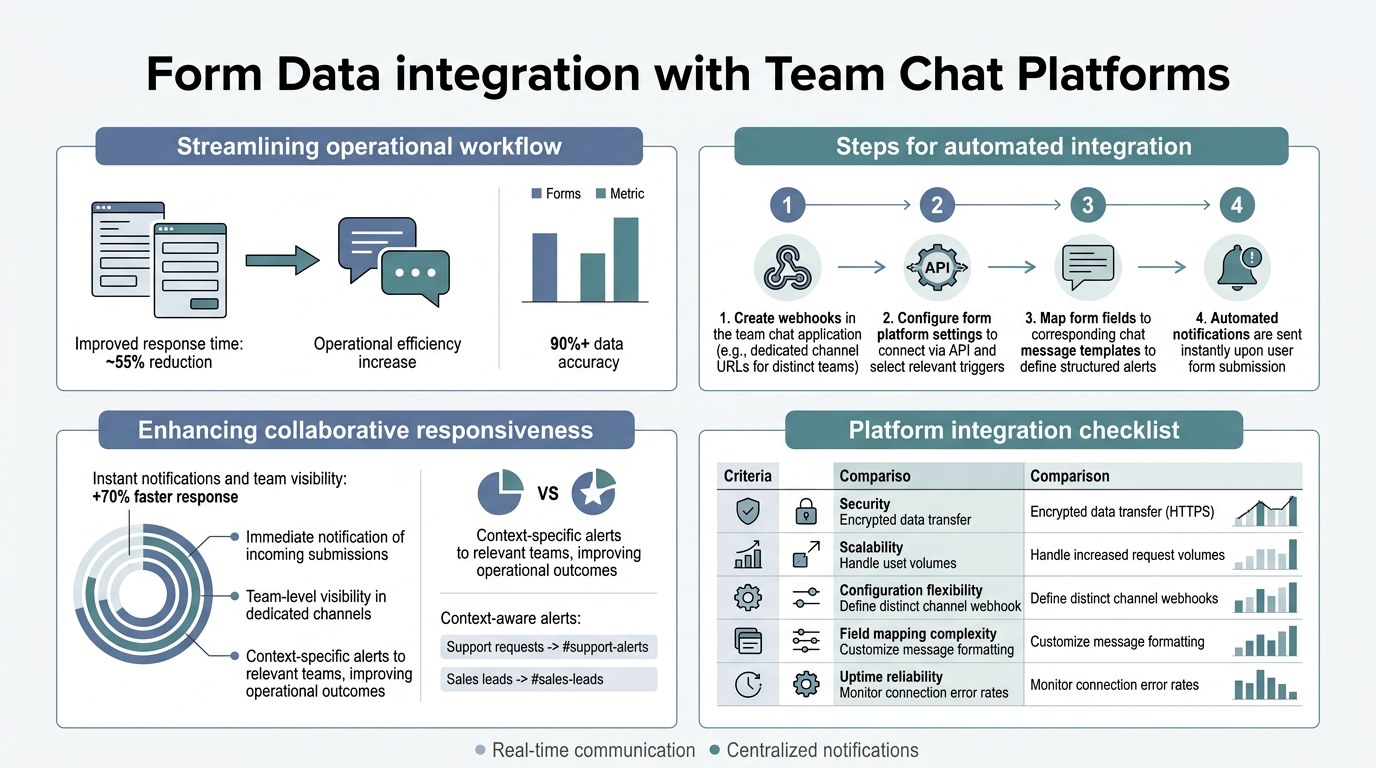
Chat platforms have replaced email as the command center for modern teams. But form submissions typically bypass this workflow entirely. They land in email, a separate dashboard, or a database that lives behind a login. By the time a team member sees it, 3 hours have passed and the context is cold.
Routing form data directly into Slack or Discord eliminates this friction. Submissions appear in a dedicated channel, threaded with full context. Your team responds immediately. Follow-ups stay organized in the thread. Everything stays in one placethe tool they're already using for daily work.
- Real-time notification: Form submission triggers an instant message in your chat. No delay, no missed submissions.
- Centralized workflow: Your entire team sees submissions in context. Discussions, decisions, and handoffs happen right there.
- Reduced tool fatigue: Instead of jumping between email, a form dashboard, and chat, everything flows into one place.
- Audit trail: Chat platforms preserve conversation history. You have a permanent record of who handled what and when.
- Automation potential: Once data lands in chat, you can trigger follow-up actions: task creation, escalation, notification to specific teams.
Choosing Between Slack and Discord for Your Form Data

Slack handles 1.5 billion messages weekly with structured threading and enterprise integrations, while Discord processes 1.1 billion messages daily optimized for real-time community chat. The choice between them depends on how your team operates and the type of form you're handling.
Slack is built for asynchronous, structured work. Teams use threads to keep conversations organized. Apps integrate deeply into the platform. You get compliance features, audit logs, and enterprise security. This makes Slack ideal for internal operations: support tickets, lead intake, approval workflows, incident alerts. According to Rock.so's 2026 comparison, a 10-person team on Slack Pro costs $870/year, while Discord remains free for community-based workflows.
Discord is built for synchronous, high-volume community interaction. It's always free (or very cheap with optional Nitro perks). Voice and video are first-class. The bot ecosystem is vibrant but lighter-weight than Slack's app marketplace. Discord shines for community-facing forms: event signups, member feedback, public intake, community announcements.
| Dimension | Slack | Discord | FormBeam |
|---|---|---|---|
| Best for forms | Internal ops, support, approvals, sales leads | Community signups, public feedback, events | Any form typesends to Slack/Discord + stores data securely |
| Pricing | $7.25–$12.50 per user/month | Free (or $9.99 Nitro/person) | $0–$29/month based on volume (free tier: 100 submissions/month) |
| Threading/organization | Native threads, excellent for workflow | Channels + threads, simpler structure | Dashboard + email + chat routing all available |
| Integration ecosystem | 2,600+ apps, deep enterprise tooling | Bots and webhooks, lighter weight | Direct webhooks, Slack/Discord routing, email, built-in storage |
| Data storage | Limited history on free tier (90 days) | Unlimited message history | All submissions stored permanently in searchable dashboard |
| Best for static site builders | If team is on Slack already | If community-facing or cost-sensitive | Simplestone line of code, automatic routing, no backend needed |
Three Methods for Routing Form Data to Chat Platforms
There are three distinct approaches to sending form data to Slack and Discord. Each offers different tradeoffs in complexity, cost, and control. Understanding these methods helps you pick the right integration for your team and infrastructure.
Method 1: Webhooks with Custom Backend Logic
Webhooks are the most direct integration path. Your form POSTs data to an endpoint you control. That endpoint then constructs a message and sends it to Slack or Discord via their incoming webhook URLs. You have complete control over formatting, validation, and routing logic.
This approach works well if your team already runs a backend. You write a serverless function (AWS Lambda, Vercel, Netlify Functions) that receives the form POST, validates the data, formats it into a Slack/Discord message, and sends it.
- Pros: Full control over data formatting and routing. No third-party charges. Can add custom logic (duplicate detection, field validation, conditional routing).
- Cons: Requires backend code. You own security (webhook signatures, rate limits, error handling). More complexity to debug and maintain.
- Best for: Teams with engineering resources and existing backend infrastructure.
Method 2: No-Code Automation Platforms (Zapier, n8n, Albato)
No-code platforms like Zapier and n8n act as middlemen. Your form sends data to Zapier. You configure a "trigger" (new form submission) and an "action" (send message to Slack). Zapier handles the API calls, formatting, and error retry logic for you.
This approach is popular because it requires no coding. You configure it in a visual interface and it just works. Platforms like n8n offer free open-source deployment options, while Zapier and Albato charge per task or per automation. For bidirectional workflows, Zapier recommends building separate automations for each direction rather than assuming one integration handles both ways.
- Pros: Visual configuration, no coding needed. Handles API complexity. Built-in error retries and deduplication.
- Cons: Pricing adds up if you have high volume or many automations. Vendor lock-in if you switch later. Rate limits on free plans.
- Best for: Teams without backend experience, or indie developers who want to avoid writing integration code.
Method 3: Backend Form Service with Built-in Chat Routing
A form backend service like FormBeam handles the entire pipeline for youit receives the form submission, stores it in a dashboard, sends you an email notification, AND routes the data to your chat platform in one step. You don't manage webhooks, validate data, or configure automation platforms. You just embed a form in your HTML and it works.
This is the simplest approach for indie developers and small teams building static sites. Embedding a form takes one line of code, and you get a searchable submission dashboard, email alerts, spam filtering, and instant chat notificationsall included. The form service handles webhook signatures, retries, and error handling automatically.
- Pros: Simplest setup for developers. One-line code embed. Automatic email + chat notifications included. Built-in spam protection and searchable data storage. No webhook configuration or Zapier learning curve.
- Cons: Less control over message formatting in chat (though most services offer customization). Adds a monthly cost for submissions.
- Best for: Static site builders, indie hackers, teams who want production-ready forms without backend complexity.
How to Set Up Form Submissions to Slack
If you're sending data to Slack, the most common approaches are webhooks (if you have a backend) or a form service that integrates with Slack automatically. Here's how each works in practice.
Slack Webhook Setup (Custom Backend)
Slack provides an API endpoint for incoming webhooks. You POST JSON data to a unique URL and Slack formats it as a message in a channel. This is the webhook-based approach. For teams using Slack for structured teamwork, native integrations typically deliver better reliability than webhooks alone.
First, create an incoming webhook in Slack. Go to your workspace's App Directory, search for "Incoming Webhooks," and add it to a specific channel. Slack generates a unique URL that looks like this: https://hooks.slack.com/services/T00000000/B00000000/XXXXXXXXXXXXXXXXXXXX. This URL is your webhook endpoint.
Then, when a form is submitted, your backend sends a POST request to that URL with a JSON payload. Slack formats the JSON as a formatted message in the channel. You can include form fields, attach buttons, and even trigger follow-up actions in threads.
- Webhook URL: Create in Slack's App Directory under Incoming Webhooks.
- JSON payload: Structure your form data as Slack's message format (blocks, text, attachments).
- Retry logic: If Slack is unreachable, your backend should retry the webhook (exponential backoff, 3–5 retries).
- Security: Protect the webhook URL as a secret. Never commit it to public repos. Use environment variables.
Slack with Form Backend Services (No Code)
A simpler approach: use a form backend service that handles Slack integration natively. FormBeam, for example, lets you enable Slack notifications from the dashboard. You authenticate once, pick a channel, and every form submission instantly appears thereformatted, threaded, and queryable. No webhook URLs to manage, no custom code needed.
"The entire workflowcollecting, notifying, and respondingstays in one tool. That's why teams building static sites prefer form backends over DIY webhooks. Less ops burden."
Developer Advocate, FormBeam
How to Set Up Form Submissions to Discord
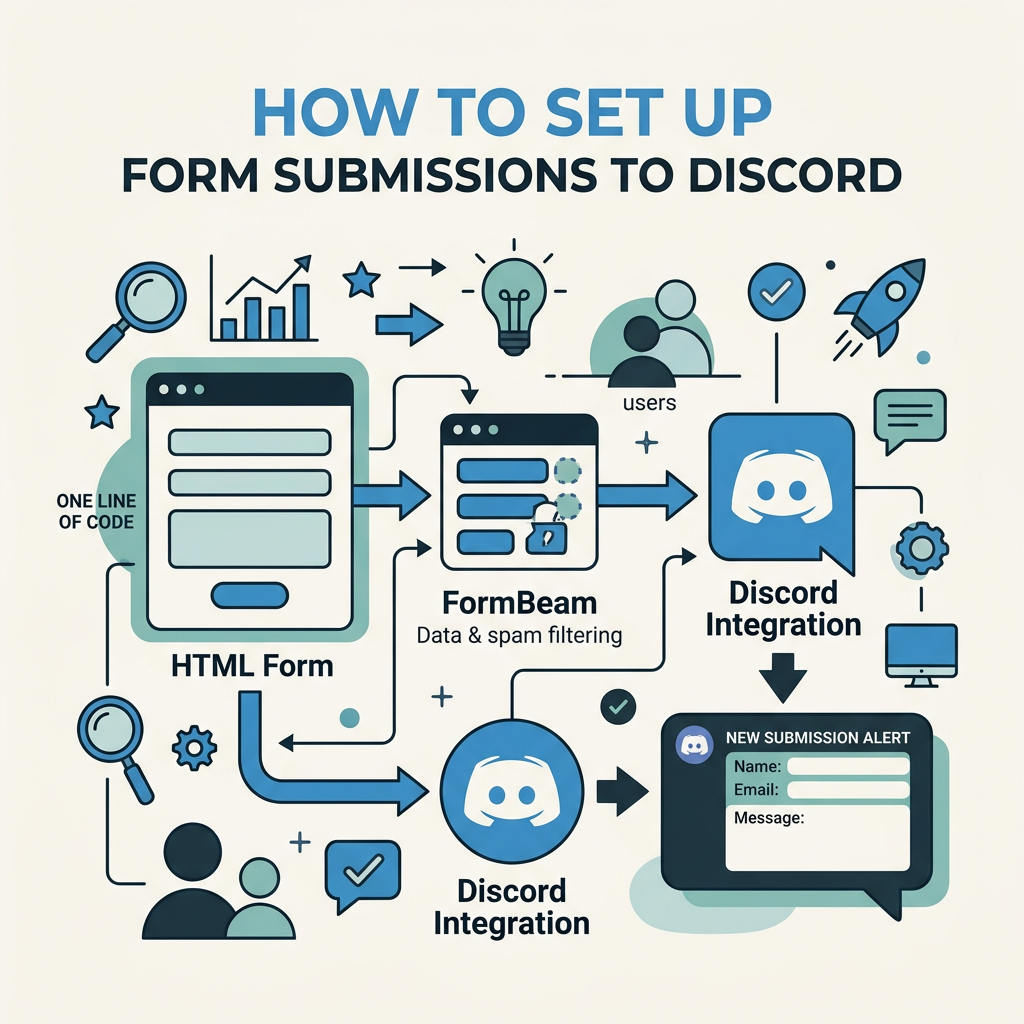
Discord webhooks are even simpler than Slack's. You create a webhook URL from a channel settings panel, then POST JSON data to it. Discord renders the data as a message. The process is nearly identical to Slack, but Discord's message format is slightly different.
Discord Webhook Setup (Custom Backend)
In Discord, right-click the channel where you want form submissions to appear. Select "Edit Channel" → "Integrations" → "Create Webhook." Discord generates a webhook URL. Copy it and treat it like a secret (store in environment variables).
When a form submits, POST this JSON to your Discord webhook:
- Content: The main message text.
- Embeds: Richer formatting (fields, colors, thumbnails).
- Username: Custom bot name that appears on the message.
- Avatar URL: Custom bot avatar.
Discord embeds let you format form data as structured cards with multiple fields. This is more visually polished than raw text and makes it easier for your team to scan submissions at a glance. Albato recommends defining triggers and actions carefully when mapping fields between platforms to preserve data integrity.
Discord with Form Services
FormBeam and similar services also support Discord webhooks directly. Enable Discord notifications, paste your webhook URL, and submissions flow to Discord automatically. The service handles formatting, retries, and deduplication without any code on your side.
Best Practices for Routing Form Data to Chat
Once you've chosen your platform and integration method, follow these practices to keep the workflow clean, secure, and maintainable.
Validate and Sanitize Data Before Posting
Don't send raw form data to chat. Always validate on the backend: check required fields, validate email addresses, reject extremely long text, and strip HTML/script tags. This prevents spam, phishing content, and malformed messages from polluting your chat.
Use the webhook endpoint as a validation checkpoint. If data is malformed, reject it before it reaches chat. This keeps your channel clean and prevents parse errors in Discord/Slack. FormBeam's built-in spam protection handles this automaticallyCAPTCHA, honeypot fields, and rate limiting prevent bots and spam from ever reaching your chat.
Use Structured Message Formatting
Slack and Discord both support rich message formats (blocks, embeds, fields). Use these instead of sending raw text. A well-formatted message that highlights the key fields makes it faster for your team to understand the submission and respond.
Example: Instead of posting a single line of text, use blocks to separate the form fields, add color coding, and include an action button (e.g., "View Full Submission"). This reduces cognitive load and speeds up response.
Add a Link to the Full Submission
Chat messages have limits. Form submissions might include attachments, long text, or multiple fields. Always include a link to the full submission in your dashboard or email. That link should open the submission details pagesearch the form ID, view all fields, see timestamps, and add internal notes.
This is critical if you're using a form backend service. The chat notification is a summary; the dashboard is the source of truth.
Use Thread Replies for Follow-up Communication
In Slack, when your team responds to a form submission in a thread, keep all discussion tied to that specific submission. This prevents your channel from becoming a jumble of unrelated conversations and makes it easy to search the history later.
Discord supports threads too (in newer server versions). Use them the same wayreply to the bot's message in a thread to keep conversations organized.
Rate Limiting and Duplicate Detection
If your form gets spam, you'll be flooded with submissions in chat. Implement rate limiting on the form endpoint: reject multiple submissions from the same IP within a short time window. Use CAPTCHA or honeypot fields to block bots.
On the webhook side, add deduplication logic. If the exact same data arrives twice in quick succession, send it to chat only once. This prevents duplicate notifications and keeps your team from acting on the same submission twice. FormBeam's submission management tools include built-in deduplication and duplicate detection to keep your workflow clean.
Comparing Integration Approaches: Webhooks vs. Automation Platforms vs. Form Services
Which approach is right for your team? It depends on your infrastructure, budget, and engineering capacity. Let's break down the tradeoffs.
Webhooks: Maximum Control, Maximum Responsibility
Webhooks give you full control. You write the code that receives, validates, and forwards data. You decide which fields to send, how to format messages, and what to do with errors. If you have a backend and you want total customization, webhooks are the way.
The cost: you own the complexity. You need to handle webhook signatures (verify that requests came from your form service), implement retries, manage rate limits, and debug issues yourself. If the webhook breaks at 3 AM, your team doesn't get notified until someone manually checks. Most teams eventually add monitoring and logging, which adds more code.
Automation Platforms: Simplicity with Limits
Zapier, n8n, and Albato remove the coding burden. You configure integrations visually. Their platforms handle retries, deduplication, and rate limits automatically.
The tradeoff: less control and potentially higher cost. Free plans have strict monthly limits. Paid plans charge per task (e.g., every form submission = 1 task on Zapier). If you have 1,000 form submissions a month and use Zapier to send them to Slack AND email, that's 2,000 tasks, which costs money. Some integrations have additional triggers or actions that cost extra.
Also, you're dependent on the platform. If Zapier changes their API or pricing, you have to adapt. Switching platforms later means reconfiguring all your automations.
Form Backend Services: Simplest for Static Site Builders
Services like FormBeam are purpose-built for this exact scenario: indie developers and small teams who need production-ready forms without a backend. You embed a form in your HTML. The service stores submissions, sends email alerts, AND routes data to Slack/Discord automaticallyall included.
The advantage: you write almost no code. You don't manage webhooks, learn Zapier, or maintain backend functions. The service handles spam filtering, submission storage, searchability, and chat integration. Your only job is embedding the form.
The cost: FormBeam charges per submission (starting at $0 for 100/month free, then $9–$29/month depending on volume). This is cheaper than hiring someone to manage webhooks or paying Zapier's per-task fees if you have high volume. And it includes the dashboard + email + chat integration in one service.
"For teams running static sites on Netlify or Vercel, a form backend saves weeks of engineering time and eliminates the need to manage a backend server just to collect data."
Independent Developer
Security Considerations When Routing Form Data to Chat
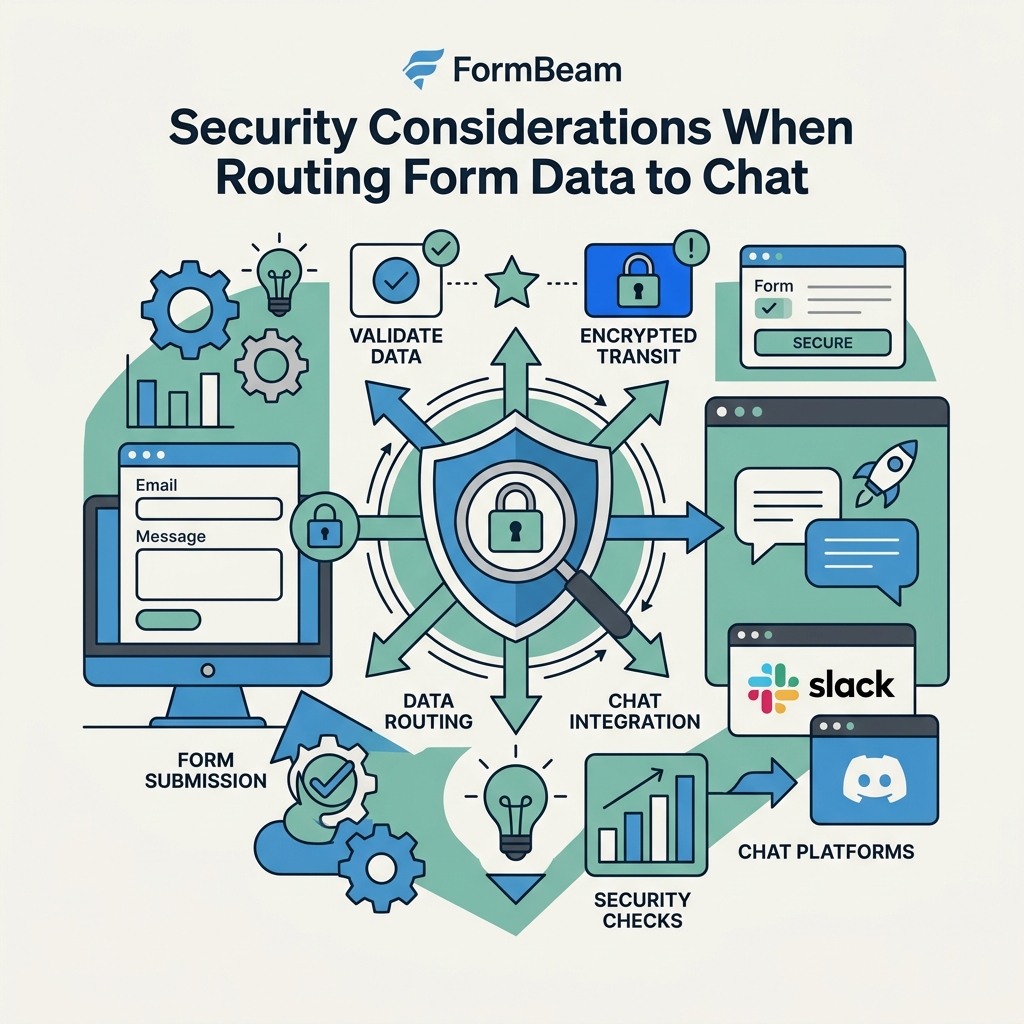
Form data often includes sensitive information: email addresses, phone numbers, feedback, or even payment details. When routing this data to chat platforms, security matters.
Webhook Signature Verification
If you're using webhooks, verify that requests actually came from your form service. Most platforms (Slack, Discord, FormBeam) sign webhook requests with an HMAC header. When you receive a webhook, re-compute the signature using a secret key. If it matches, trust the request. If not, reject it.
This prevents attackers from forging form submissions. It's a standard security practice and takes 10 minutes to implement.
HTTPS and Encrypted Transport
All webhook traffic must use HTTPS. This encrypts data in transit so it can't be intercepted. If your backend is public-facing, use HTTPS for all endpoints. Most modern hosting platforms (Vercel, Netlify, AWS) provide free HTTPS certificates.
Rate Limiting and Access Control
Limit how many requests a single IP can make to your webhook endpoint in a given time window. This prevents attackers from overwhelming your endpoint or chat platform with spam. Also, restrict who can view your form submissions. If you're using a form backend, only share the submission dashboard with team members who need it.
Encrypted Data in Chat
Understand that once data lands in Slack or Discord, it's subject to those platforms' security and privacy policies. Slack and Discord encrypt messages in transit and at rest, but the data is still visible to everyone in the channel. If your form collects sensitive data, create a private channel visible only to the relevant team members. Or use a more restricted solution: send only a notification to chat, and store full data securely in your own database or form service.
Scaling Form-to-Chat Workflows as Your Team Grows
Early on, you might send all form submissions to a single #feedback channel. As volume grows, you'll want to route different forms to different channels, prioritize urgent submissions, and possibly escalate based on content.
- Multi-channel routing: Use conditional logic to send support tickets to #support, sales leads to #sales, and general feedback to #feedback. This keeps channels focused and prevents noise.
- Prioritization: Flag urgent submissions (e.g., payment failures, complaints) with a special color or emoji. This draws attention without cluttering the channel.
- Escalation rules: If a submission doesn't get a response within 2 hours, send a reminder or escalate to a manager. This requires a slightly more sophisticated backend or a powerful automation platform.
- Bidirectional sync: Some teams want to close the loop. When a team member replies to a form submission in chat, automatically send that reply to the form submitter via email. This is harder to set up but very powerful for customer communication.
A backend form service like FormBeam makes scaling easier. It handles conditional routing, prioritization, and escalation rules directly in the service. You don't need to maintain custom code as your workflow becomes more complex.
Common Pitfalls to Avoid
Teams often run into issues when setting up form-to-chat workflows. Here are the most common ones and how to prevent them.
Webhook URLs Leaked or Exposed
If your Slack/Discord webhook URL is exposed (committed to a public GitHub repo, logged in error messages, or shared in emails), anyone can post messages to your channel. Treat webhook URLs as secrets. Store them in environment variables. Rotate them if you suspect exposure.
No Error Handling or Monitoring
If a webhook fails silently, your team won't get notified about form submissions. Implement logging and monitoring. Use a service like Sentry or CloudWatch to alert you if webhook failures spike. This is critical if your team depends on the form workflow.
Chat Spam from Bots or Duplicate Submissions
Without spam filtering, your form becomes a target for bots. Without deduplication logic, the same submission can arrive twice due to network retries. Both result in chat noise. Add CAPTCHA, honeypot fields, and duplicate detection to your form service.
Treating Chat as a Database
Slack has a 90-day free history limit. Discord stores history longer, but chat platforms are meant for communication, not data storage. Always store form submissions in a real database or form backend. Chat should be the notification layer, not the data layer.
Conclusion
Sending form data directly to Slack, Discord, and team chat platforms eliminates the gap between form submission and team response. Instead of checking email or a dashboard, your team sees submissions in the place they already spend their daytheir chat tool. This keeps communication centralized, speeds up response, and prevents submissions from getting lost.
The 42 million Slack daily active users and 1.1 billion Discord daily messages show that chat has become the operational hub for teams. Routing forms into this hub makes sense. Whether you choose webhooks, a no-code automation platform, or a backend form service, the principle is the same: notifications travel where the work happens.
For indie developers and small teams building static sites, a backend form service like FormBeam is the fastest path. You get form collection, submission storage, email alerts, spam filtering, and chat integration in one service. No backend code. No Zapier learning curve. One line of HTML and you're done.
Try FormBeam and route your first form submission to Slack in under 5 minutes.
FAQs
What's the easiest way to send form data to Slack without coding?
Use a backend form service like FormBeam. You embed a form in your HTML with a single line of code, authenticate with your Slack workspace, and select a channel. Every submission is instantly posted to Slack, stored in the FormBeam dashboard, and emailed to your team. No webhooks, no backend functions, no Zapier configuration. It takes 5 minutes to set up and works for any form type.
Can I send the same form to both Slack and Discord?
Yes. Form backends like FormBeam support routing to multiple platforms simultaneously. You enable both Slack and Discord notifications in the settings, and each submission appears in both places automatically. You can also use a no-code automation platform like Zapier or n8n to fork the submission to multiple destinations. For webhook-based solutions, you'd write logic to POST to both Slack and Discord URLs in your backend function.
How do I prevent spam and duplicate form submissions in chat?
Implement three layers of protection: add CAPTCHA or a honeypot field to block bots, use rate limiting on the form endpoint to reject rapid-fire submissions from the same IP, and deduplicate submissions on the backend (detect identical data arriving within seconds and post to chat only once). Form services like FormBeam include built-in spam protection and deduplication, so you don't have to configure it yourself. For webhook-based integrations, you write this logic in your backend function.