Integrating Forms into Next.js Static Export Projects
Next.js static exports eliminate server infrastructure overhead, but they create a critical problem: without a backend, there's no native way to handle form submissions. Indie developers and small teams working with static sites face three choices: build custom backend infrastructure, use a third-party form service, or ship forms that don't actually collect data. Hosted form backends now handle roughly 70% of form submissions on static sites, yet many developers either overpay for features they don't need or struggle with poor integration experiences. This guide shows you how to properly integrate forms into Next.js static exports, compares the architectural approaches, and reveals why some solutions leave you maintaining unnecessary complexity.
Key Takeaways
- Next.js static exports cannot use API routes or server functions for form handling. You must route submissions to an external service or build a separate backend. (Next.js Docs, 2026)
- Hosted form backends handle 70% of static site form submissions, with zero infrastructure overhead. (Reddit r/statichosting, 2025)
- Progressive enhancement—HTML form with JavaScript enhancement—remains the most resilient pattern for static site forms.
- Most indie projects outgrow free tiers; plan for $9-29/month form services once you exceed 500 submissions monthly.
- Understanding the Static Export Constraint: Next.js static exports generate static HTML files at build time and cannot execute server-side code, eliminating API routes and Server Actions for form submissions.
- Progressive Enhancement and Client-Side Handling: Bind forms to external endpoints using standard HTML attributes or client-side JavaScript, with proper validation and error handling.
- Choosing a Form Backend Service: Compare hosted providers like Formspree, Basin, and FormBeam to match your submission volume, feature requirements, and budget.
- Spam Protection and Security in Static Forms: Implement hCaptcha or reCAPTCHA, validate submissions server-side, and configure CORS headers to prevent unauthorized submissions.
- Managing Form Submissions and Email Workflows: Set up email notifications, auto-replies, and webhook integrations to automate downstream processes.
- Debugging and Monitoring Form Performance: Track submission rates, latency, and error patterns to identify integration issues before they affect users.
Why Next.js Static Export Blocks Traditional Form Handling
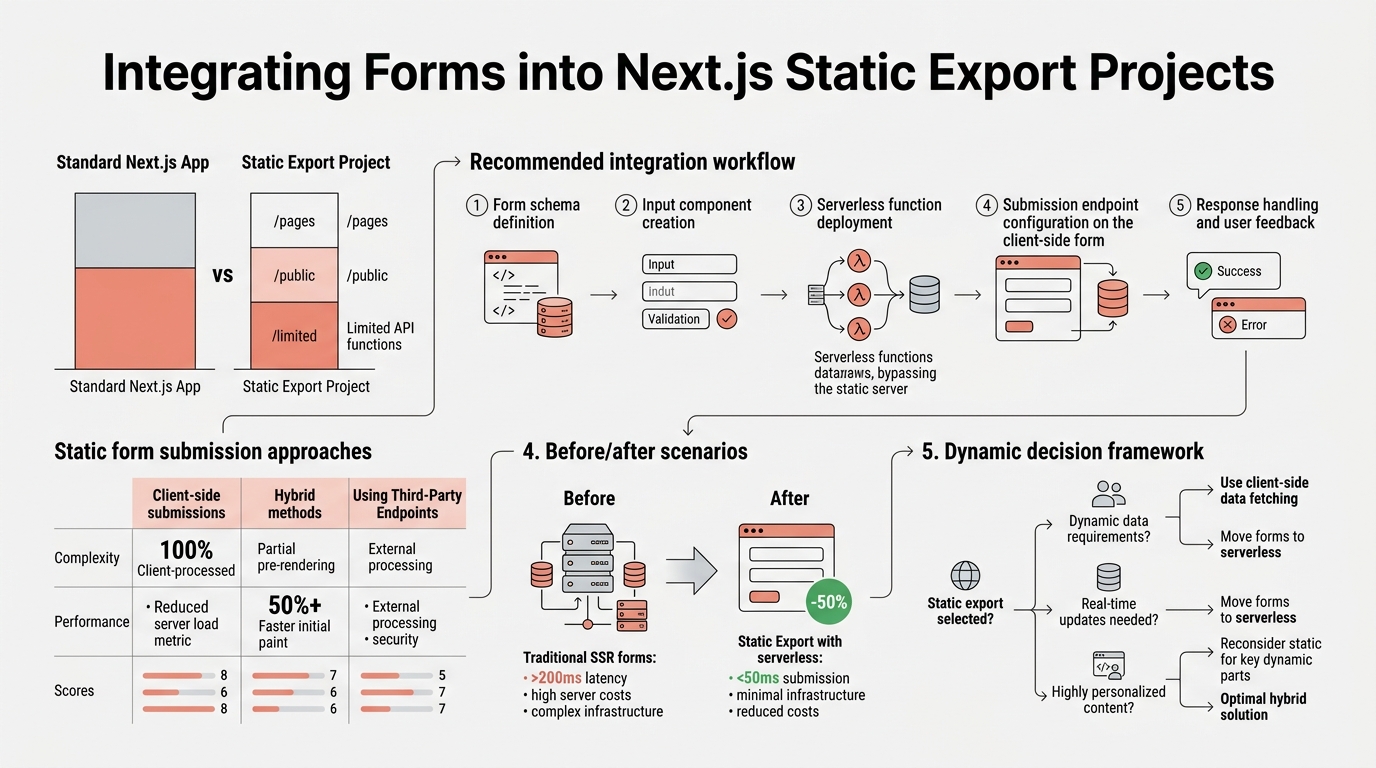
When you enable static export in Next.js (`output: 'export'`), the build process generates a folder of pre-rendered HTML, CSS, and JavaScript files. This eliminates the ability to run server code at request time. No API routes. No Server Actions. No `fetch` calls during request handling. This architectural decision is a feature—it enables deployment to any static host (S3, Cloudflare Pages, GitHub Pages, Vercel's static tier) without a Node.js server. But it creates a form problem: traditional backend-driven form submission workflows cannot exist.
"The static export constraint is not a limitation of Next.js itself—it's the trade-off you accept for zero server infrastructure. For indie developers, that overhead is unacceptable."
The static export constraint is not a limitation of Next.js itself—it's the trade-off you accept for zero server infrastructure. If you want Server Actions or API routes, you must abandon static export and deploy a full Next.js application. For indie developers building portfolios, documentation sites, landing pages, and other primarily static content, that overhead is unacceptable. The solution is external form submission endpoints that handle form data without requiring backend infrastructure.
What Happens When You Try to Submit to an API Route
Many developers new to static exports attempt to point form submissions to Next.js API routes (e.g., `/api/contact`). The build completes without error, but at runtime, the form submission fails silently or returns a 404. This is because the static export generates no server to handle the API request. The generated HTML references a route that doesn't exist in the deployed static files. This is why Next.js documentation explicitly lists API routes as unsupported in static exports—there is no server process to invoke them.
Server Components vs. Client-Side Submission
Server Components in Next.js run at build time during `next build`, not at request time. This means they can fetch data, perform database lookups, and precompute content—all during the build process. They cannot, however, handle user form submissions that occur after the site is deployed. Form submissions always require client-side event handling (a JavaScript `submit` event listener) and a network request to an external endpoint. Conflating Server Components with request-time server functionality is the most common misunderstanding among developers new to static exports.
How to Structure Form Submissions in Static Exports
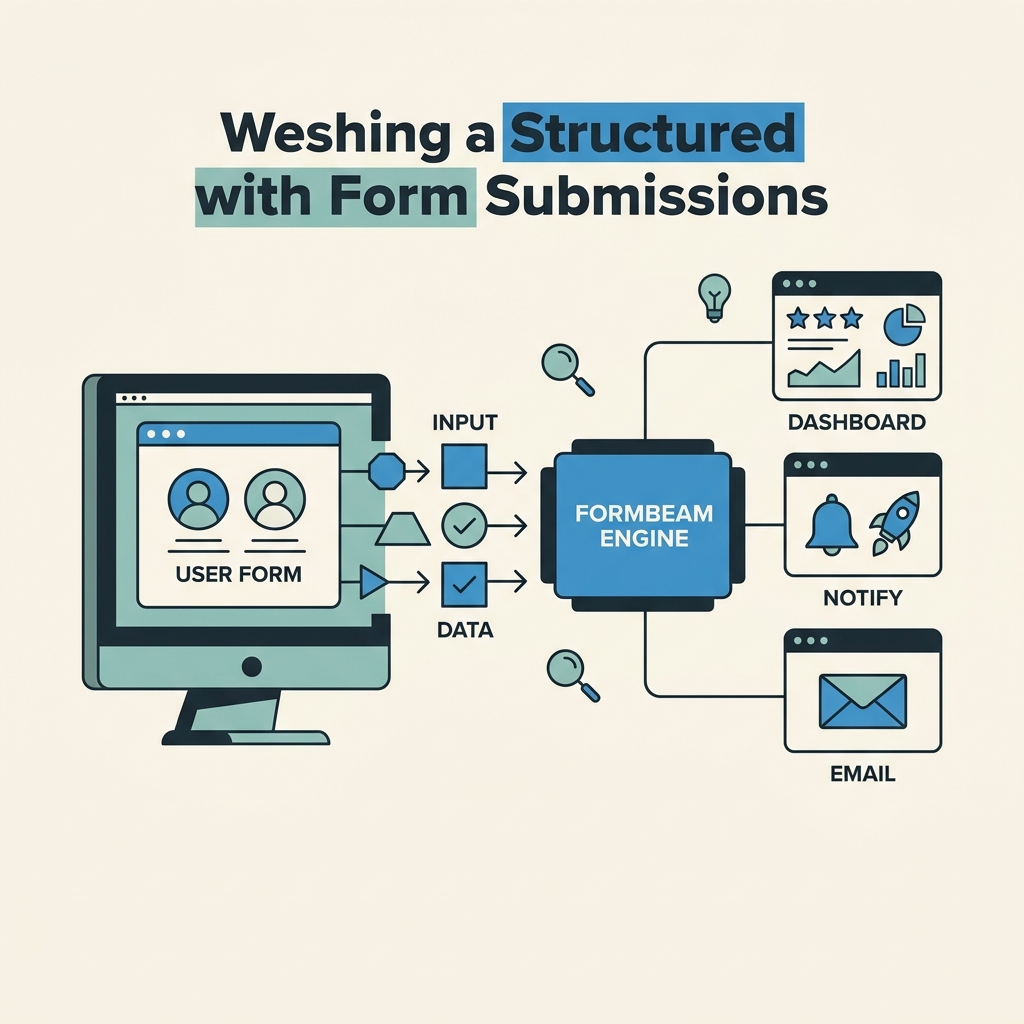
The pattern for static export forms is simple: submit data to an external endpoint that persists the submission and sends notifications. The external endpoint can be a hosted form backend, a serverless function, or a custom API on a separate domain. The key is separating the static HTML layer from the data-handling layer. When you use FormBeam to collect form submissions, you're leveraging a dedicated service that handles this separation seamlessly.
"A bare HTML form can function without JavaScript, submitting via HTTP POST to an external endpoint. If JavaScript is available, you can intercept the submit event to show loading states, prevent page reloads, and display success feedback."
Progressive Enhancement with HTML Form Attributes
The most resilient approach uses standard HTML attributes and progressive enhancement. A bare HTML form can function without JavaScript, submitting via HTTP POST to an external endpoint. If JavaScript is available, you can intercept the submit event to show loading states, prevent page reloads, and display success feedback.
- Action Attribute: Point the form's `action` to the external endpoint (e.g., `https://formbeam.io/submit/your-form-id`).
- Method: Use `POST` to send data securely and avoid URL length limits.
- Name Attributes: Each input must have a descriptive `name` attribute matching your form backend's expected field names.
- CORS Handling: The external endpoint must return `Access-Control-Allow-Origin: *` or your form's origin for cross-origin submissions.
- JavaScript Enhancement: Add `form.addEventListener('submit', ...)` to prevent default reload, show feedback, and handle errors gracefully.
Client-Side Form Submission with Error Handling
For better UX, intercept the form submit event in JavaScript, send the request via `fetch`, and handle the response without a page reload. This approach requires careful error handling because network requests can fail for reasons outside your control—server downtime, network latency, CORS errors, validation failures on the backend. Embedding forms properly ensures seamless client-side integration with appropriate error recovery.
A production-ready implementation includes loading state feedback (disable submit button, show spinner), success state (brief success message, reset form), error state (display error message, re-enable submit), and network error handling (retry logic, user messaging). Developers often skip error states in prototypes, then ship forms that silently fail when submissions don't go through. Always show the user what happened.
Choosing Between Form Backend Services and Custom Solutions

You have three architectural paths: a hosted form backend (Formspree, Basin, FormBeam), a serverless function (Netlify Functions, AWS Lambda), or a custom backend server. Each trades off simplicity, cost, and control. Industry data shows three primary approaches developers use to handle forms without a backend, each with distinct trade-offs.
| Solution | Setup Time | Monthly Cost (1000 subs) | Key Limitation | Best For |
|---|---|---|---|---|
| FormBeam (Hosted Backend) | 5 minutes | $9 | Limited to form submissions; no advanced logic | Indie devs who want zero configuration and spam filtering out of the box |
| Formspree (Hosted Backend) | 10 minutes | Free (50 subs/mo) to $99/mo | Limited webhooks on free tier; basic UX on free | Portfolios and small sites willing to use free tier |
| Basin (Hosted Backend) | 10 minutes | $15 (1000 subs included) | Smaller team support; fewer integrations | Teams needing advanced routing and webhooks |
| Netlify Functions (Serverless) | 30 minutes (with Next.js) | Free (125k invocations/mo) to $25+ | Requires Node.js knowledge; cold starts add latency | Developers comfortable with custom code and already on Netlify |
| Custom Express Backend (Self-Hosted) | 2-4 hours | $5-20/mo VPS + maintenance | Requires ongoing maintenance, security patches, monitoring | Teams with strong backend expertise and unique requirements |
Hosted Form Backends: Zero Infrastructure Overhead
A hosted form backend handles submission ingestion, email delivery, spam filtering, and provides a dashboard to review submissions. You embed a simple form with the backend's endpoint URL and never maintain server infrastructure. 70% of static site developers choose this path because it's the fastest route to a production form with minimal complexity.
"FormBeam exemplifies this category: point your form to FormBeam's endpoint, get built-in spam protection, email notifications, and a searchable dashboard—all without deploying a single backend service."
FormBeam exemplifies this category: point your form to FormBeam's endpoint, get built-in spam protection with reCAPTCHA and hCaptcha support, email notifications, and a searchable dashboard—all without deploying a single backend service. The trade-off is that you cannot customize submission logic beyond what the service exposes (webhooks, field routing, conditional emails). For 90% of indie projects, the service's built-in features are sufficient.
Serverless Functions: Custom Logic with Managed Hosting
Serverless functions (Netlify Functions, Vercel Edge Functions, AWS Lambda) let you write custom form handling logic without managing servers. You define a function that receives form data, validates it, stores it, sends emails, and returns a response. The hosting provider manages scaling, uptime, and infrastructure.
Serverless functions are powerful but add complexity. You must write and deploy custom code, handle errors yourself, implement spam protection, and manage email delivery (via third-party APIs like SendGrid or AWS SES). For simple contact forms, this is overkill. For complex workflows (conditional logic, multi-step forms, CRM integration), serverless is appropriate if you have the engineering bandwidth.
Custom Backend: Full Control, Full Responsibility
Building a custom backend (Node.js/Express, Python/Flask, etc.) gives you complete control but locks you into ongoing maintenance. You must handle form validation, spam filtering, rate limiting, CORS, email delivery, database administration, security patches, monitoring, and uptime. Indie developers often underestimate this burden. A database breach, misconfigured CORS header, or unpatched vulnerability becomes your liability. Unless you have specific requirements that off-the-shelf services cannot meet, custom backends are unnecessary for static site forms.
Implementing Spam Protection in Static Forms

Form spam is ubiquitous. Bots automatically submit contact forms to harvest emails, test for SQL injection, and waste your submission quota. Protecting your form requires both client-side and server-side mechanisms.
CAPTCHA and Challenge-Response Systems
reCAPTCHA v3 (Google's invisible CAPTCHA) and hCaptcha are the industry standards. reCAPTCHA v3 runs silently in the background, assigning a risk score to the submission without interrupting legitimate users. hCaptcha is similar but privacy-focused (does not send data to Google). Both require you to include a JavaScript snippet in your form and send a token in the form data to your backend service for verification.
Most hosted form backends (including FormBeam) support CAPTCHA natively. You enable it in the form configuration, add the CAPTCHA script to your form, and the backend validates tokens automatically. You don't implement CAPTCHA yourself; the service handles it.
Rate Limiting and Submission Throttling
Rate limiting prevents a single IP or user from flooding your form with spam submissions. A simple approach: allow one submission per IP per minute. Most hosted backends enforce this automatically. If you're using serverless functions, you must implement rate limiting yourself via a database or in-memory store. This adds complexity and is another reason hosted backends are preferable for most projects.
Field Validation and Honeypot Fields
Client-side HTML5 validation (required, email, type attributes) catches obvious user errors but is trivial for bots to bypass. Server-side validation is mandatory: validate email format, required fields, and field length on the backend before storing. Most form backends validate automatically. Honeypot fields are hidden form fields that real users never see but bots fill out. If the honeypot field is submitted with a value, the submission is discarded. This is simple, effective, and complements CAPTCHA.
Managing Submissions and Email Workflows
Once you've decided on a form backend, the next layer is submission management and notifications. How do you receive submissions? Where are they stored? Can you export them? What happens to email notifications?
Email Notifications and Auto-Replies
When a user submits a form, you typically want two emails: one to the user confirming receipt (auto-reply), one to you notifying a new submission. Hosted backends handle this. You configure your email address in the form settings, and the backend sends an immediate notification. Auto-replies can be customized—some services let you set a custom template, others send a generic confirmation. Email configuration in FormBeam allows custom templates and multiple recipient setup.
Auto-replies are important for UX. A user submits a contact form and sees nothing happen. An auto-reply email reassures them the form worked and sets expectations for your response time ("We'll reply within 24 hours"). Without an auto-reply, users assume the form failed and may resubmit multiple times.
Dashboard and Submission Search
A searchable submission dashboard lets you browse all form entries, filter by date, search by email or name, and export data. This is standard in any reputable form backend. Managing submissions through a centralized dashboard ensures you never lose track of incoming inquiries. You should never rely on email alone for submission records. Emails get lost, deleted, or archived in hard-to-find folders. A dashboard is the source of truth.
Webhooks and Downstream Integrations
Webhooks allow form submissions to trigger actions in other systems. When a form is submitted, the backend sends a webhook notification to your CRM, Slack workspace, or email service. Advanced integrations connect to Zapier or Make.com for complex workflows (e.g., create a Trello card from a form submission, or add the user to a mailing list).
For indie projects, webhooks often go unused. Email notifications plus a dashboard suffice. But if you're building a service that receives dozens of inquiries daily, webhooks automate triage and routing, saving manual work.
Deploying and Testing Forms on Static Hosts
Static site hosts like Vercel, Netlify, GitHub Pages, and Cloudflare Pages all support form submissions via external endpoints. There's no host-specific configuration required. Your Next.js build outputs static HTML, you deploy those files, and forms submit to your chosen backend's endpoint.
CORS Configuration and Cross-Origin Requests
When your form makes a request from `https://example.com` to a form backend at `https://formbackend.io`, the browser enforces CORS (Cross-Origin Resource Sharing) rules. The backend must respond with `Access-Control-Allow-Origin: https://example.com` (or `*` for public forms) and appropriate headers for the browser to allow the response to be read by JavaScript.
This is a common source of confusion. A form submission might succeed (you see a 200 response in the network tab), but JavaScript cannot read the response because of CORS. The submit event handler fires an error. The user sees "Something went wrong." The fix is ensuring your form backend (or your serverless function) sends the correct CORS headers. Most hosted backends handle this automatically.
Testing Forms in Development and Production
Test your form submission flow in development before deploying. Use the backend's staging or test endpoint if available. Verify that form data reaches the backend, email notifications arrive, and the success callback in JavaScript fires as expected. Many developers skip testing and discover issues only after launch, resulting in missed submissions and frustrated users.
In production, monitor form submissions regularly. Check the dashboard, review email notifications, and keep an eye on error rates. If submissions drop unexpectedly, investigate immediately. Possible causes: endpoint misconfiguration, CORS errors, backend downtime, rate limiting triggering falsely, or spam filters being too aggressive.
Conclusion
Integrating forms into Next.js static exports requires abandoning the traditional full-stack approach of API routes and server-side request handlers. Instead, you route form submissions to an external endpoint—a hosted form backend, serverless function, or custom server. For most indie developers and small teams, a hosted form backend is the pragmatic choice: 70% of static site developers choose this path. It eliminates infrastructure overhead, provides built-in spam protection, and handles email delivery automatically.
FormBeam is purpose-built for this use case. It takes five minutes to set up, costs $9/month for 1,000 submissions, includes spam filtering and email notifications out of the box, and requires no custom code or backend maintenance. Progressive enhancement—a standard HTML form that works with or without JavaScript—remains the most resilient pattern. Always implement CORS correctly, validate submissions on the backend, and monitor your form dashboard regularly.
Use a hosted endpoint instead. 100 free submissions / month. How to add the endpoint.
FAQs
Can Next.js static exports use Server Actions for forms?
No. Server Actions only work in full Next.js applications with a running server. Static exports generate pre-rendered HTML at build time and deploy to static hosts without server infrastructure. If you enable `output: 'export'` in `next.config.js`, Server Actions become unavailable. You must choose between static export (no Server Actions) or a full Next.js deployment (Server Actions enabled). Most indie developers choose static export for cost and deployment simplicity, then integrate forms via external endpoints like FormBeam.
What's the cheapest way to add forms to a Next.js static site?
For low-volume sites (under 500 submissions per month), Formspree and Getform offer free tiers. However, free tiers lack professional features: limited webhooks, generic email templates, basic dashboards. Once you exceed 100-200 submissions monthly, paid options become worthwhile. FormBeam at $9/month for 1,000 submissions is cheaper than Formspree's $99/year upgrade and includes spam filtering that free services omit. For portfolios, $9/month is negligible compared to the time saved avoiding spam moderation and missed legitimate inquiries.
How do I prevent form spam without a CAPTCHA?
CAPTCHA is the most effective spam barrier, but you can layer additional defenses: honeypot fields (hidden form fields that bots fill out but humans never see), server-side rate limiting (one submission per IP per minute), email validation, required field validation, and submission length limits. However, honeypot + rate limiting alone are insufficient against determined spam. CAPTCHA (reCAPTCHA v3 or hCaptcha) combined with these techniques provides robust protection without interrupting legitimate users. FormBeam includes built-in spam filtering across all tiers, eliminating the need to configure CAPTCHA yourself.